Jekyll2025-01-29T13:44:06+00:00https://joshcgrossman.com/feed.xmlJosh GrossmanA blog about AppSec/InfoSec from your friendly AppSec Ghost! 👻What’s going on with (Sem\|open)grep?2025-01-28T07:51:50+00:002025-01-28T07:51:50+00:00https://joshcgrossman.com/2025/01/28/whats-going-on-with-sem-open-grepIntroduction
A few weeks back I found myself in the Semgrep slack channel trying to find out whether the extensive effort I had put into developing a set of custom security vulnerability detections as part of my work for one of my main clients was about to go out the window.
The reason was Semgrep’s recent announcement that it would be removing certain functionality from its command line tool.
What I discovered was that some of my rules would no longer work but that since I was lucky enough to be working with the SARIF output and not the JSON output, the extensive “nosemgrep” suppression I had put in place, allowing me to document rule exceptions inline in the code would still operate.
Now before anyone starts accusing me of freeloading for not wanting to login or pay for Semgrep, these detections were my own self written rules, being integrated into existing Semgrep scans, which themselves were being run using Semgrep’s LGPL licenced engine, through a vendor who has Semgrep’s explicit blessing to do this.
Having discovered that the only casualty of the change was my join mode rules, I continued building my detections but with a continued sense of concern about what the future would hold for them…
It was therefore with mixed emotions that I read about the Opengrep fork of the Semgrep engine which was announced last week.
One of the reasons for the mixed emotions was the volume of misinformation being generated about what Semgrep had done and I tried to clarify things slightly in a social media post.
There still seems to be a lot of confusion though so I thought I would try and summarise where we are so far and what I hope to see from this development.
What is Semgrep?
Semgrep is a fast, open-source, static analysis tool that searches code, finds bugs, and enforces secure guardrails and coding standards. Semgrep supports 30+ languages and can run in an IDE, as a pre-commit check, and as part of CI/CD workflows.
Semgrep is semantic grep for code. While running grep "2" would only match the exact string 2, Semgrep would match x = 1; y = x + 1 when searching for 2. Semgrep rules look like the code you already write; no abstract syntax trees, regex wrestling, or painful DSLs.
So what does that mean? Basically, Semgrep lets you write really simple rules to find particular patterns in a bunch of different coding languages. The tool can be run simply on the command line making it super flexible for where it can be used and it is generally very fast.
The core engine is considered Open Source Software licensed under the LGPL and until the recent change was actually called “Semgrep OSS”.
Specifically, up until December 2024 they were licenced under the Commons Clause as an extension to LGPL which basically means they are source available and can be used for the most part but there are limitations on how they can be used commercially. The intent seems to have been to prevent people selling Semgrep OSS + the rules as a paid SAST solution but the licence is a little hard to understand, particularly the section which talks about under what circumstances the rules can and cannot be used in a commercial product. This confusion is one of the things that led to the changes in December 2024.
Semgrep also offer a subscription to a more sophisticated commercial version of the tool as well a fully featured cloud management platform and a bunch of other tools including SCA, and Secrets Management.
What is my experience with Semgrep?
I honestly cannot remember when I started using Semgrep but I have absolutely loved the tool from the beginning. The sheer power, simplicity, and flexibility of the tool are like nothing available in the open source world, with previous tools mostly being either super complicated or limited in features or language support.
I have used it in the courses I have delivered at OWASP and Black Hat about AppSec tools as an example of an open source SAST solution. However, my favorite use for it is as a tool for developing custom rules and detections to solve organization specific problems, like checking for missing authorization controls. I collaborated with Michal Kamensky on a talk about this and helped her develop a full training course on this topic which she delivered at Black Hat last year.
But, and this is a big but, the only reason this all happened was because the engine was licensed LGPL and freely available to use in this way.
Checkmarx will let you write custom rules but you can only use them within their platform. I hear that CodeQL from Github is super cool and powerful but I have never used it because it has a restrictive licence.
Semgrep basically became the watchword for simple and powerful SAST but almost certainly only because of the freedom to use the core engine.
What did Semgrep announce in December 2024?
Semgrep publicised two key changes in December 2024. A lot of people (including myself) were a little confused about these changes so I will try and state them as clearly as possible. (Note that the Chief Product Officer of Semgrep, Luke O’Malley, subsequently wrote a clarification.)
The first change was renaming the core engine from OSS to Community Edition. In the process, features were also being removed from the core engine into the commercial version including features previously considered “experimental”. The licence on the engine was not changed and remains as LGPL.
“You may use the rules only for your own internal business purposes. This license does not allow you to distribute the rules, or to make them available to others as a service.”
Why did they do this?
The nice thing about an open source project is that lots of people will use it, like I noted above.
The problem with an open source project…is that lots of people will use it. And some of them may use it in a way which you don’t like.
In Semgrep’s case, a whole bunch of companies started integrating the LGPL licensed Semgrep engine into their commercial offerings. It seems that some of them were also using Semgrep’s ruleset as well.
Now using the Semgrep rules in a commercial product was certainly a violation of Semgrep’s intent but the slightly unclear Commons Clause licence may have meant that companies felt like they were following the letter of the law, maybe my adding extra content or enriched information to the rules (I am speculating).
On the other hand, integrating the LGPL Semgrep OSS engine is perfectly allowed. This very much goes against the intent of Open Source but realistically the entire tech ecosystem runs on using Open Source software, in a best case scenario without providing any benefit to the author and in a worst case scenario by actually expecting service or support or disadvantaging the original author in some other way.
In this case, the original author was being disadvantaged because companies were now competing against them using their own engine (and maybe their own rules?), and Semgrep evidently decided it needed to take action.
What has happened now?
A bunch of vendors (most of whom have presumably invested a lot to integrate Semgrep into their products) have gotten together and have effectively declared that Semgrep has carried out a “rug pull”.
The term “rug pull” is usually used when an open source project changes the licence of the project to be more restrictive in a way that causes a problem for some or all users of the project.
This group of vendors has announced an open source fork of Semgrep called Opengrep which is also licensed LGPL. The group has declared its intention to keep the removed features in that fork and continue to maintain and enhance it as a multi-vendor effort under an open source foundation.
“We believe that discovering security issues must remain accessible to all. Opengrep will empower every developer with open and transparent SAST, making secure software development a shared standard.” https://www.opengrep.dev/
Is this a “rug pull”?
In this case, license statuses have not really changed. The core engine remains LGPL and the rules remain under a more restrictive license.
I don’t think anyone can claim a “rug pull” about the rules, they were clearly under a restrictive licence and whatever reasoning organizations had to use them commercially, it was clearly not how Semgrep intended them to be used.
When it comes to the engine however, I think it is a little more complicated. Whilst the licence of the engine didn’t change, the effect of the functionality changes meant that certain features were relicenced under a fully commercial licence. This not only prevented their use in commercial products but arguably prevented their use in any setting.
I think it is fair to say that it is completely reasonable and expected to add certain features to a commercial offering and not to a free/OSS offering.
But to actively remove features from a free/OSS offering and then remove the OSS moniker entirely sends a clear signal of uncertainty in an Open Source project, arguably more so than just simply changing license to prevent commercial abuse.
I think the “rug pull” concept is a little problematic in general, as I’ll explain below, but if you use the definition above then that is basically what happened here.
The problems with the “rug pull” concept
I don’t want to get into a long rant about this. We have seen a bunch of examples where a company that has maintained an open source project for years finally gets tired of being competed against by a bunch of other companies. They change to a different licence in a way that generally only affects those companies who are competing against them with their own software, and suddenly they are the bad guy.
Now, on the one hand, changing an open source project to a more restrictive licence seems to go against the “open source” ethos. But on the other hand, using someone else’s open source product to compete against them also seems to go against the “open source” ethos.
I therefore struggle to sympathise when, such as with Redis and Valkey, suddenly you have a medium sized tech company like Redis being the “bad guy” for changing their licence in a way that disadvantages some small, “hard done by”, tech companies such as (checks notes) Amazon, Google, Tencent, etc.
So what about this case?
As you might guess from the rant that I didn’t really want to get into, I would not naturally side with a fork by a bunch of commercial companies against the original maintainer. But in this case, I am a little more conflicted and I think this might be a fork worth supporting.
Semgrep is now in a very interesting position. Previously, it was the primary maintainer of a very popular open source project with full responsibility. I don’t know how many contributions they were seeing coming back from the wide user base but I imagine it was relatively limited.
Now that opengrep exists with the same licence, Semgrep is free to pick and choose the features it wants to adopt from opengrep.dev. At the same time, it may feel less pressure to directly add features to the Community Edition and can focus on enhancing its commercial features and pushing its other commercial offerings.
Even if Semgrep chooses not to contribute much back to opengrep, no-one is going to forget who originally wrote the engine, who was responsible for getting it to the level of sophistication it is at now, and where to go to get the highest level of support and integration.
Meanwhile, opengrep is licensed as LGPL. If Semgrep wants to adopt its features in Semgrep Community Edition, opengrep can’t exactly change the licence to prevent this as long as Semgrep CE also keeps the LGPL.
Plus, there will now be an expectation that any engine features which the opengrep foundation members build for their platforms will also be in the open source project.
In addition, Semgrep also explicitly said that they anticipated this move and the changes they made could be seen to have been designed to precipitate it.
First impressions of opengrep
Obviously it is very early days for this project. The team behind it seems to be quite determined to put effort into it and seem to have some developers specifically dedicated to work on it.
I do however find it a little puzzling that their first effort seems to be creating a version that runs on windows and I do hope that’s isn’t going to cause a bunch of weird compatibility issues, (e.g. different path characters in a join mode rule).
I think the biggest challenge is going to be trying to maintain a truly open source ruleset to go with the tool. As it stands at the moment, using Semgrep’s ruleset for anything other than testing and benchmarking in the repo itself is a little hazy from a licensing perspective.
More importantly, if the project wants to demonstrate that it is a good-faith effort to keep maintain a tool for the benefit of the community, that also means being seen to do what is ethically right and not just legally right. In this case, that is to steer well clear of Semgrep’s ruleset.
I have not loved the initial marketing from the various vendors involved. I understand the will to make a splash but a lot of the messaging had been disrespectful to Semgrep and/or has spread misunderstandings or misinterpretations.
On the other hand, my initial interactions with the team have been positive and it seems like they want to do good.
I called them out over the weekend about the fact that their messaging and actions seemed to imply that the rules were also previously under a less restrictive open source license, when this was not the case.
They seem to have responded pretty positively to that and have made various changes to clarify things.
The bottom line
I think that the opengrep fork is a good thing. It secures the status of the open source project and strengthens it for the whole community, including Semgrep. It also means that many other companies who are strongly invested in the engine will be pooling their resources and contributing their work back to the community.
I will be keeping a close eye on the new project team to see that they deliver on their promises in the hope that I can adopt opengrep for my own uses and evangelise it as a sophisticated way to run custom static code testing.
(Thanks for Michal Kamensky for proof-reading and providing feedback and discussion on the original post 😀)
Introduction
Back in February 2024, I wrote a long post about trying to use passkeys as a consumer. I’d heard loads and loads of buzz about passkeys and how they are bringing about the password-less revolution. However, whilst the technology itself is super-clever, the practicalities and edge-cases had made me hesitant to recommend it to actual organisations who are writing apps for consumers.
(This entire post and the previous post entirely ignore the business to business or enterprise uses for passkeys as they tend to have a more unified ecosystem. These posts focus on consumer-facing applications.)
Following a recent question, I decided to revisit this about 9 months on and see where things stand now.
If you read the previous post, I have marked sections which have been updated as “Updated” or are “New”. If you didn’t, or can’t remember it. Feel free to read through all the way as this post does not rely on the previous post.
If you don’t want to read a long story about me testing passkeys, you can see a summary and some conclusions from the “Experimentation Summary” section onwards.
Also, in certain cases I didn’t update the screenshots as they were identical to last time. I have marked these with “identical screen” just before the image.
Detailed walk-through
So this section is pretty long and complicated but if you are someone who cares about how this impacts user experience, I think it would be worth your while following the journey I went through.
I decided to stay with Kayak.com as they were the basis of the previous post.
Kayak.com, the travel metasearch engine is one of the case studies which Google themselves highlights as part of their promotion of passkeys so it seemed like they would be a good option.
In this post, I’ll walk you through my experiences using passkeys with Kayak.com.
I want to make very clear that nothing in here should be considered critical of Kayak.com and it’s engineering organization. My primary aim is to demonstrate various use cases and allow people who are considering implementing passkeys to see the different situations their users might encounter.
Also, note that some of the screenshots are not strictly in order (e.g. I went back and took further screenshots later) but I am describing faithfully the steps I went through.
Where screens haven’t changed at all, I haven’t always replaced the original screenshots.
Part 1 Creating a mobile passkey
Native App on Android
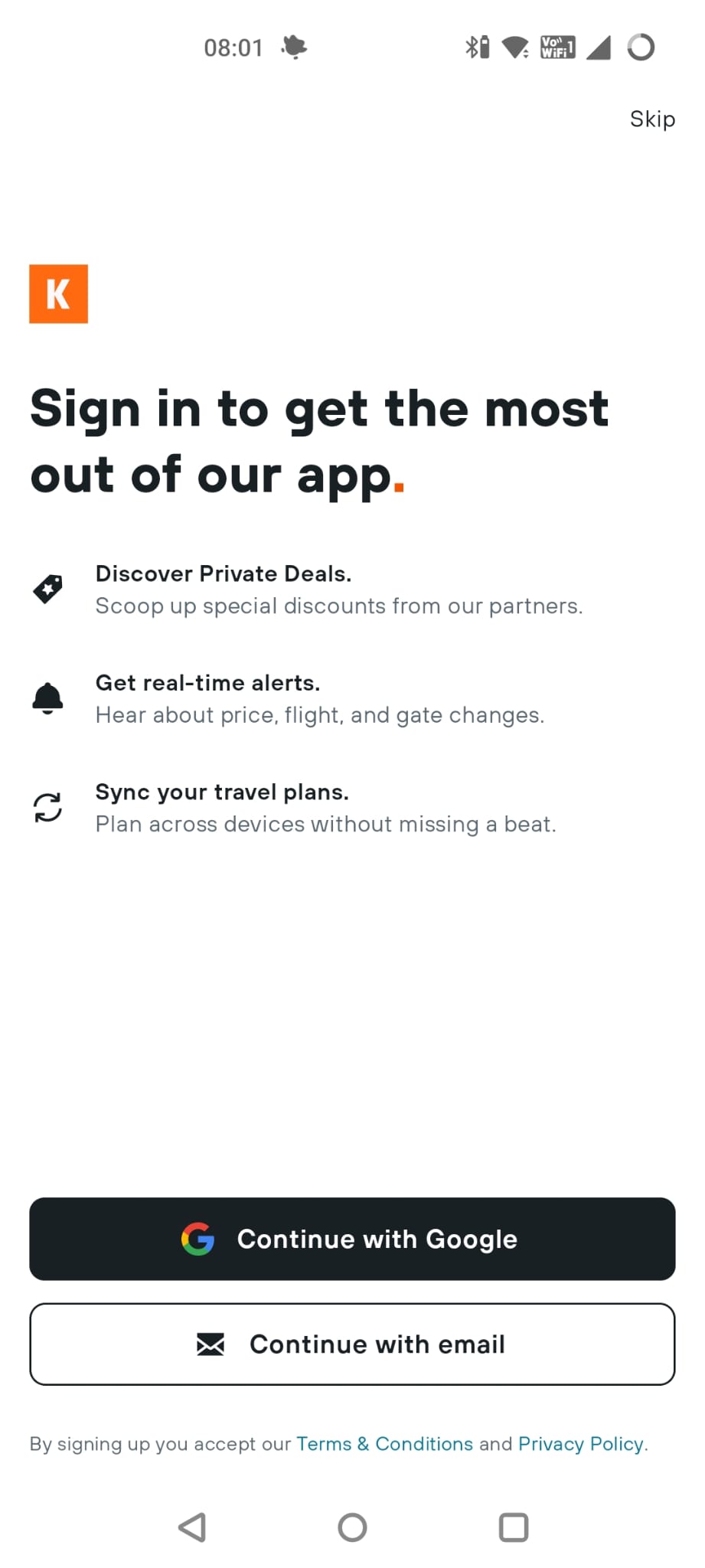
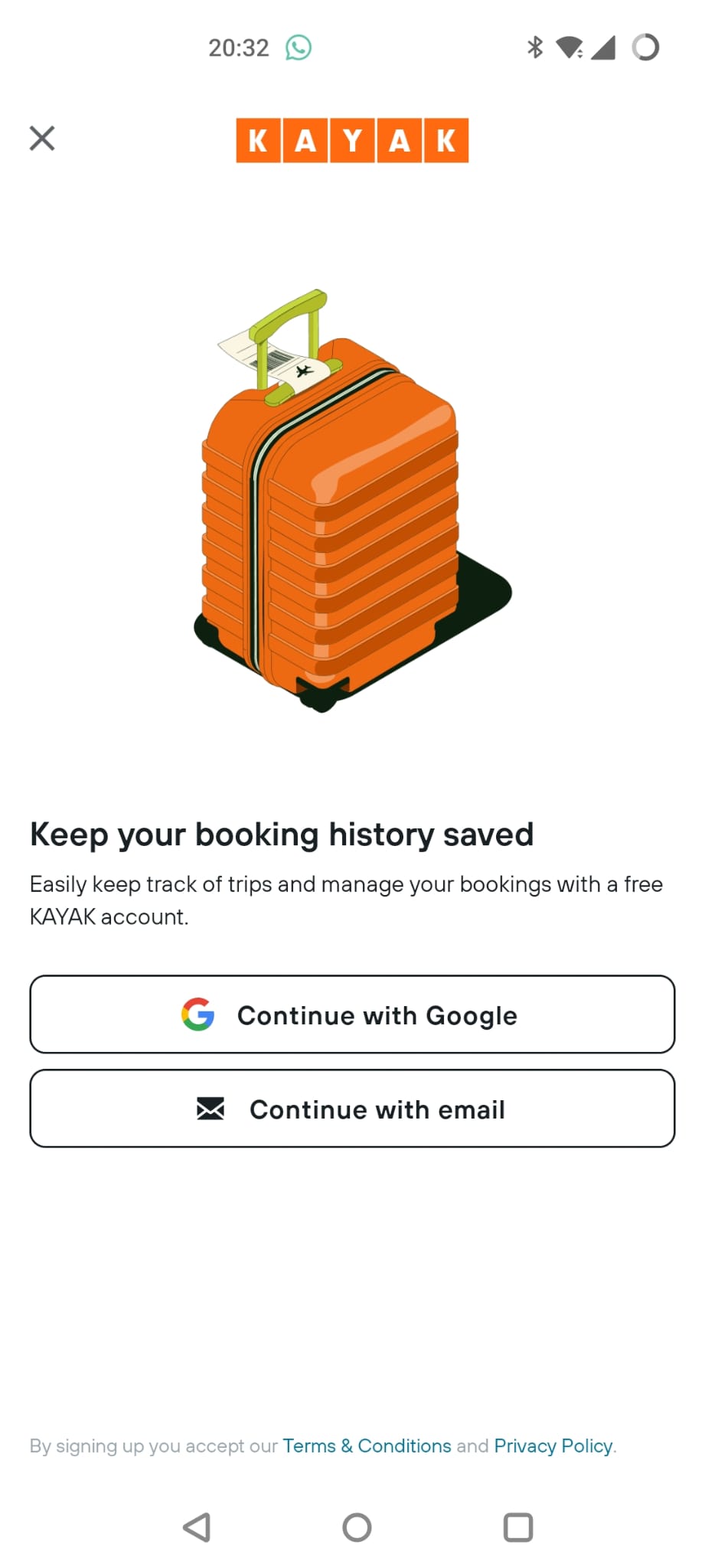
So the first thing I tried was installing the Android native app. I go to login and see this screen:
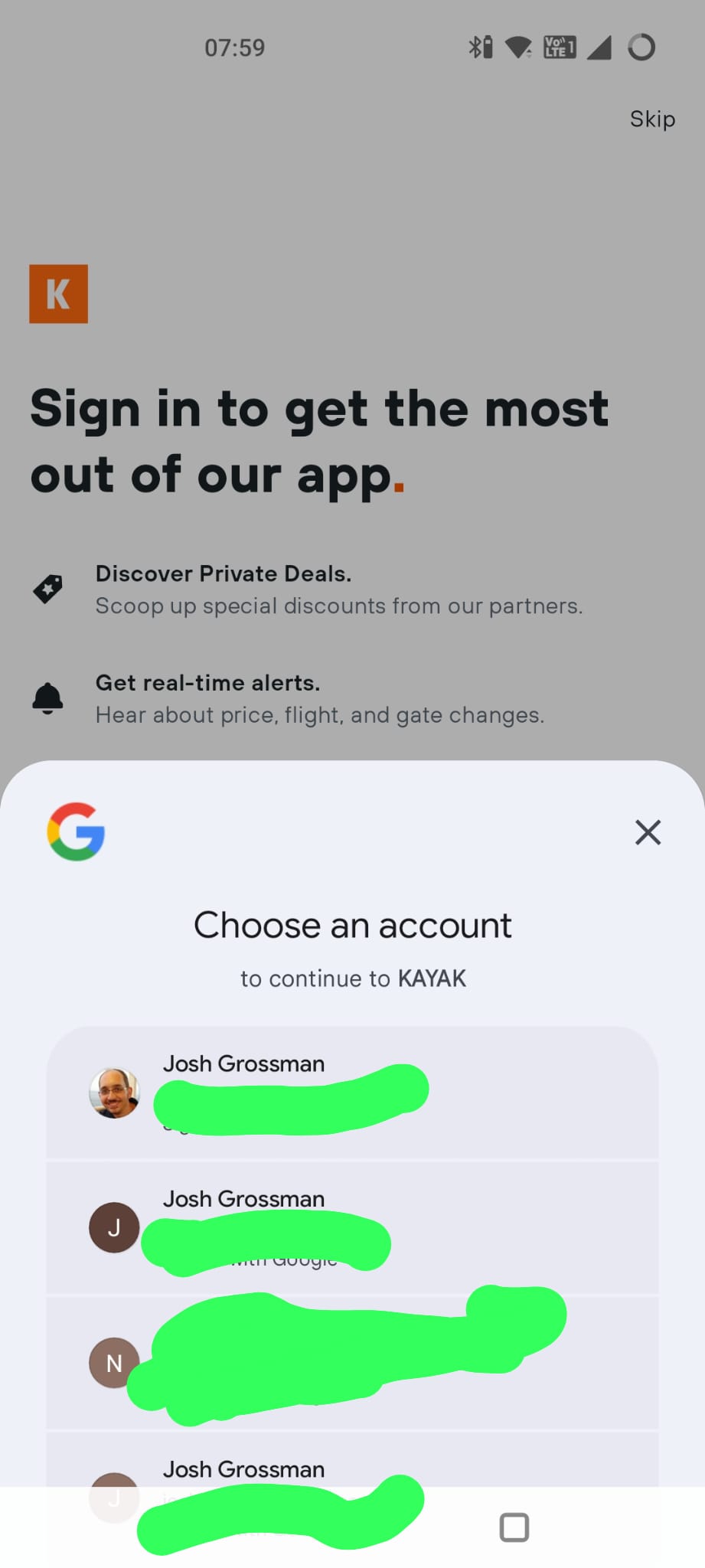
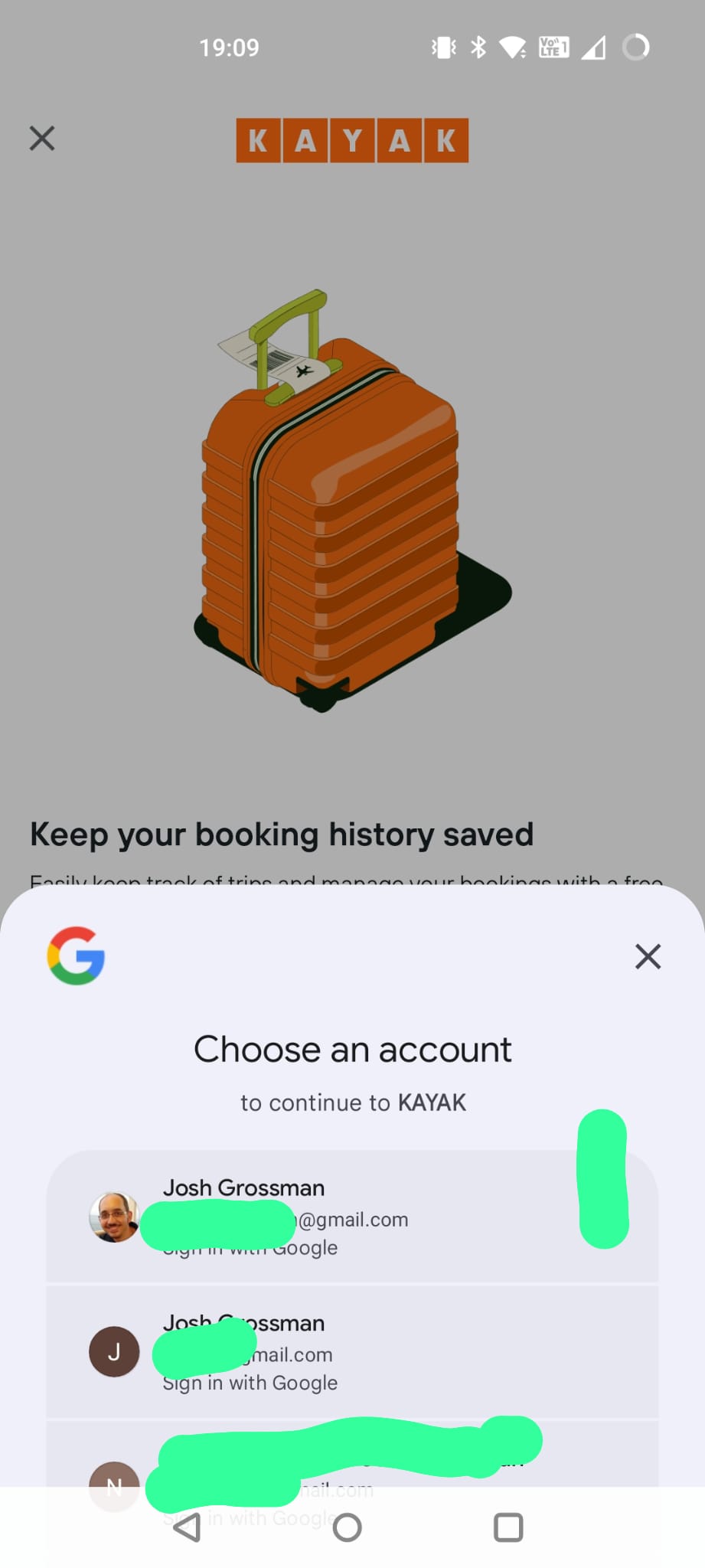
Almost immediately though, this “Login with Google” screen pops up over it:
I don’t know if this is Kayak or Google making this pop up, but it is not what I want to do in this case so I close it again. It does however make me wonder whether social login is a far simpler way for B2C apps to handle authentication…
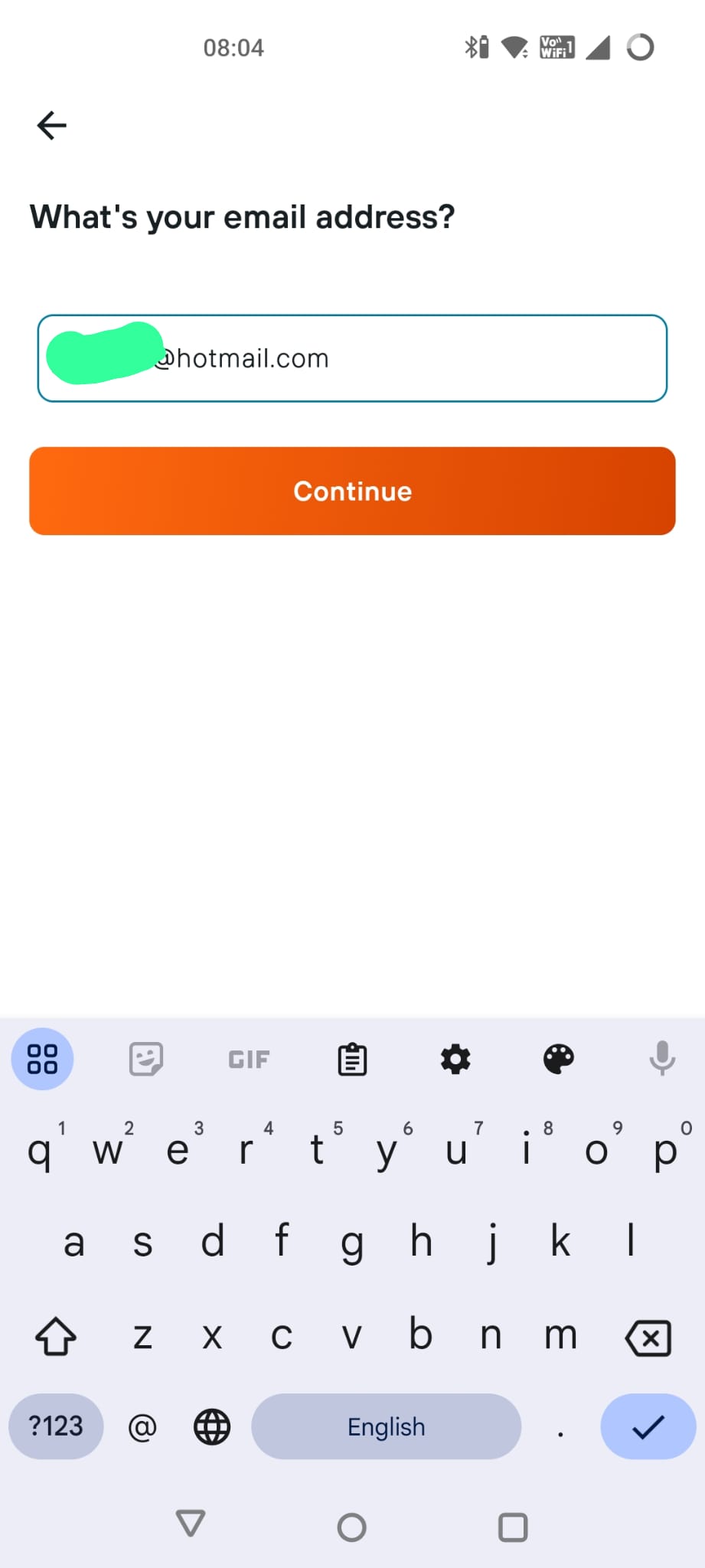
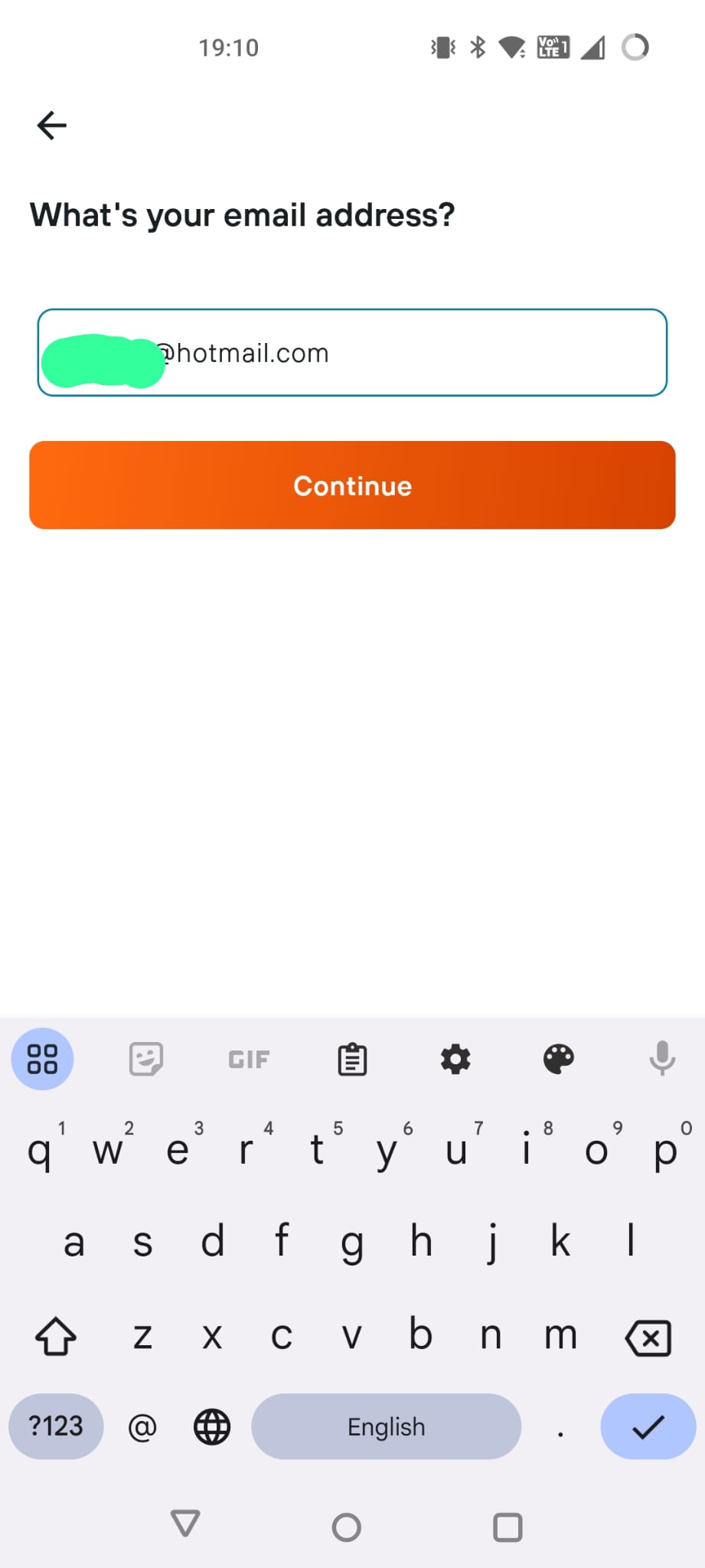
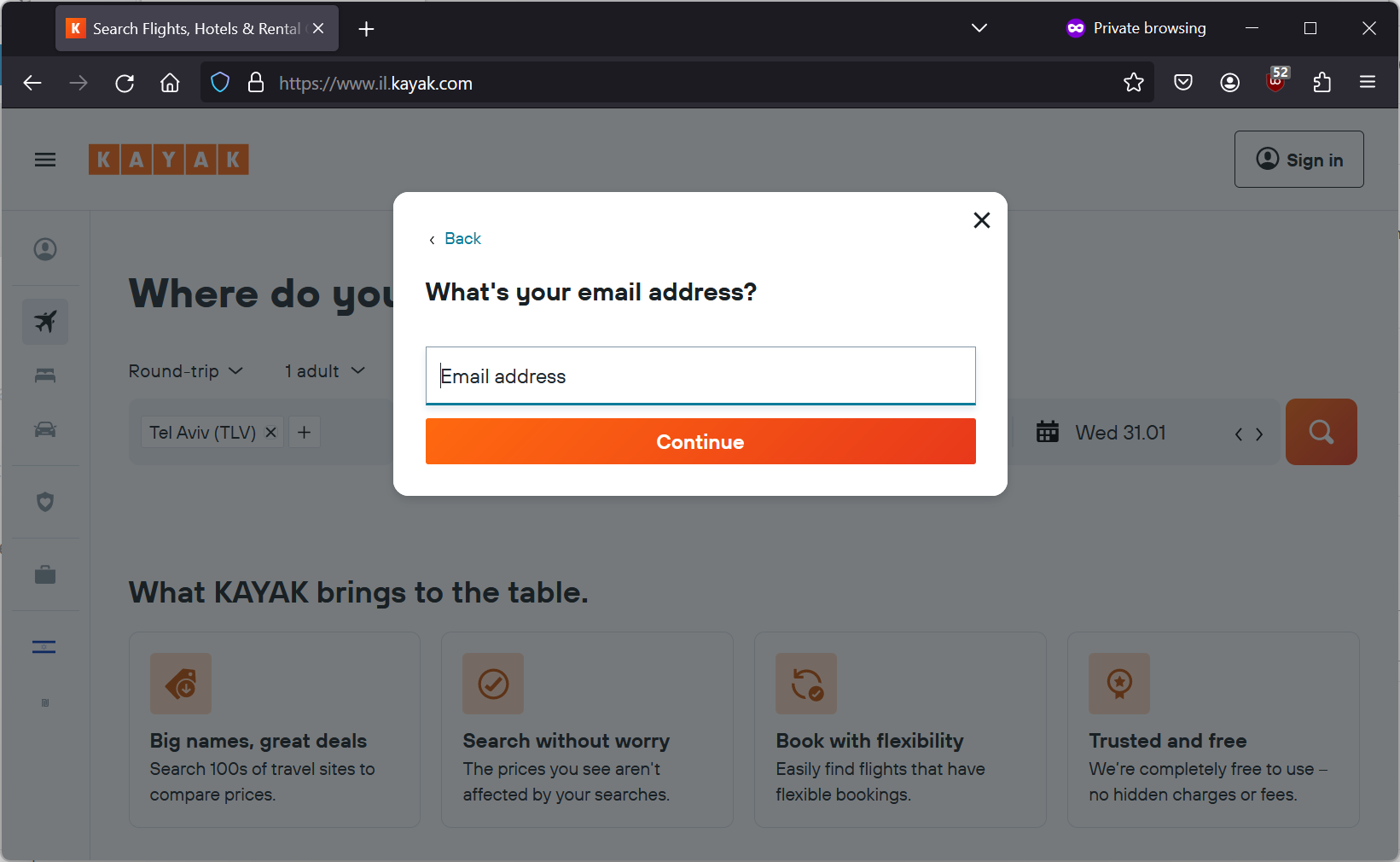
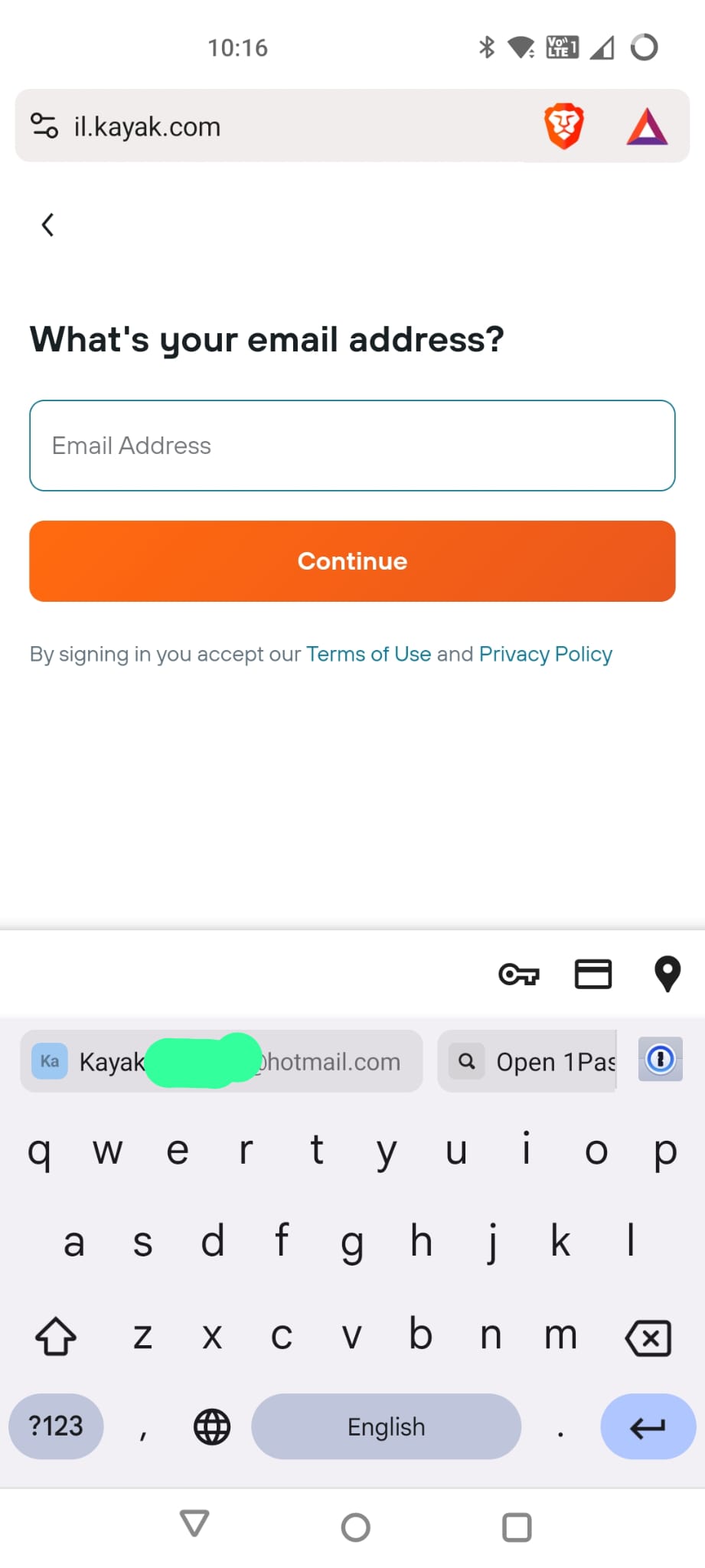
So I choose “Continue with email” and now I can enter in my email address. Throughout this, the username of the account I use to login will be a Hotmail account but when I store my passkeys shortly, it will be to a Google account. Hopefully that makes the different identities clearer.
Notice how it hasn’t said anything to me about passkeys. I believe this is a choice on the part of Kayak but I could be wrong.
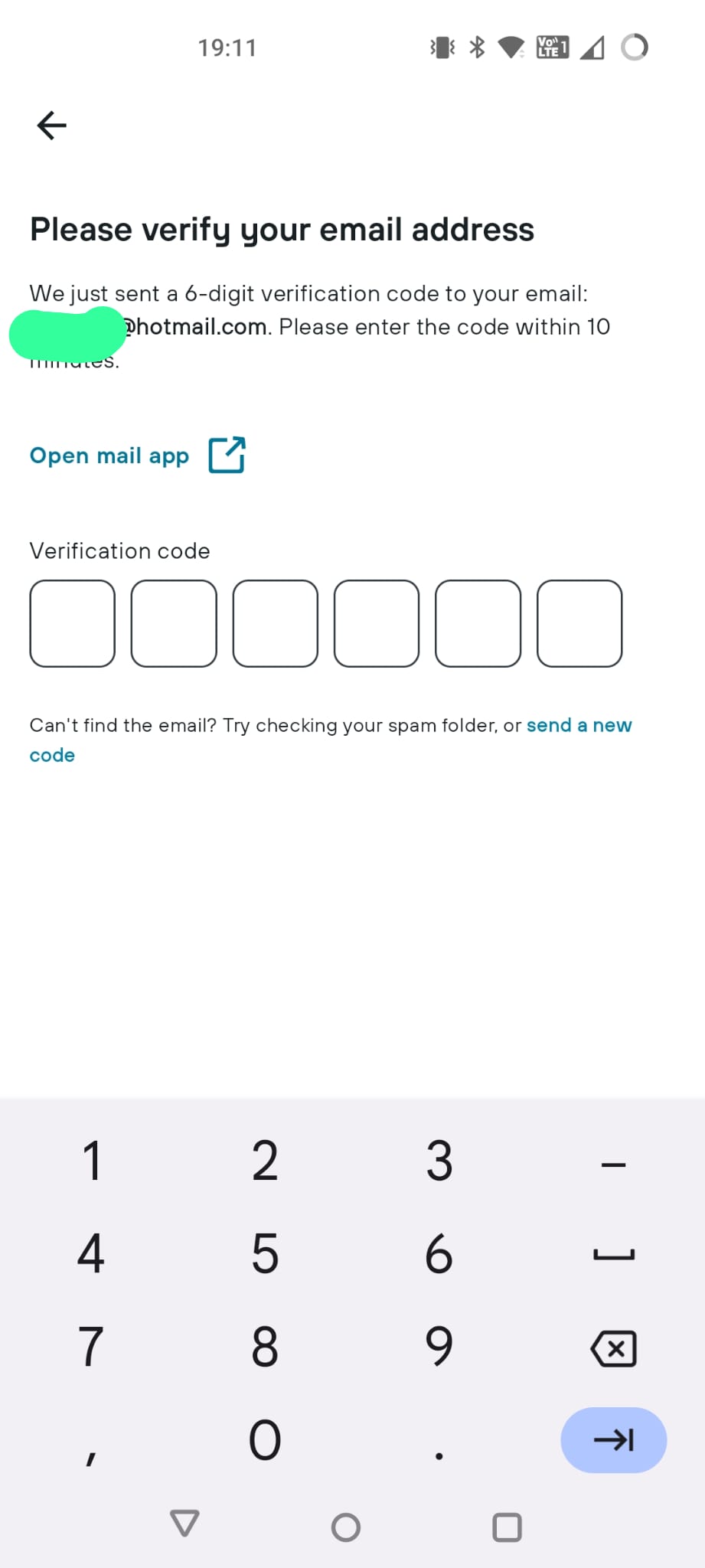
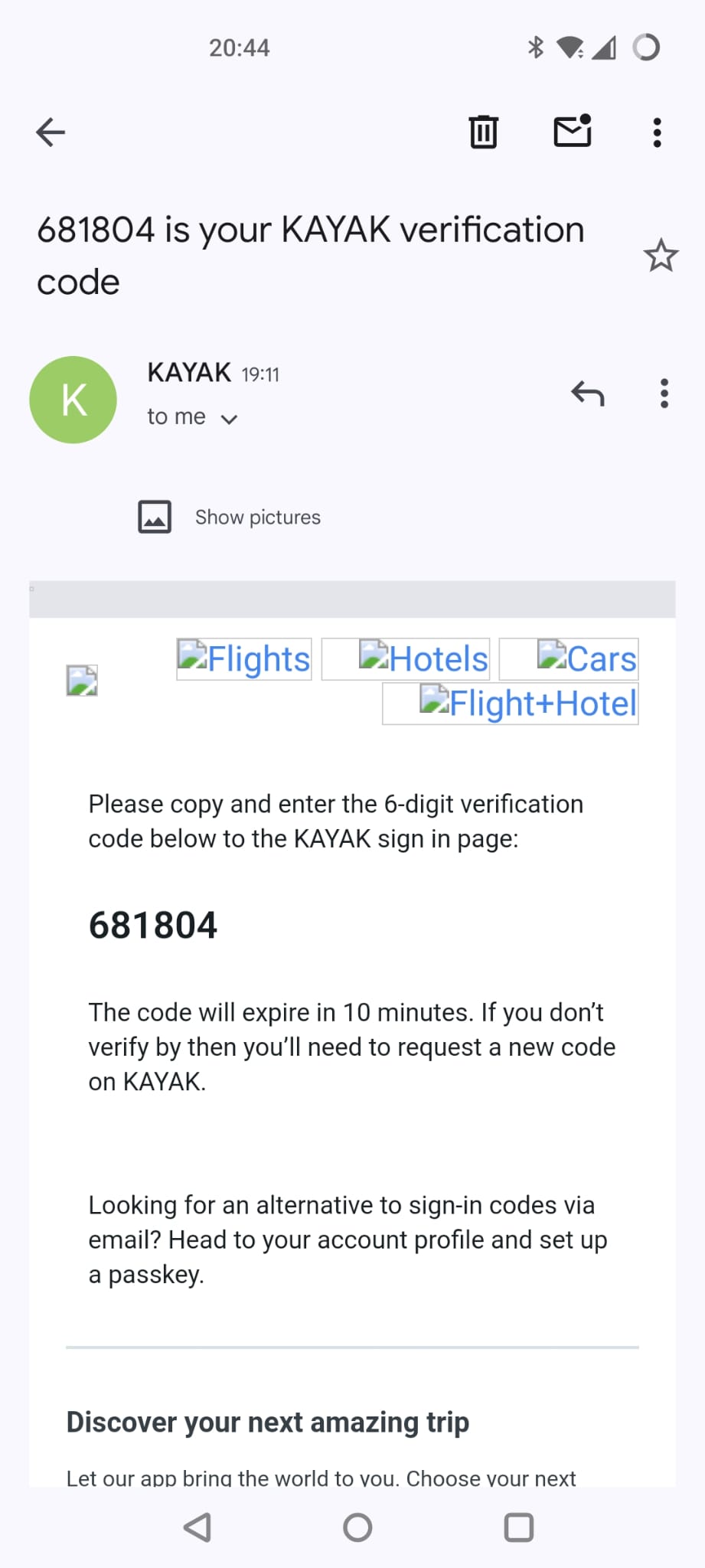
I hit continue and it tells me I have been sent a verification code to my email. (identical screen)
Here we go, promptly delivered to my inbox. (identical screen)
I enter in my code and now I’m in as a registered user.
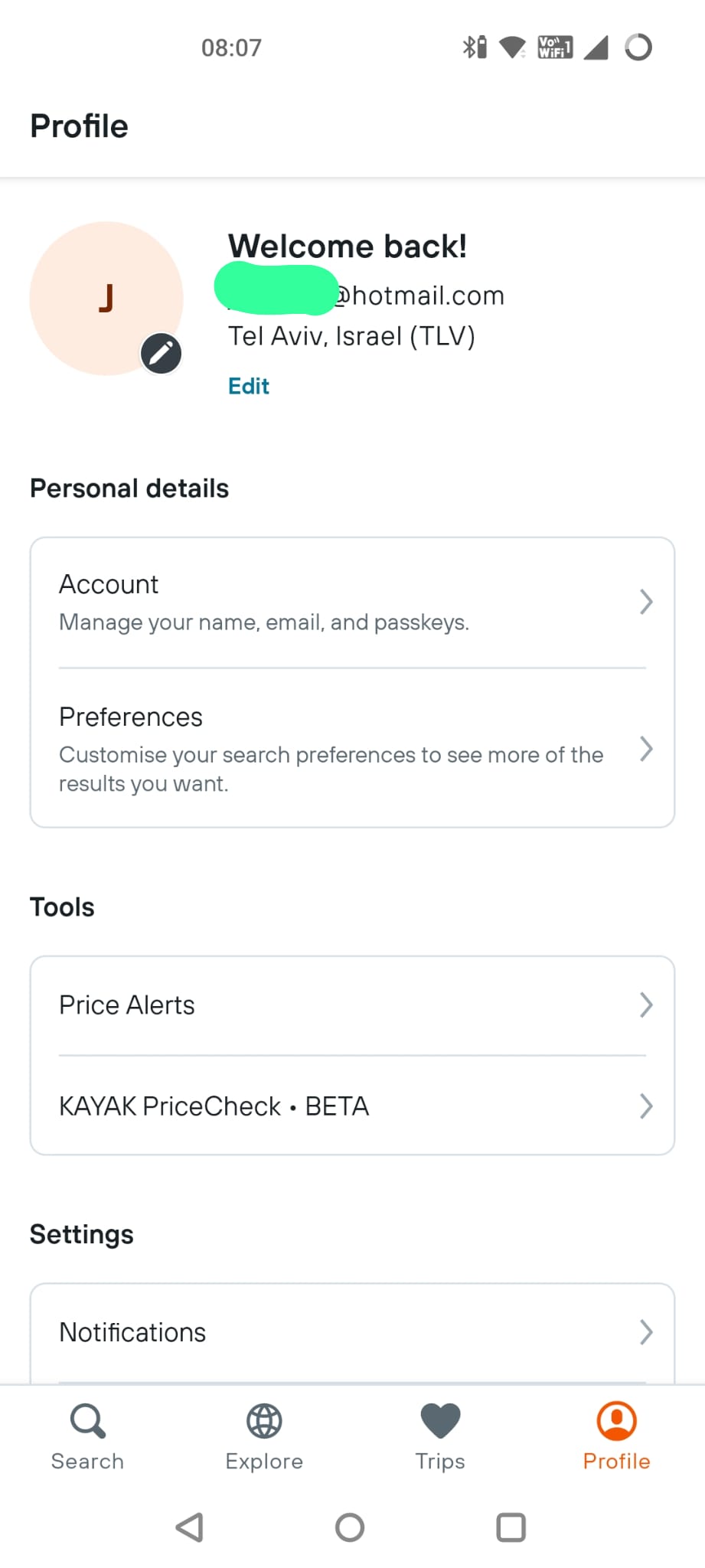
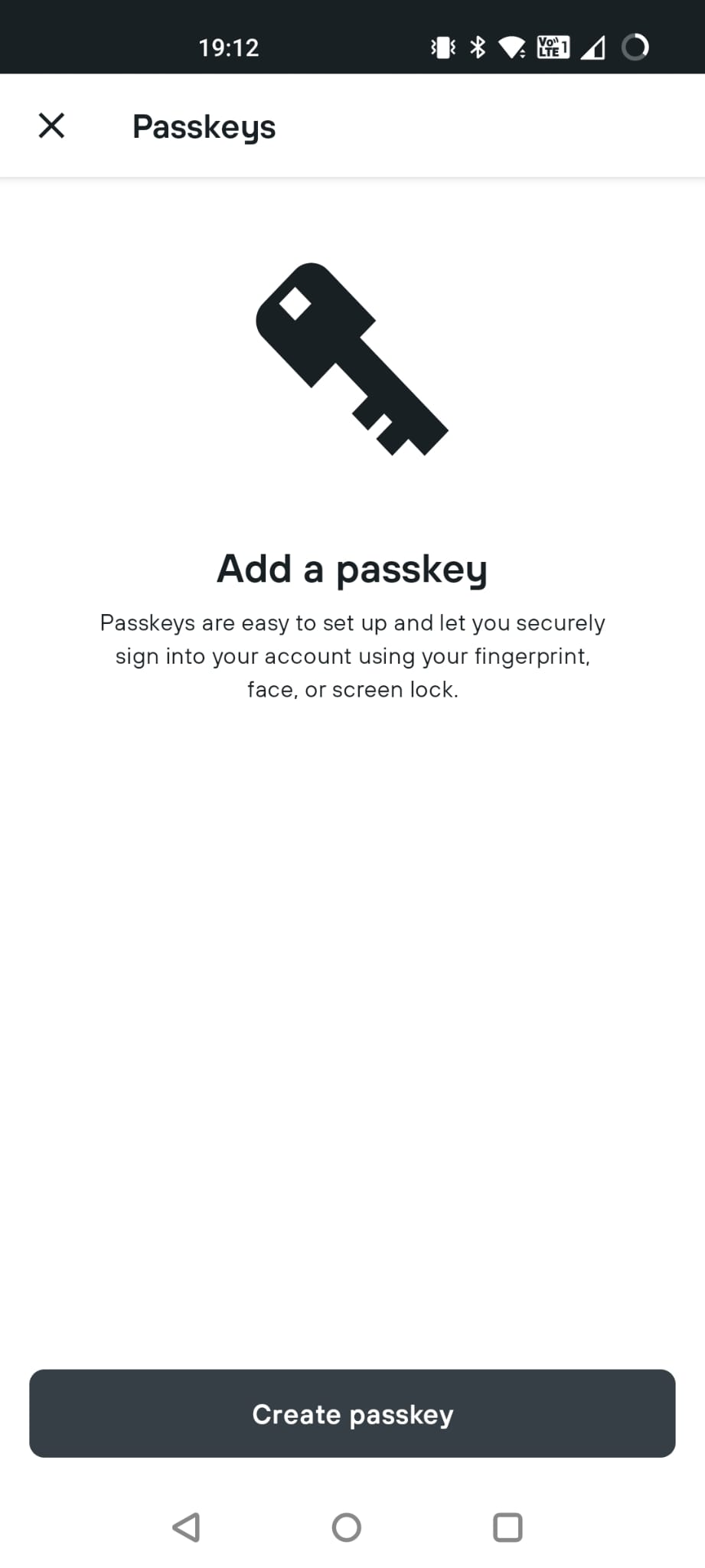
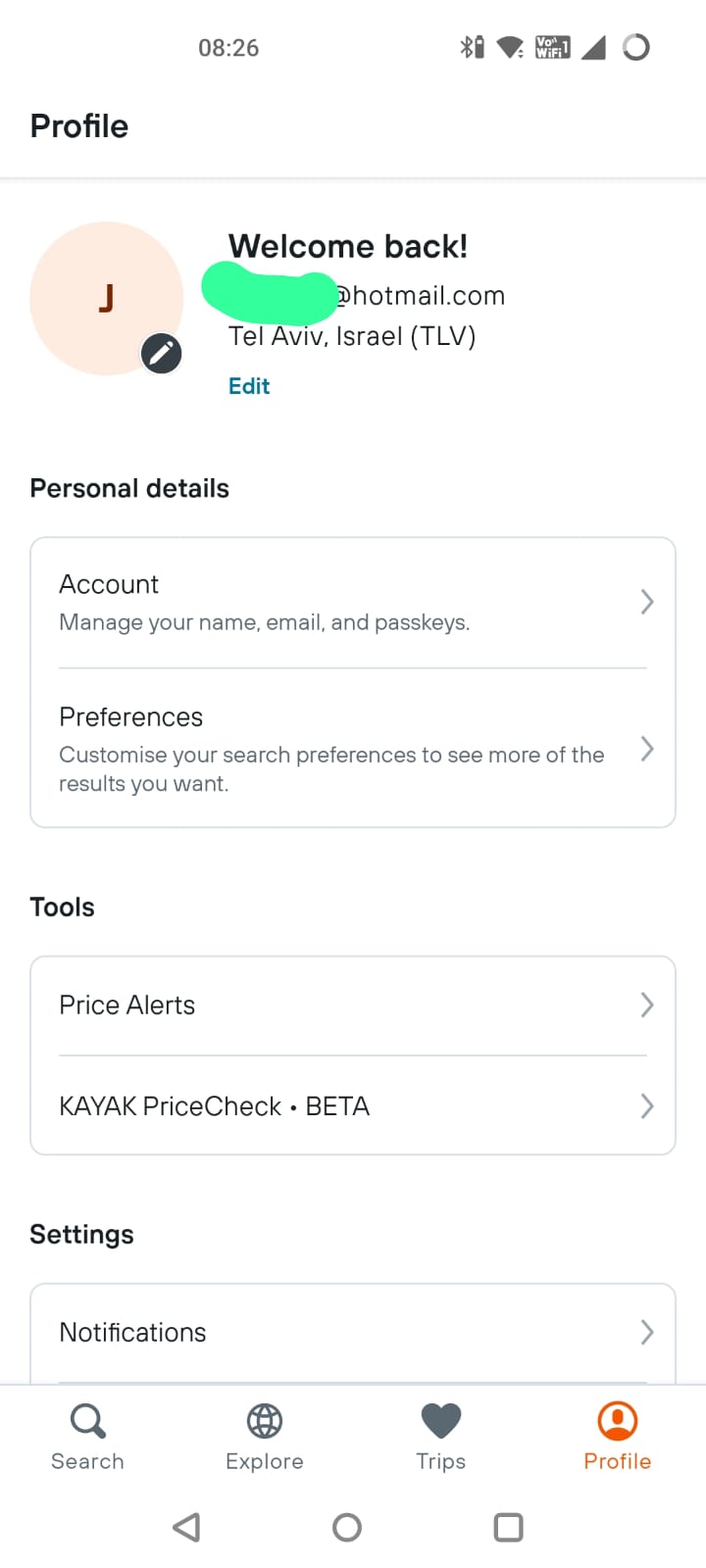
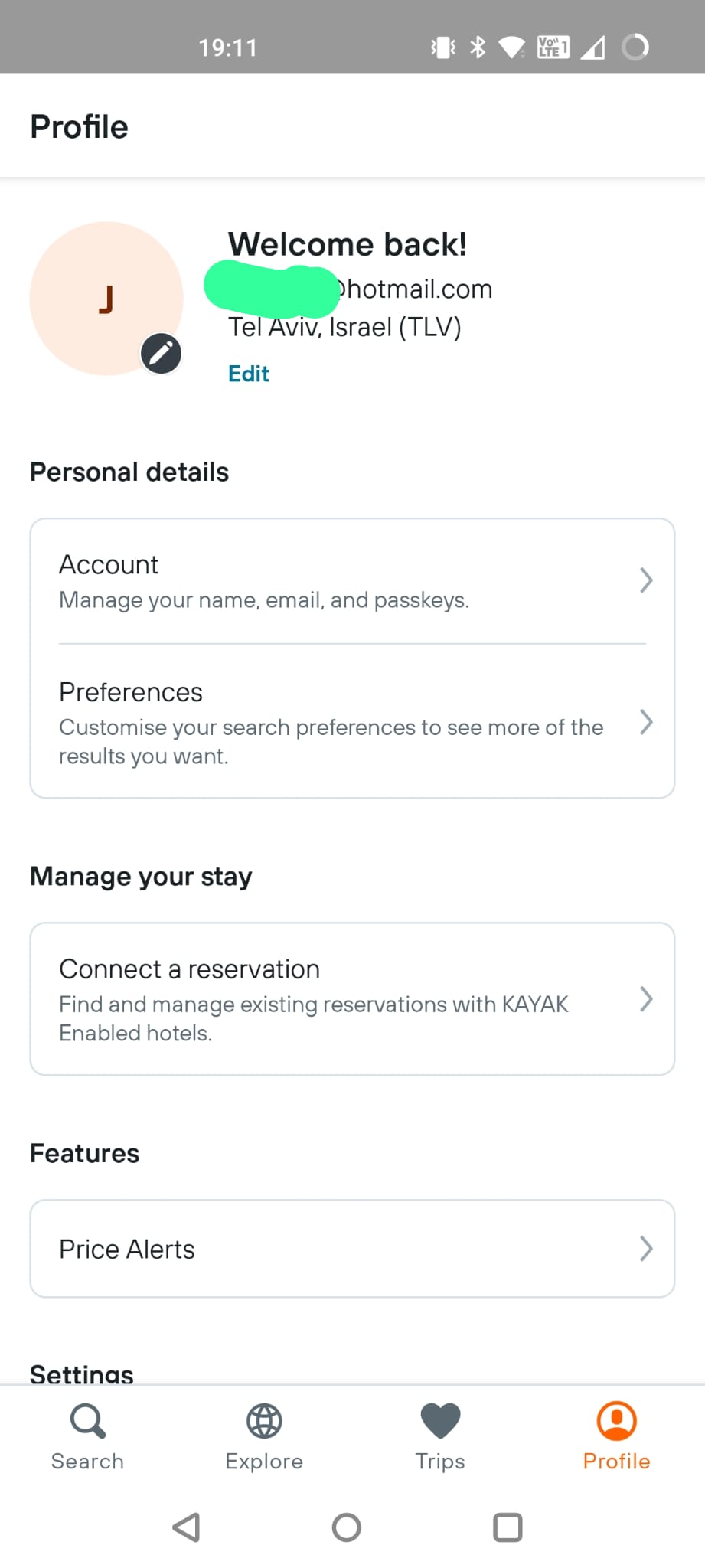
The sharp-eyed among you will have noticed that the “Account” option mentions passkeys. Having noticed that and dug into a couple of sub-menus, I can now create myself a passkey. (identical screen)
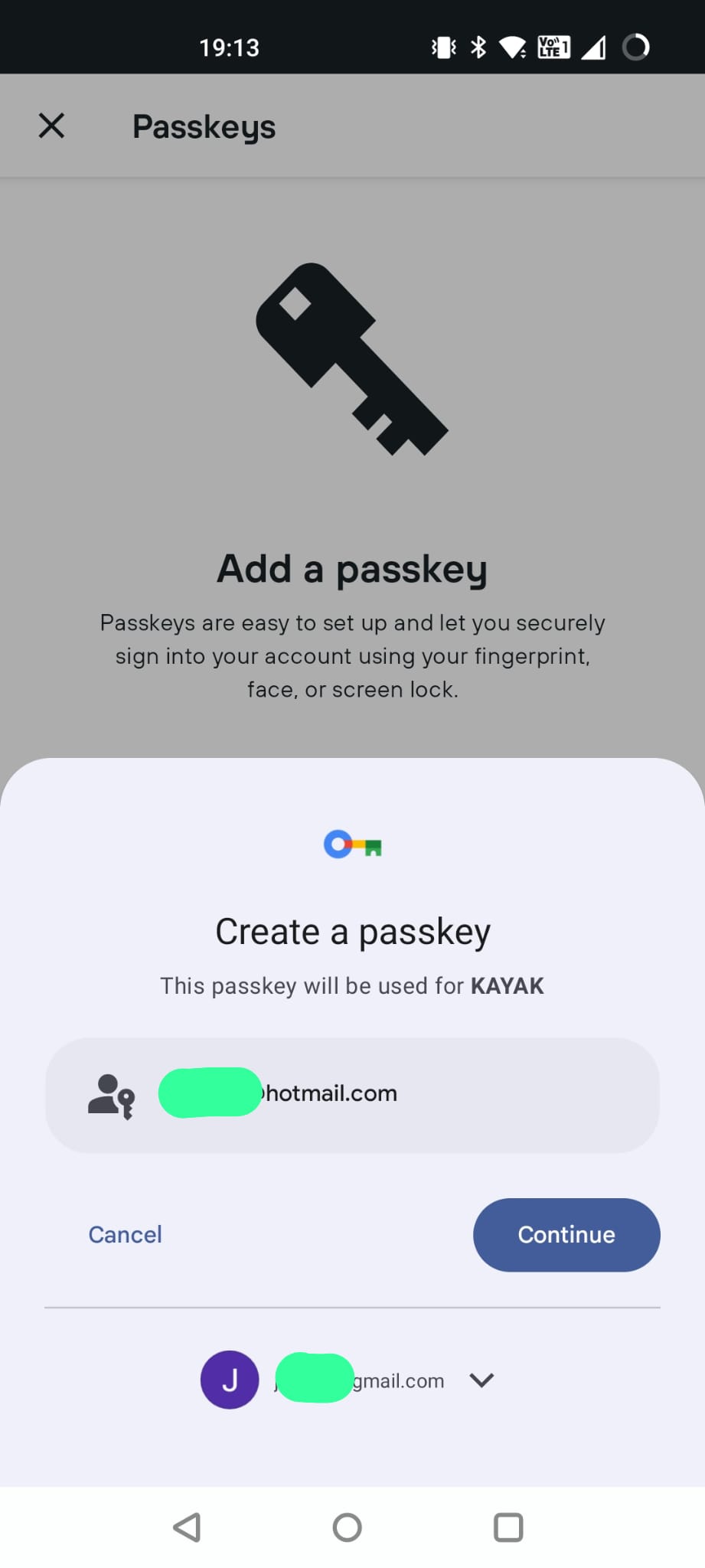
I hit “Create” and this screen tells me that I am creating a passkey for “KAYAK” for my Hotmail account, and storing it into my gmail account. (I could also choose other Google accounts from my phone to store it in.) (identical screen)
Now, this is important, something on my device has to be able to store/manage the passkey. Since I am on an Android phone, Google will be managing it. If I was on an iPhone, it would be going into my iCloud Keychain. If I was on a Windows machine then Microsoft would be handling it.
(Updated) So how is device support going?
This page shows which devices/manufacturers support what features:
It still looks pretty complicated although there do seem to have been some developments including:
Better Ubuntu support via Browser Extensions
Significant increase in support in Microsoft Edge from release 122 onwards
Introduction of support in Android and iOS webviews.
So it does feel like things are moving although I don’t know if this will improve the ecosystem challenges that I discuss later.
Back to Kayak on Android
Anyway, a swipe of my fingerprint and now I have a passkey created.
So, now what can I do with this?
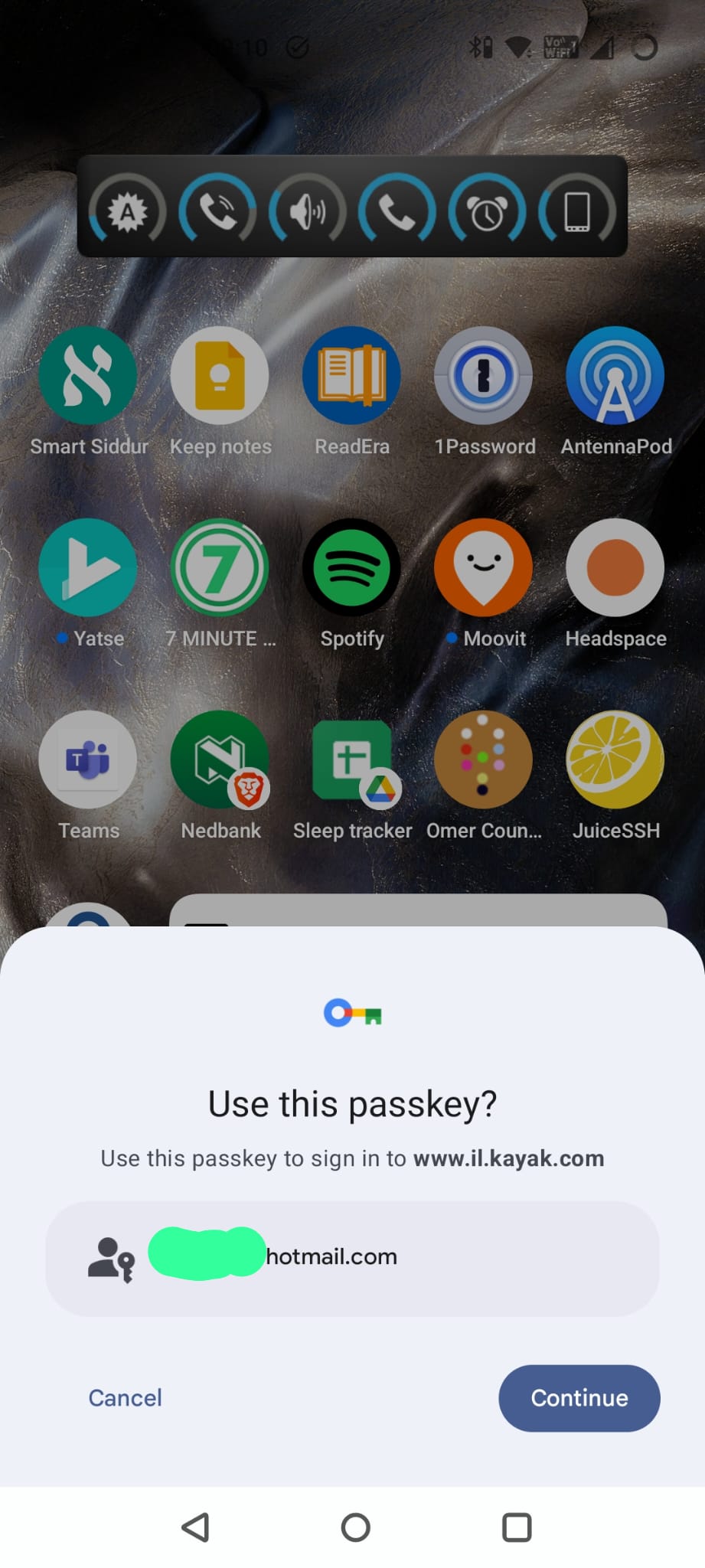
So if I log out of the app and then go to login, instead of the “Login with Google” pop-up, I now see a new pop-up.
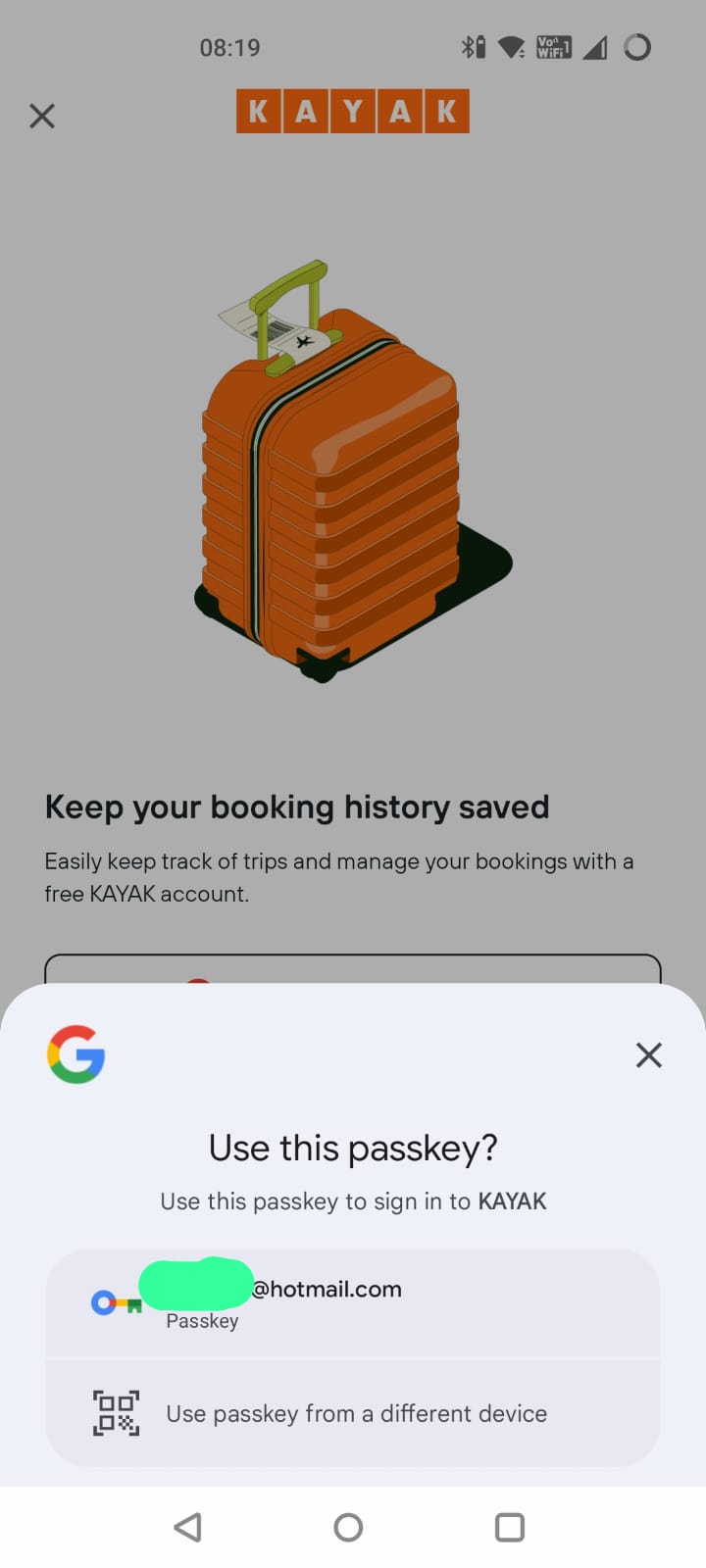
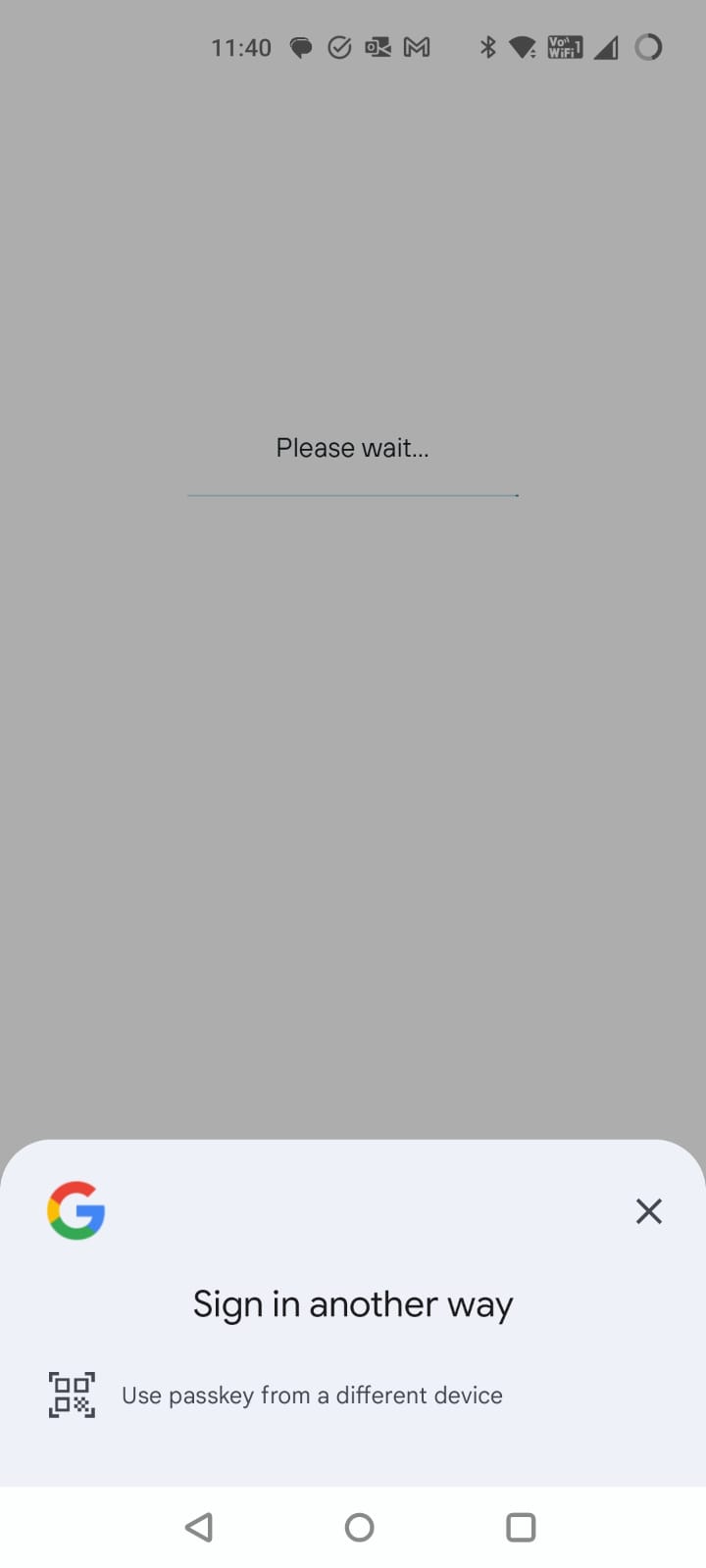
(Updated) Use a passkey from a different device
So there is now an actual difference from last time.
This was the screen I saw last time:
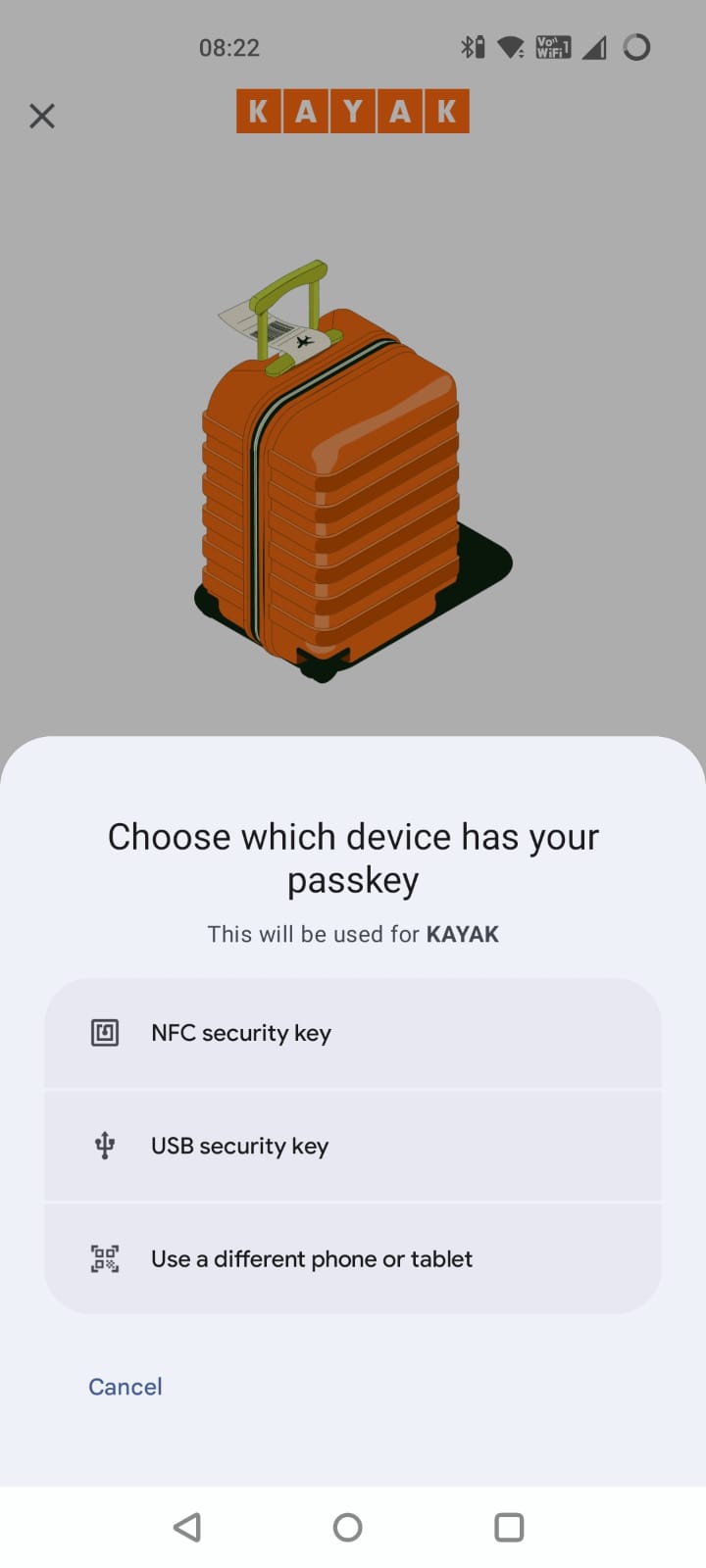
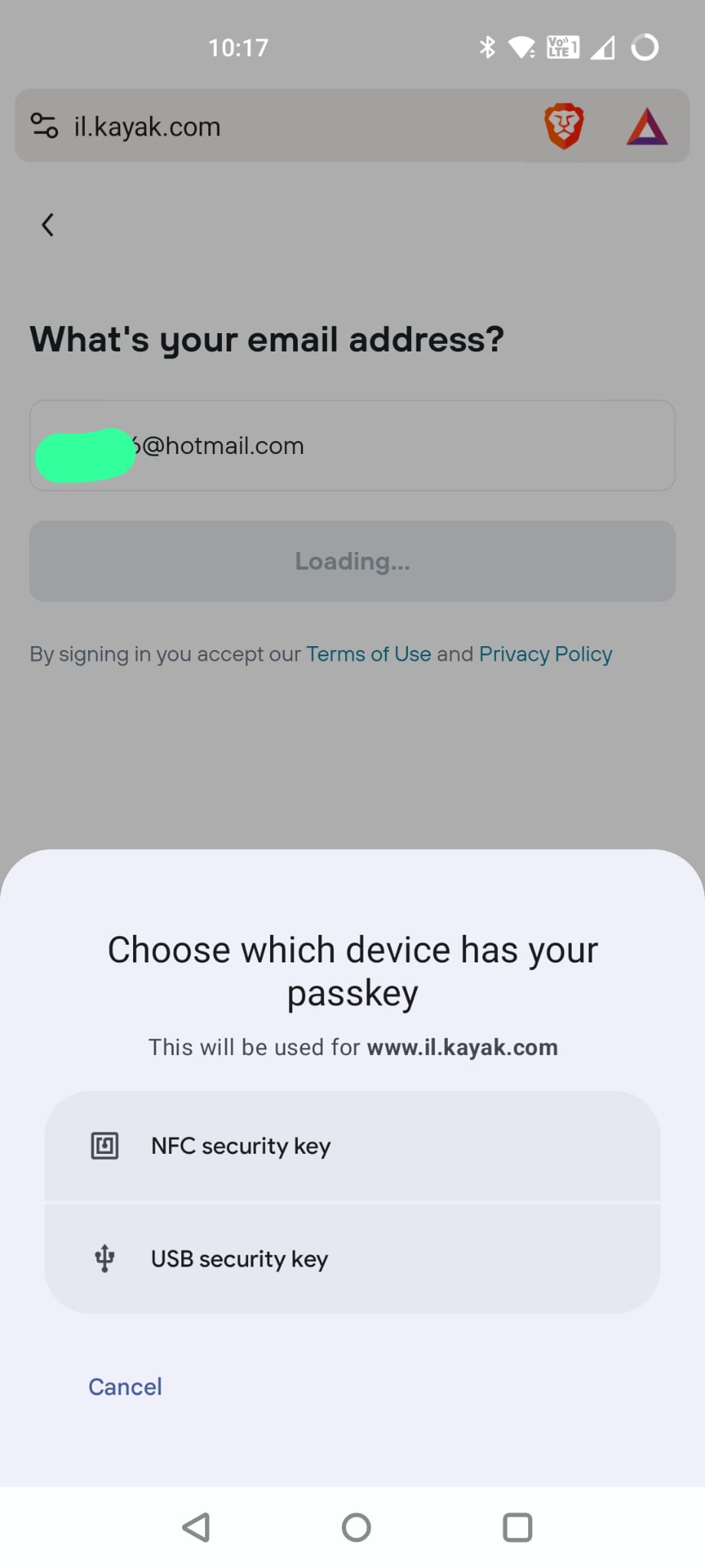
This time around, I have a new option. “Use passkey from a different device”. That seems like an important addition for a situation where I enrolled a passkey somewhere else but want to login on this device.
If I choose that option, it shows me the following screen:
Now, as a consumer user I am less likely to have a USB or NFC security key but I may well have enrolled on a different computer or other device.
Back to Kayak on Android (again)
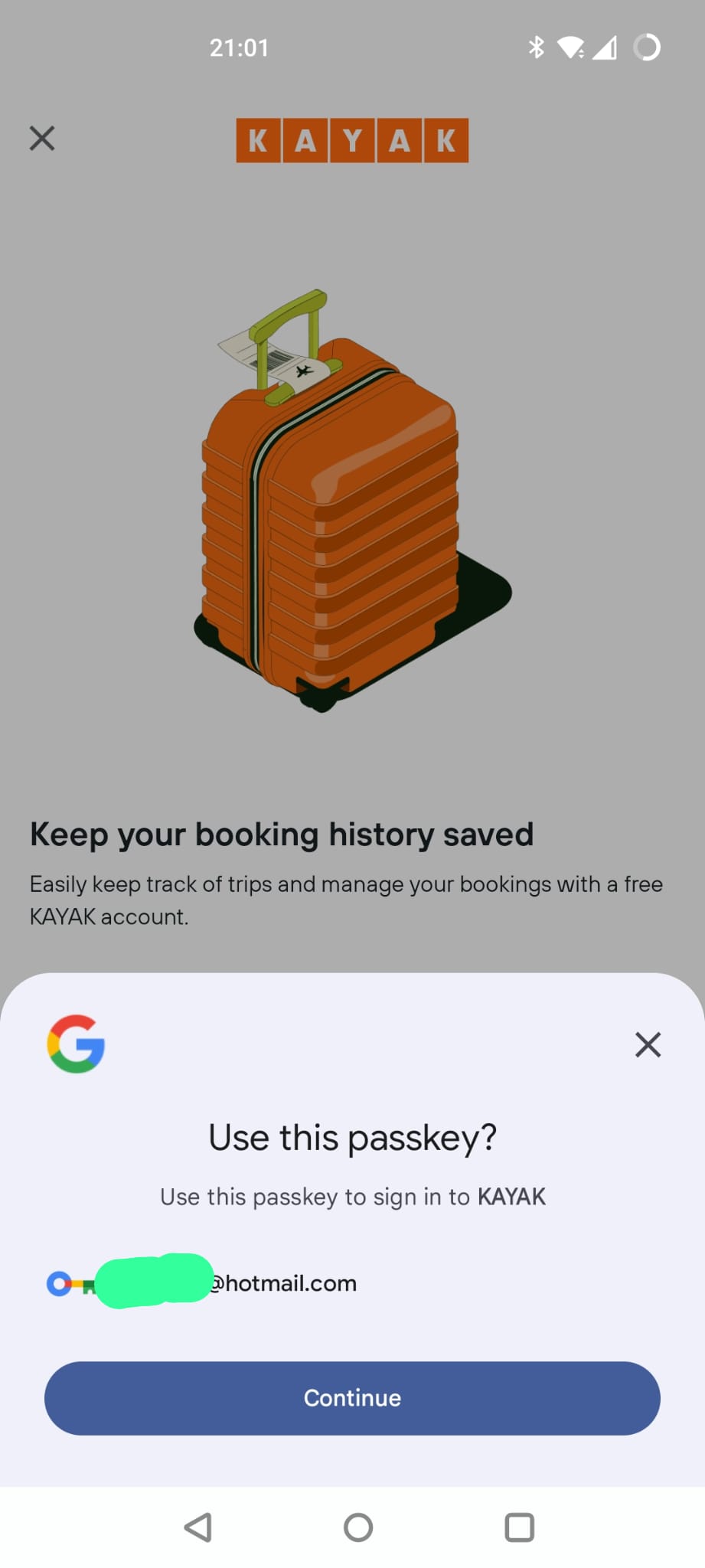
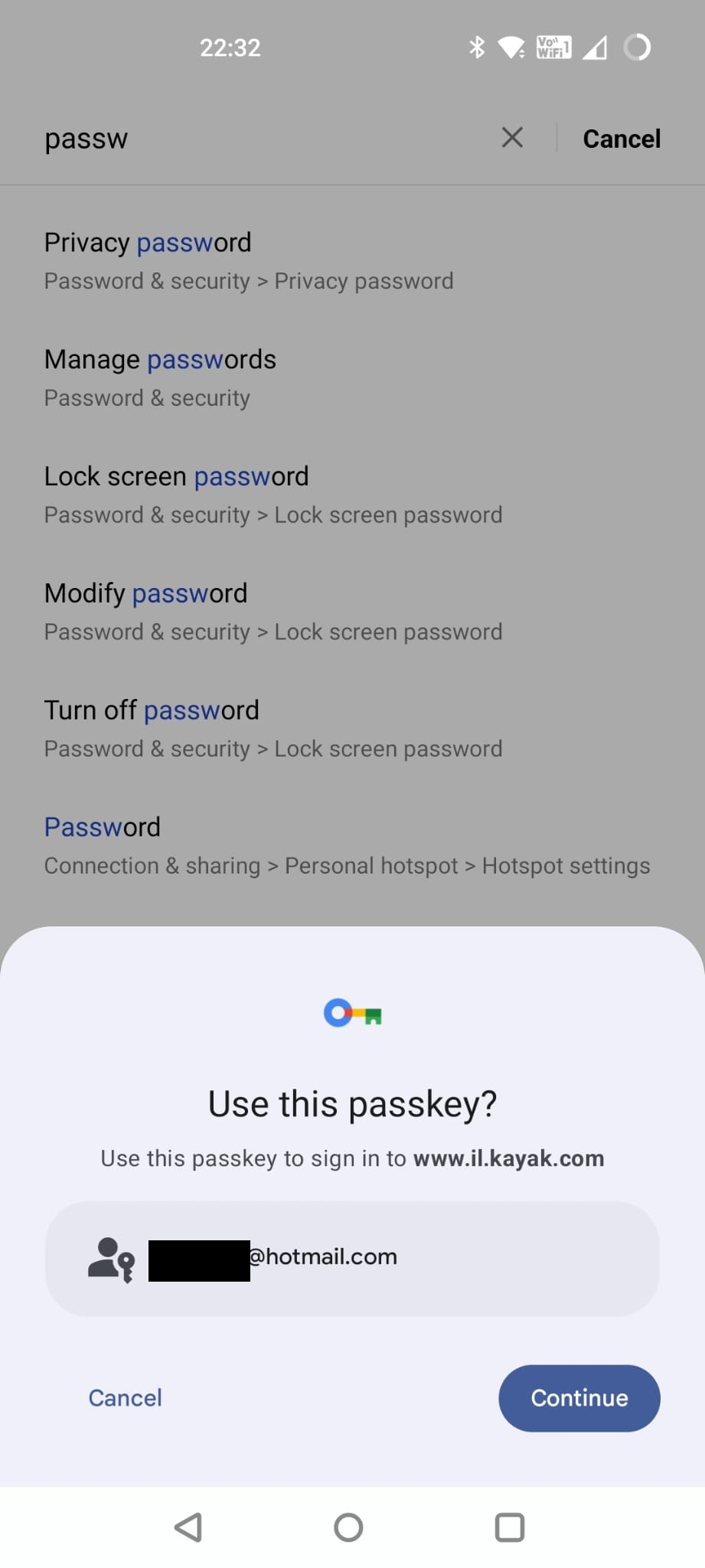
Anyway, I can hit “Continue” on my locally stored passkey, swipe my finger again and I am back in again!
In terms of user experience, that was great! Nice and easy.
Now, where are my keys?
So, how can I find the passkeys on my device? Well they aren’t in a specific app. (identical screens)
What about in my settings screen? (identical screens)
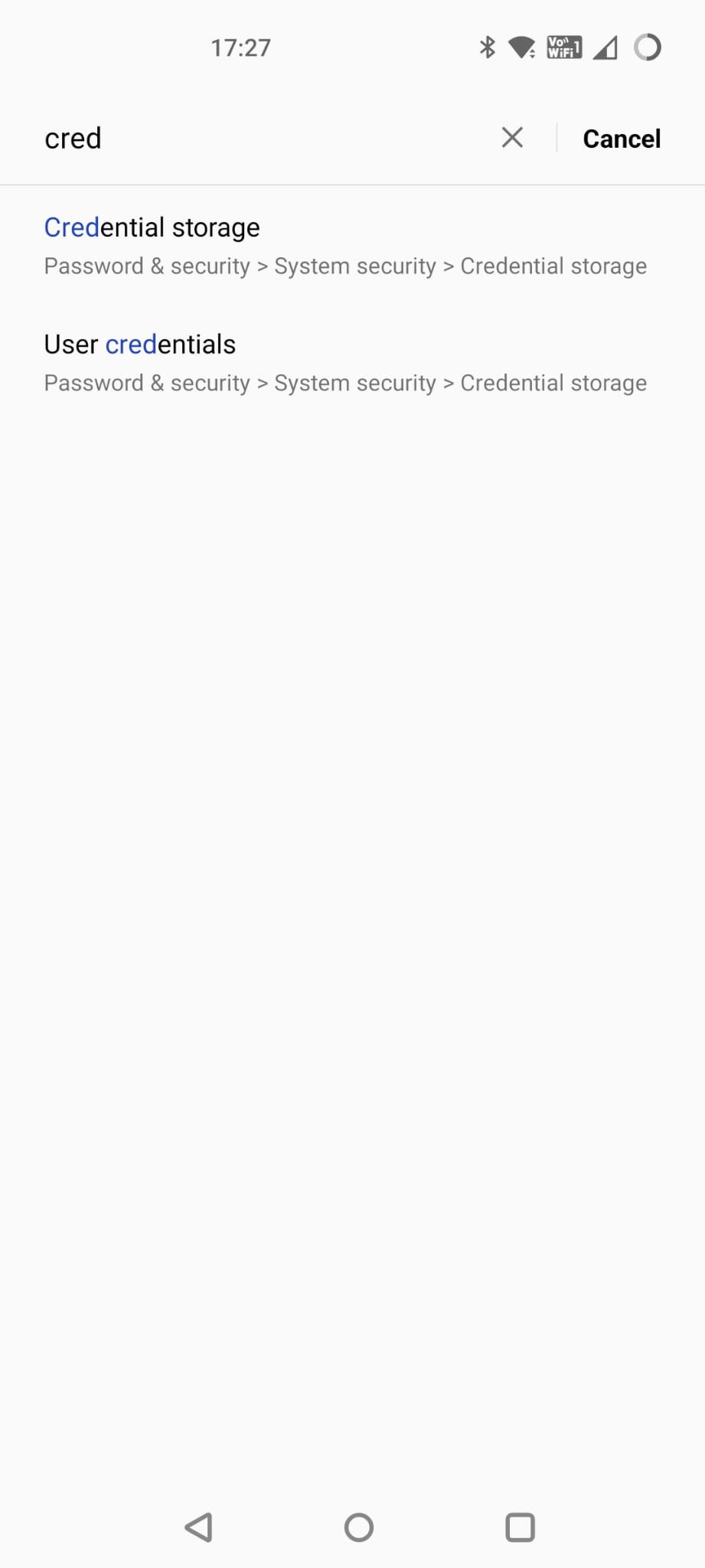
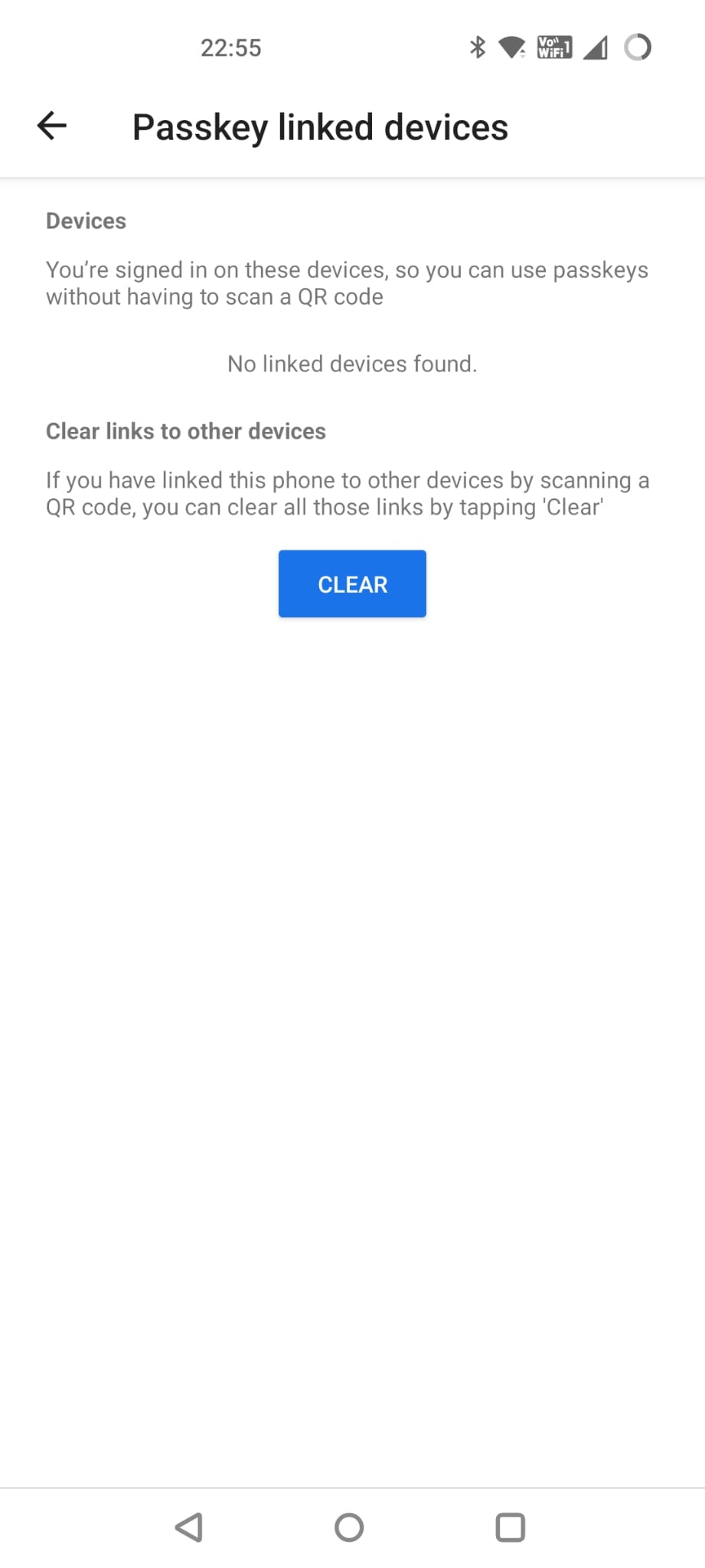
Well, “Credential Storage” doesn’t have anything to do with this type of credentials and the mysterious “Passkey linked devices” doesn’t seem to do anything at all. Maybe this is specific to my device manufacturer though…?
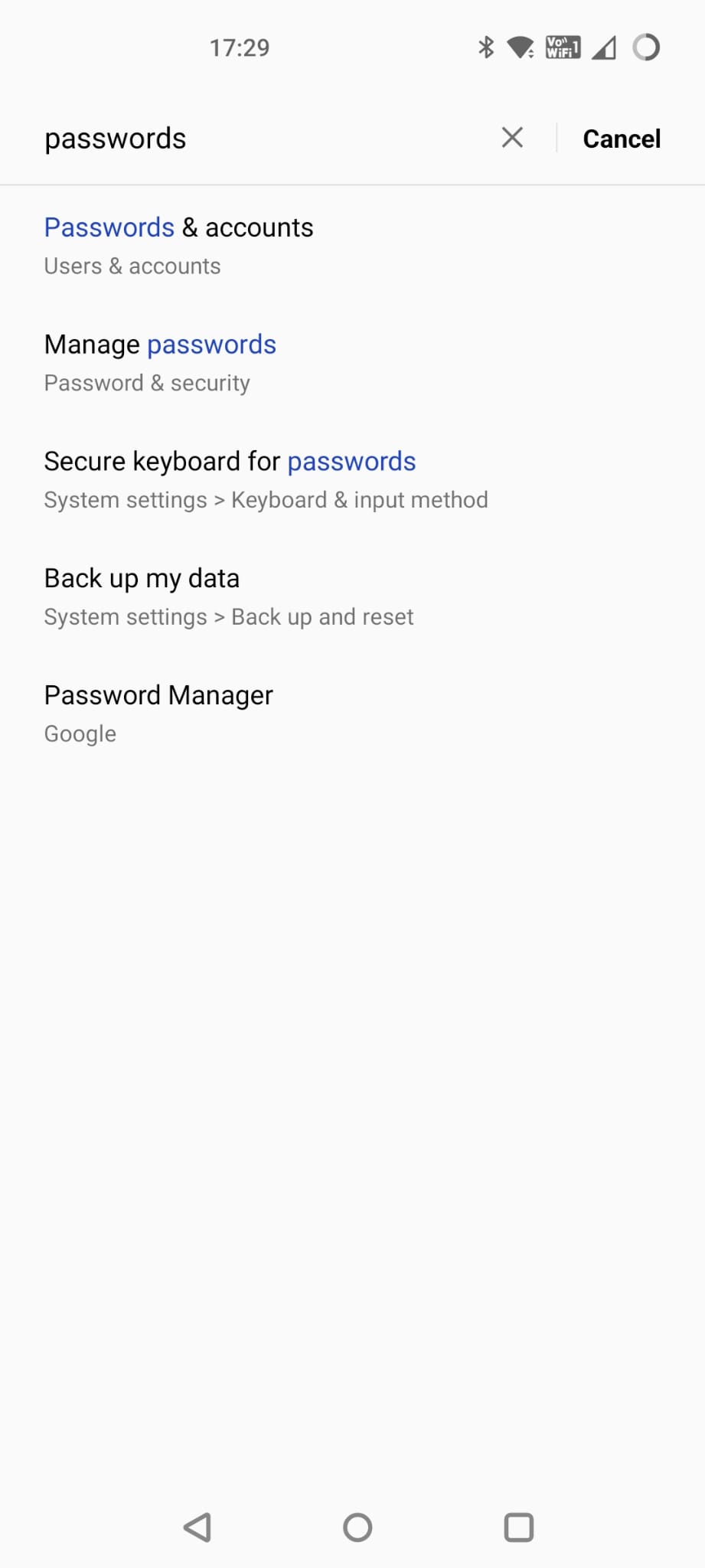
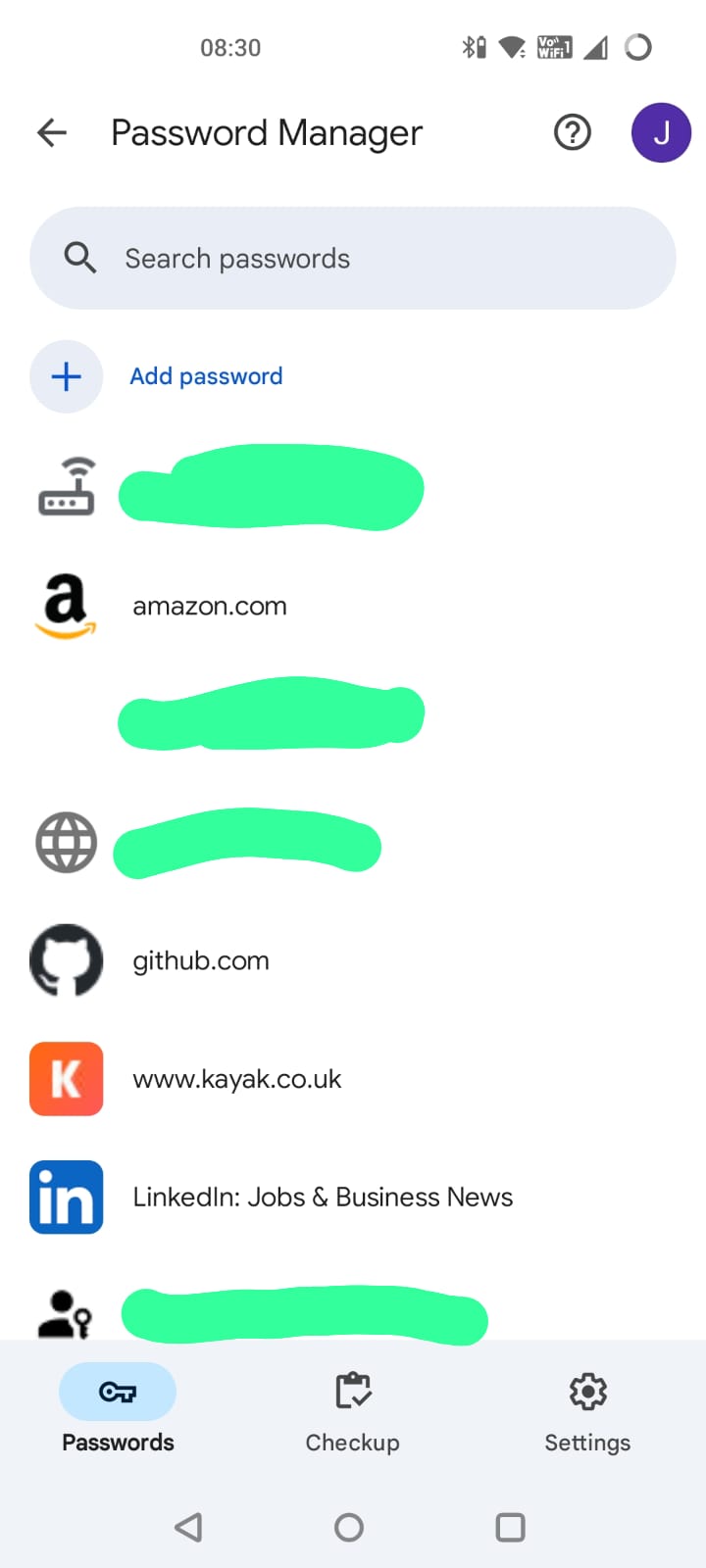
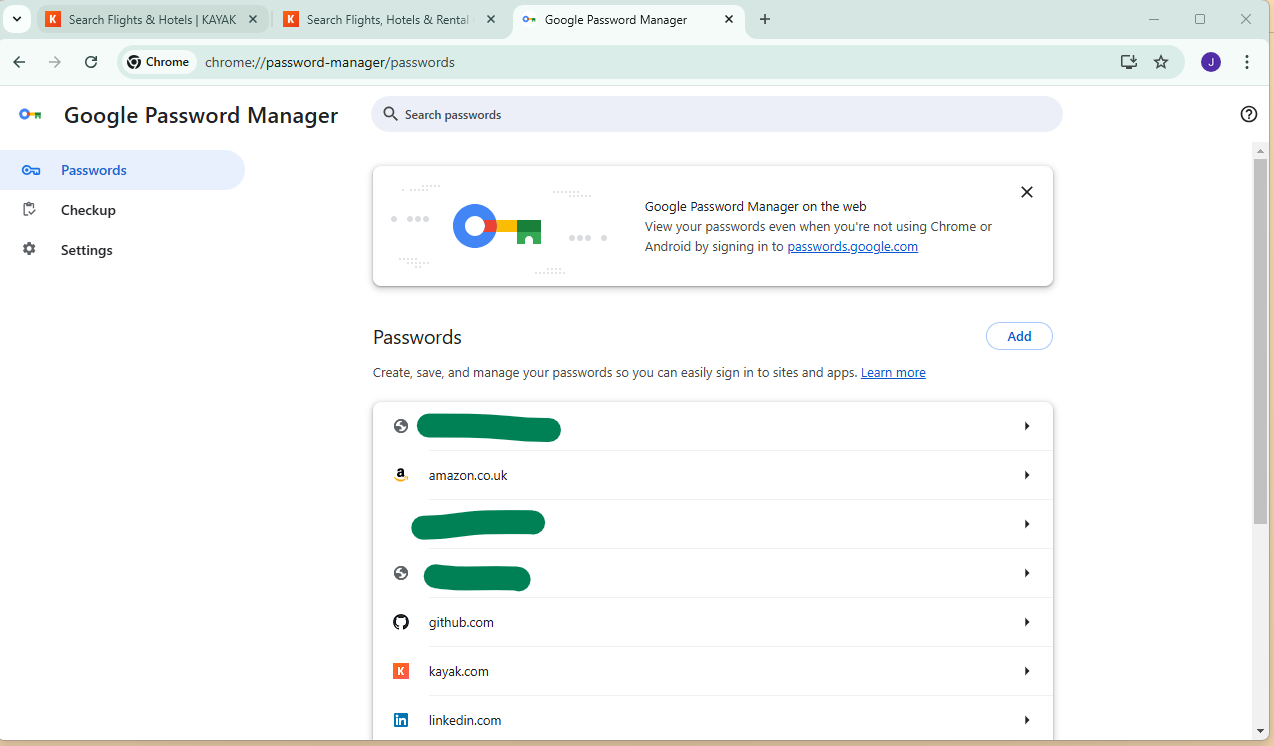
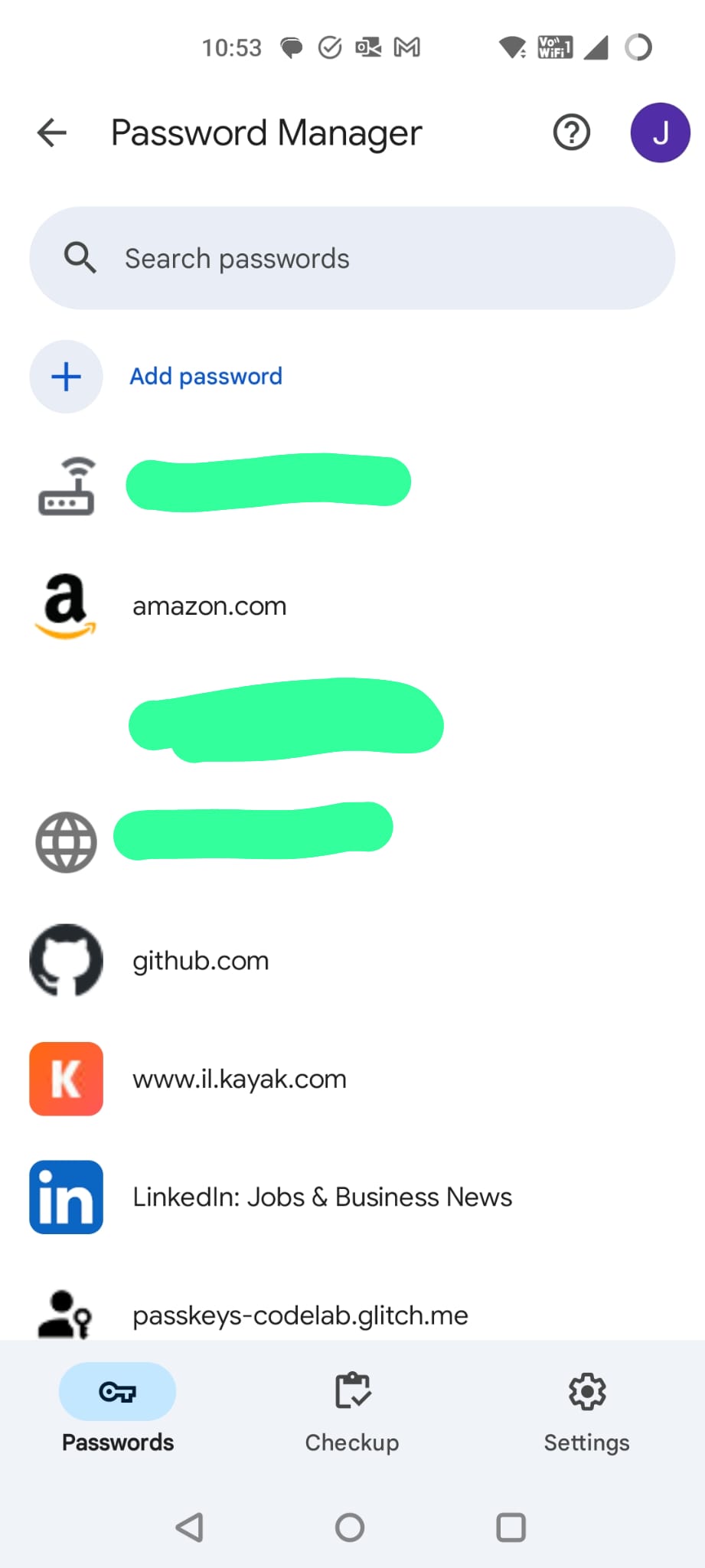
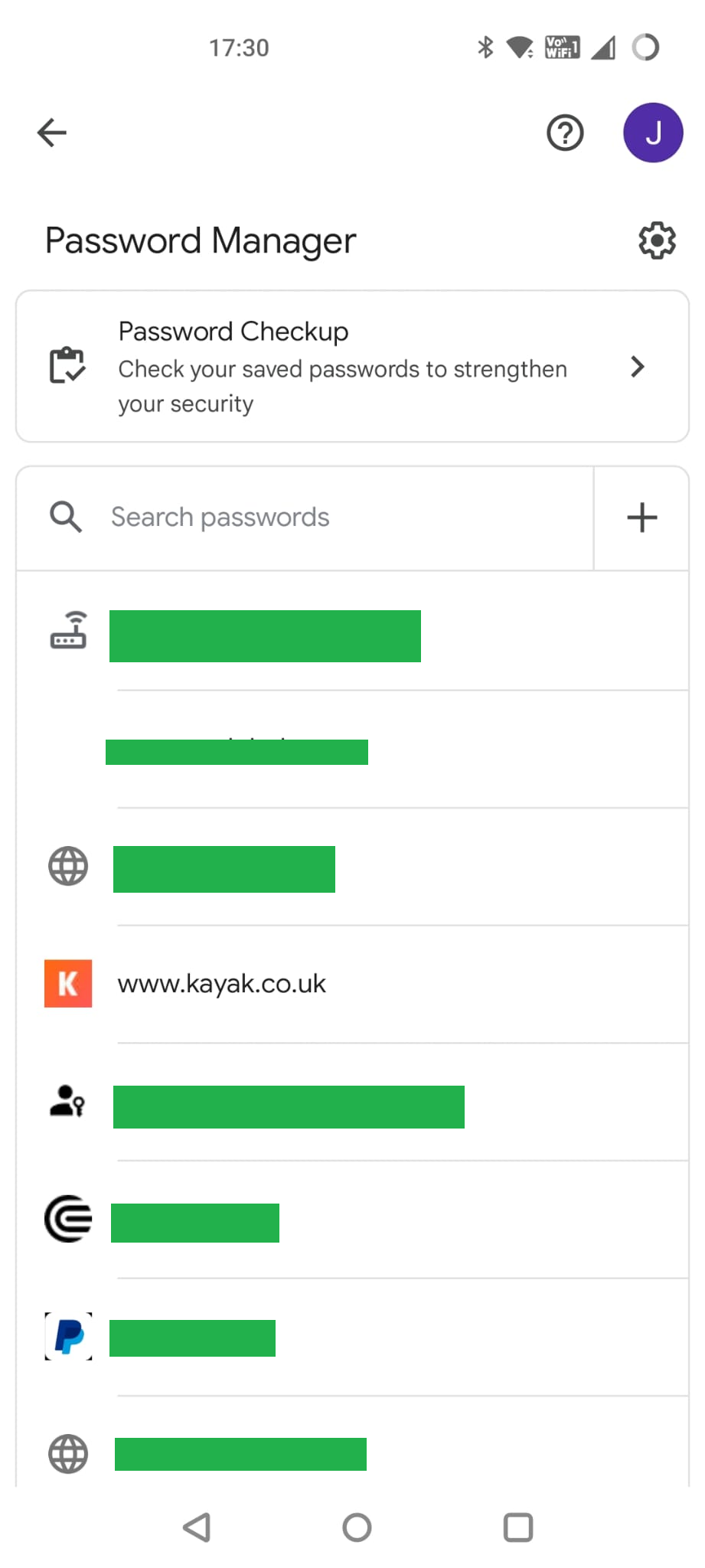
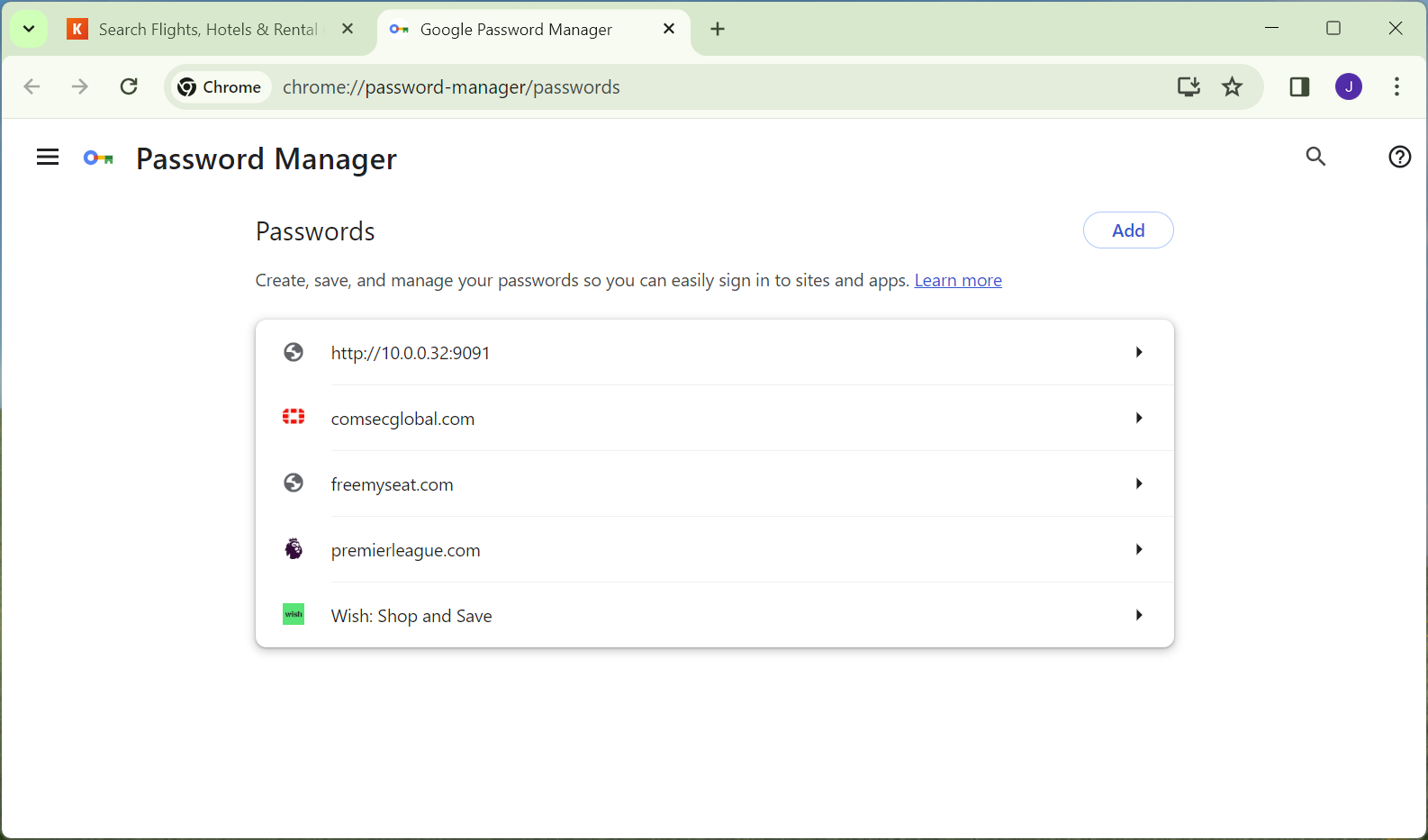
Turns out, it is on the “Password Manager” screen. (identical screens)
So much for our passwordless future…
How do you know which of these are passwords and which are passkeys? Only by clicking on each one to see.
Not ideal but hopefully we shouldn’t need to use this page very often.
Part 2 Creating a passkey on Windows
Firefox on Windows 11
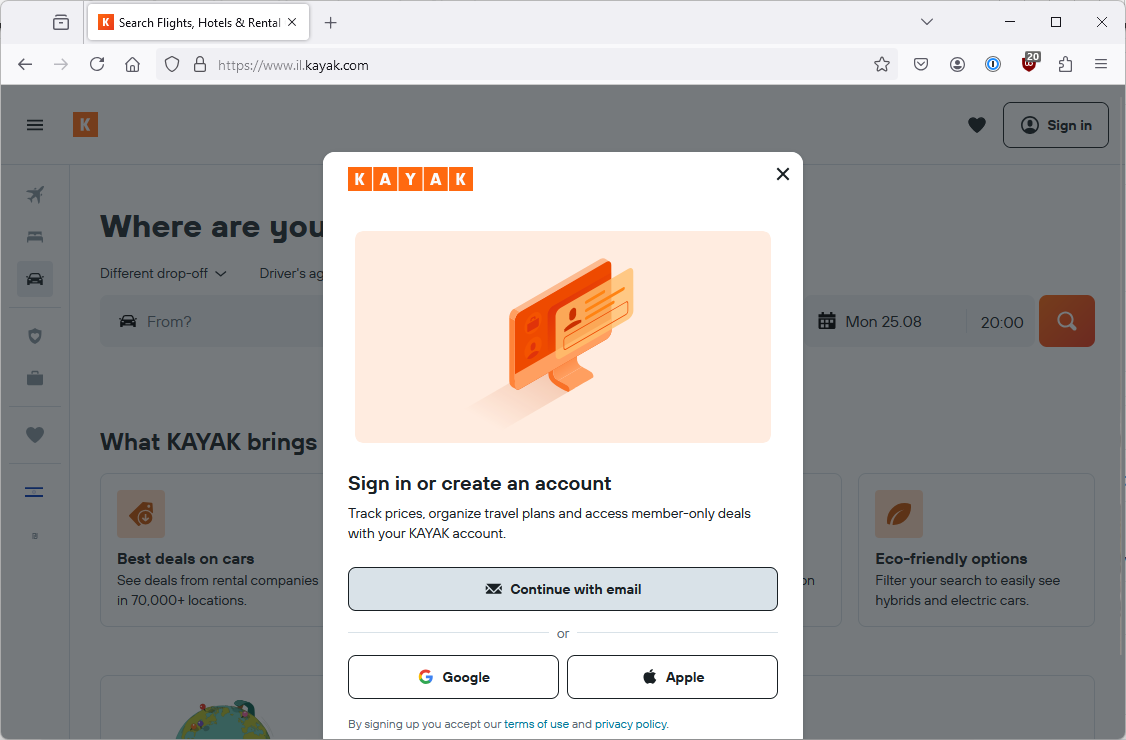
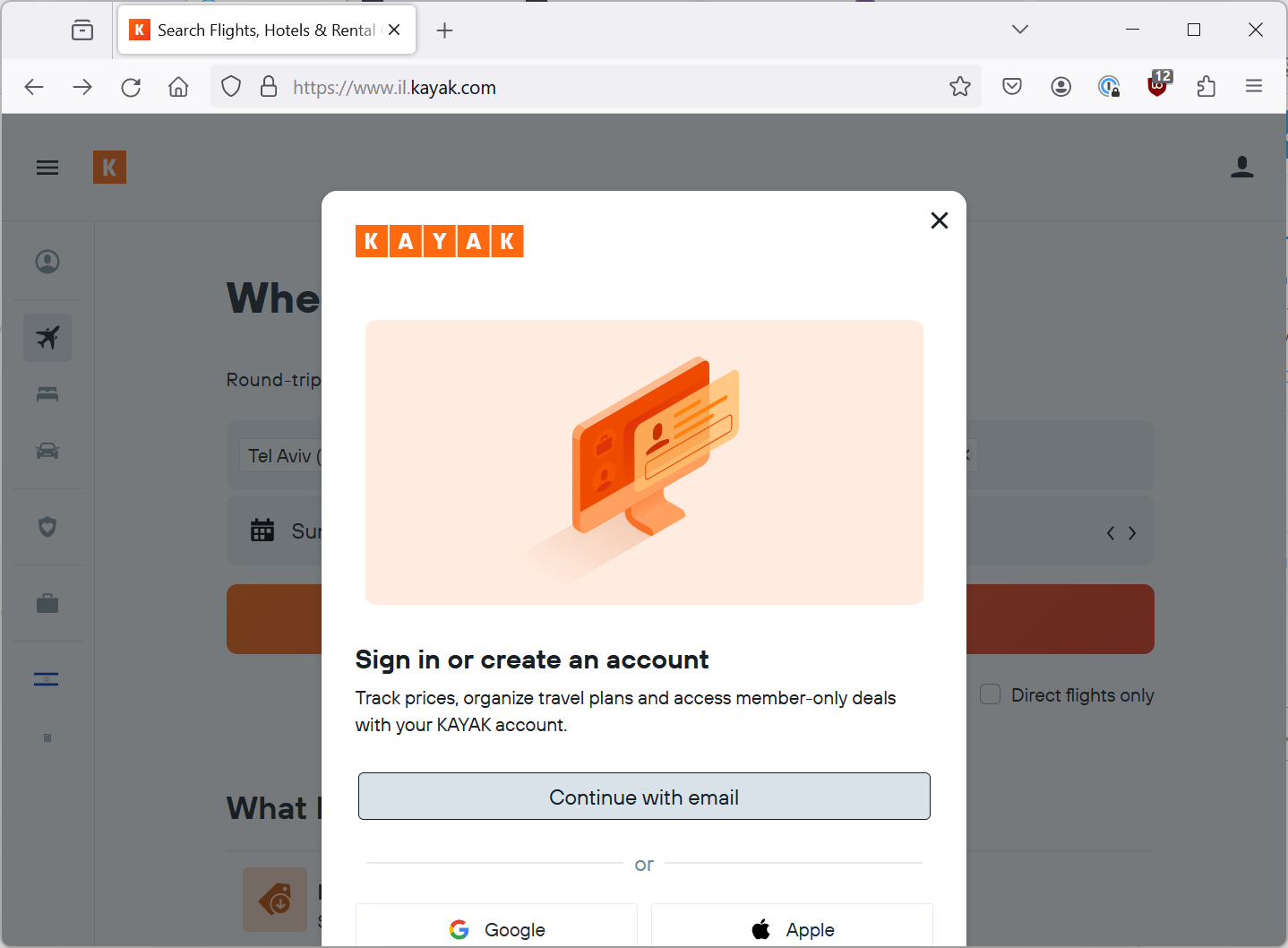
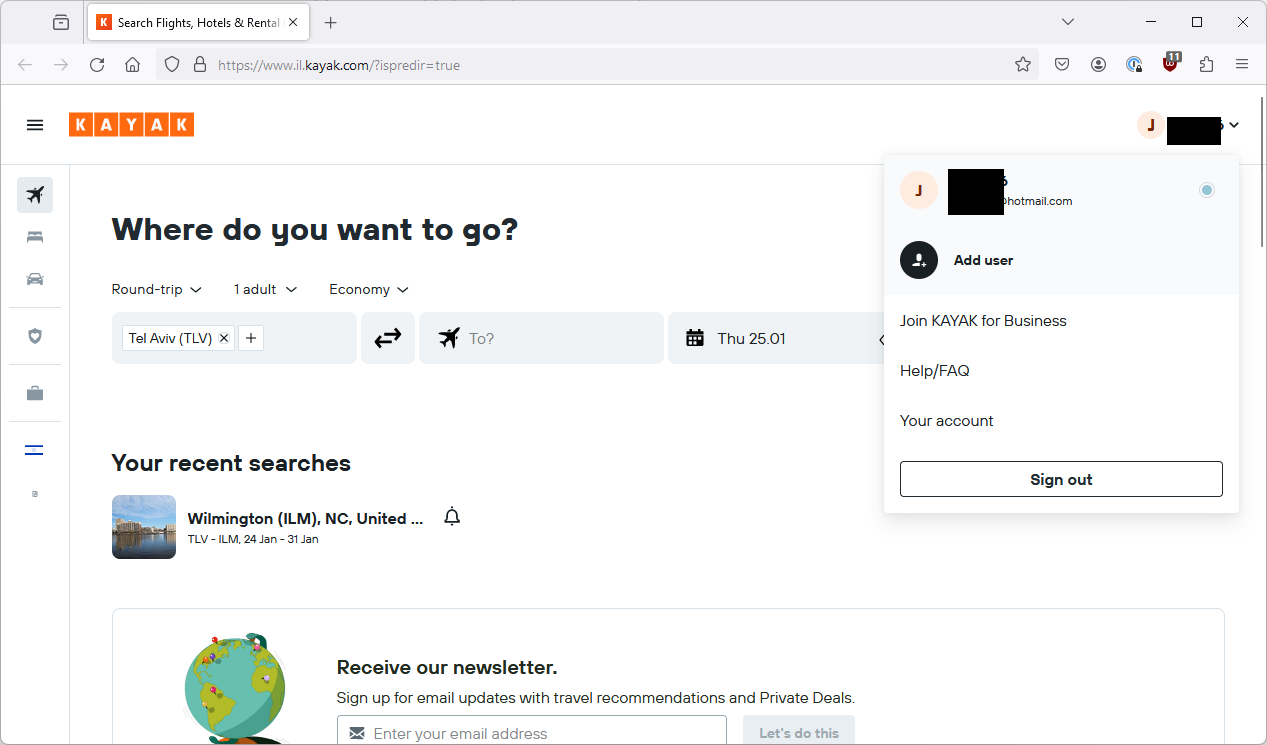
So, now let’s move to my Windows PC. My usual browser is Firefox so let’s try and login here.
(Updated) 1Password being more clever or less clever or both?
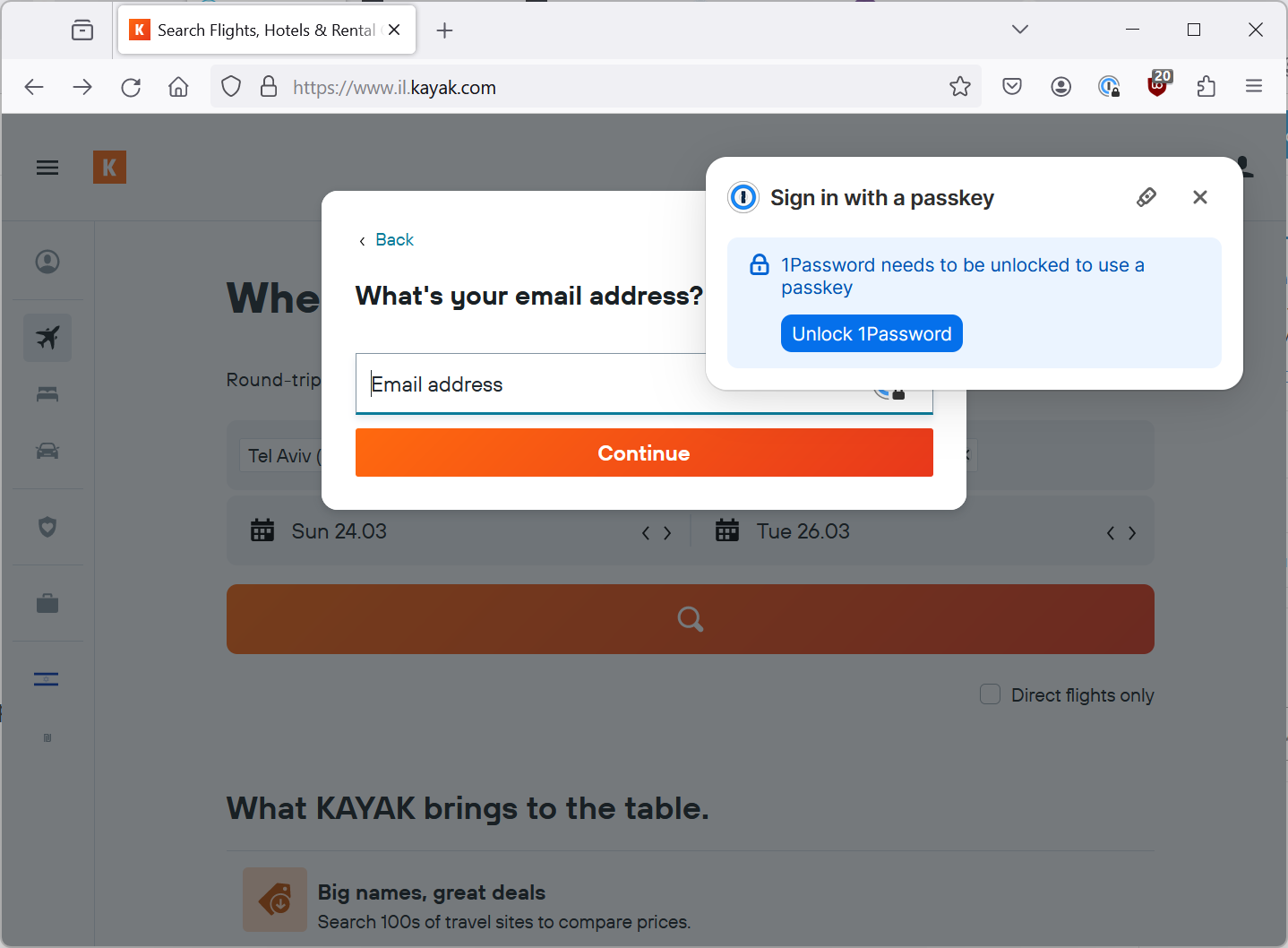
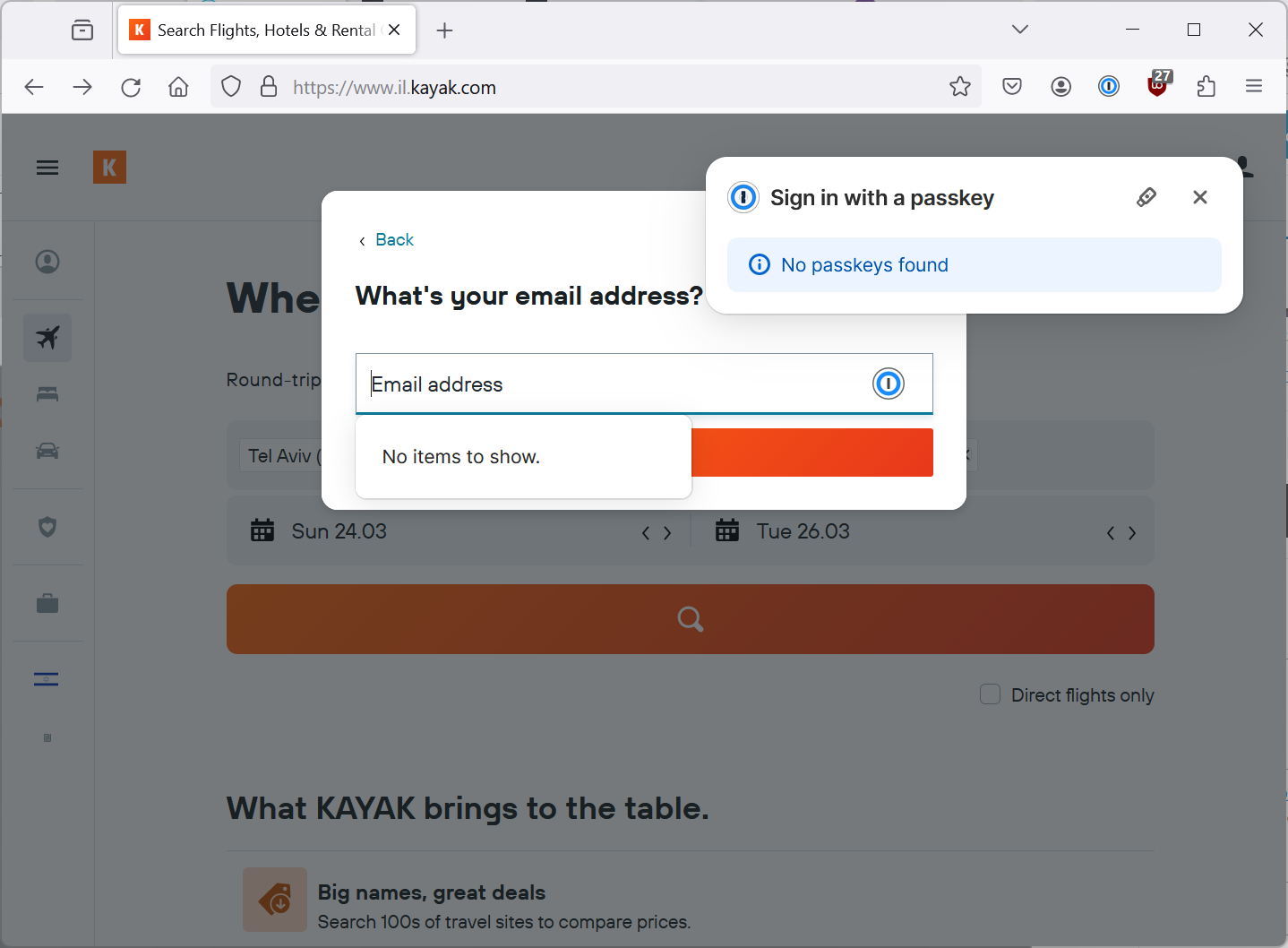
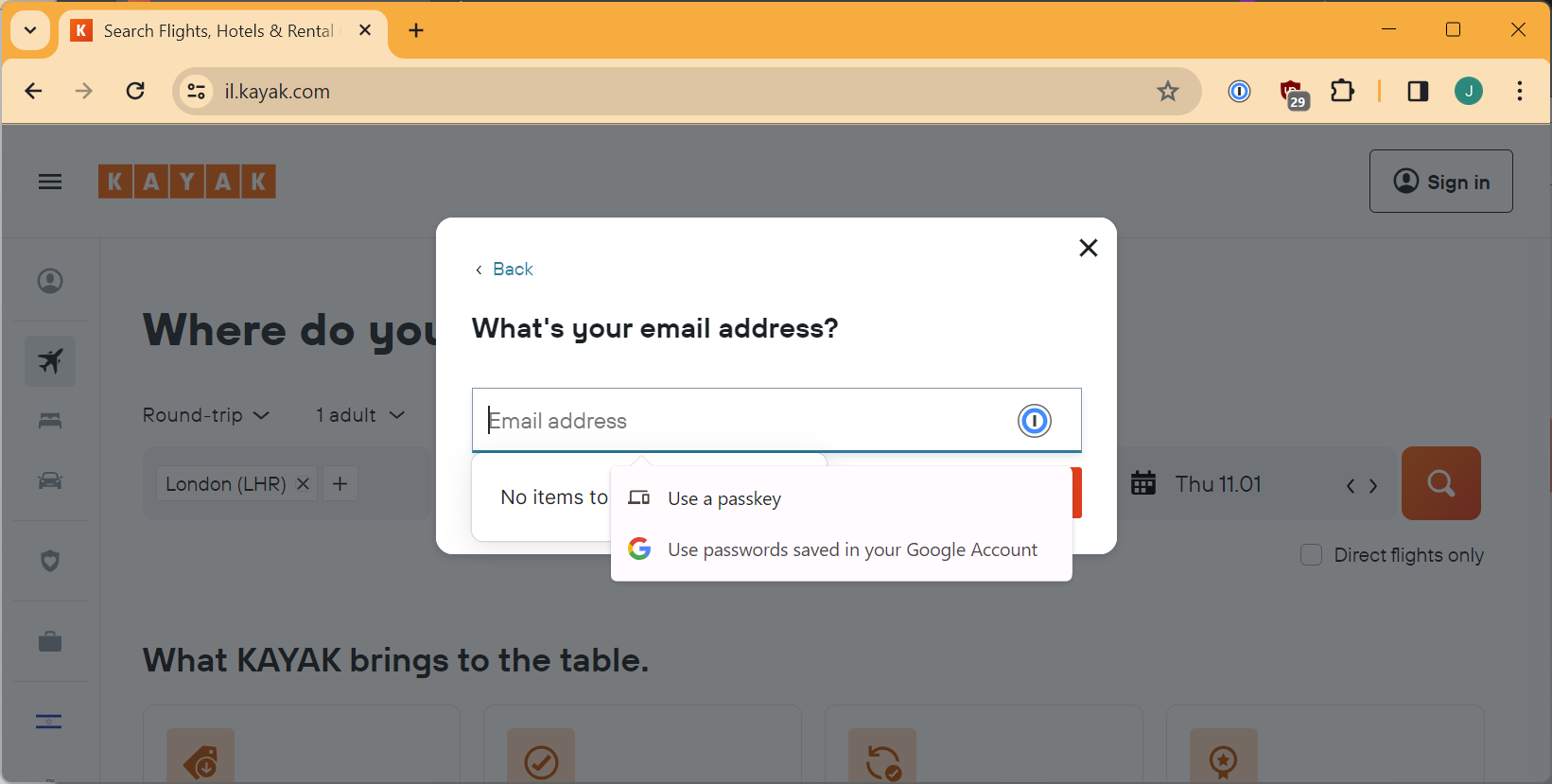
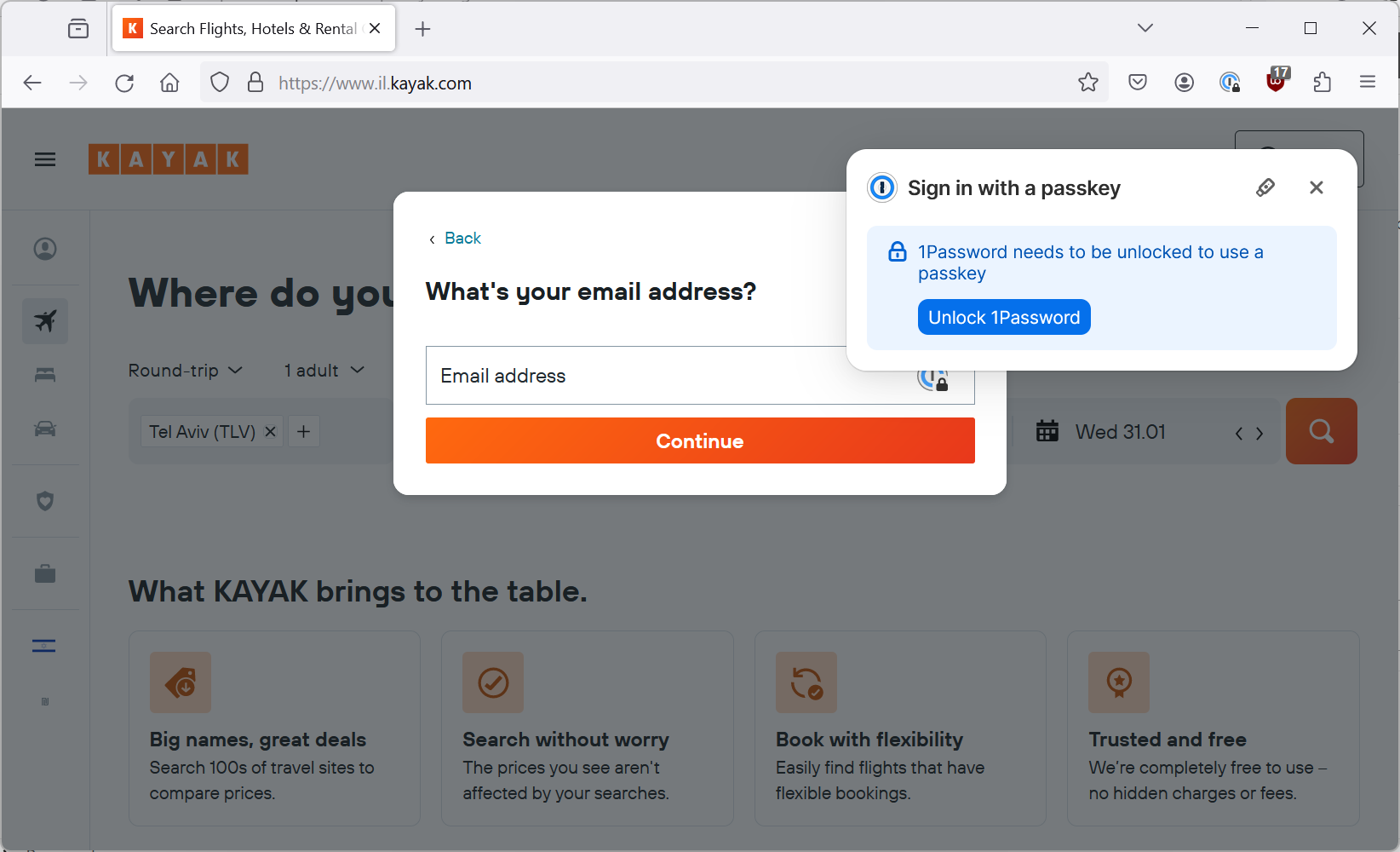
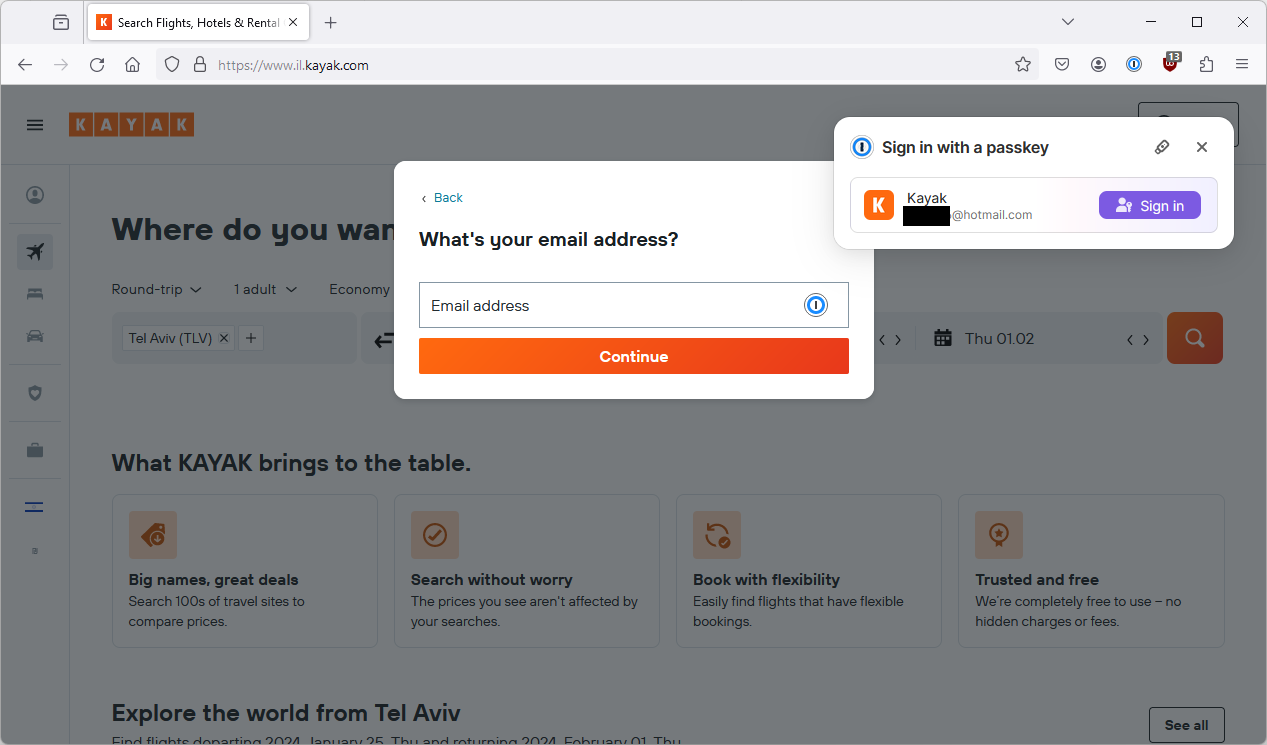
So last time, when I hit “Continue with email” 1Password popped up with the following screens offering to let me use a passkey.
This time, that doesn’t happen which since I don’t have a passkey for Kayak on 1Password makes a lot more sense.
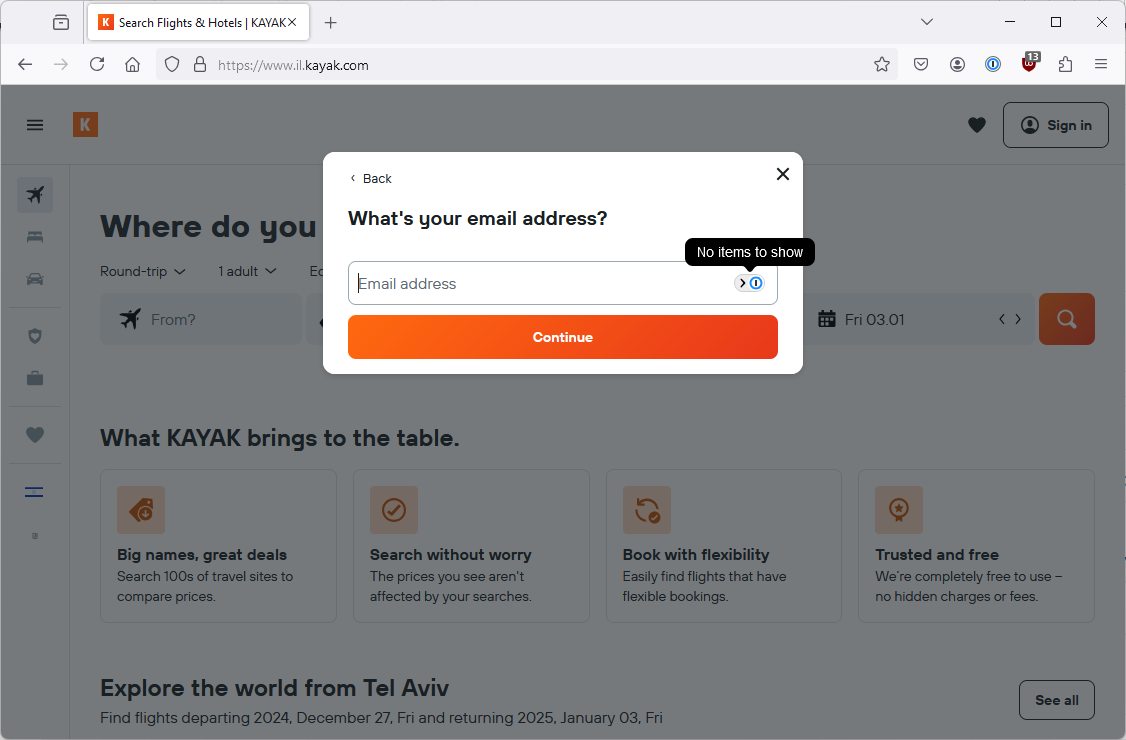
On the other hand, last time it gave me an opportunity to trigger the Windows passkey functionality by clicking on the teeny tiny security key icon on the screen that popped up (see if you can spot it in the Firefox screenshot above).
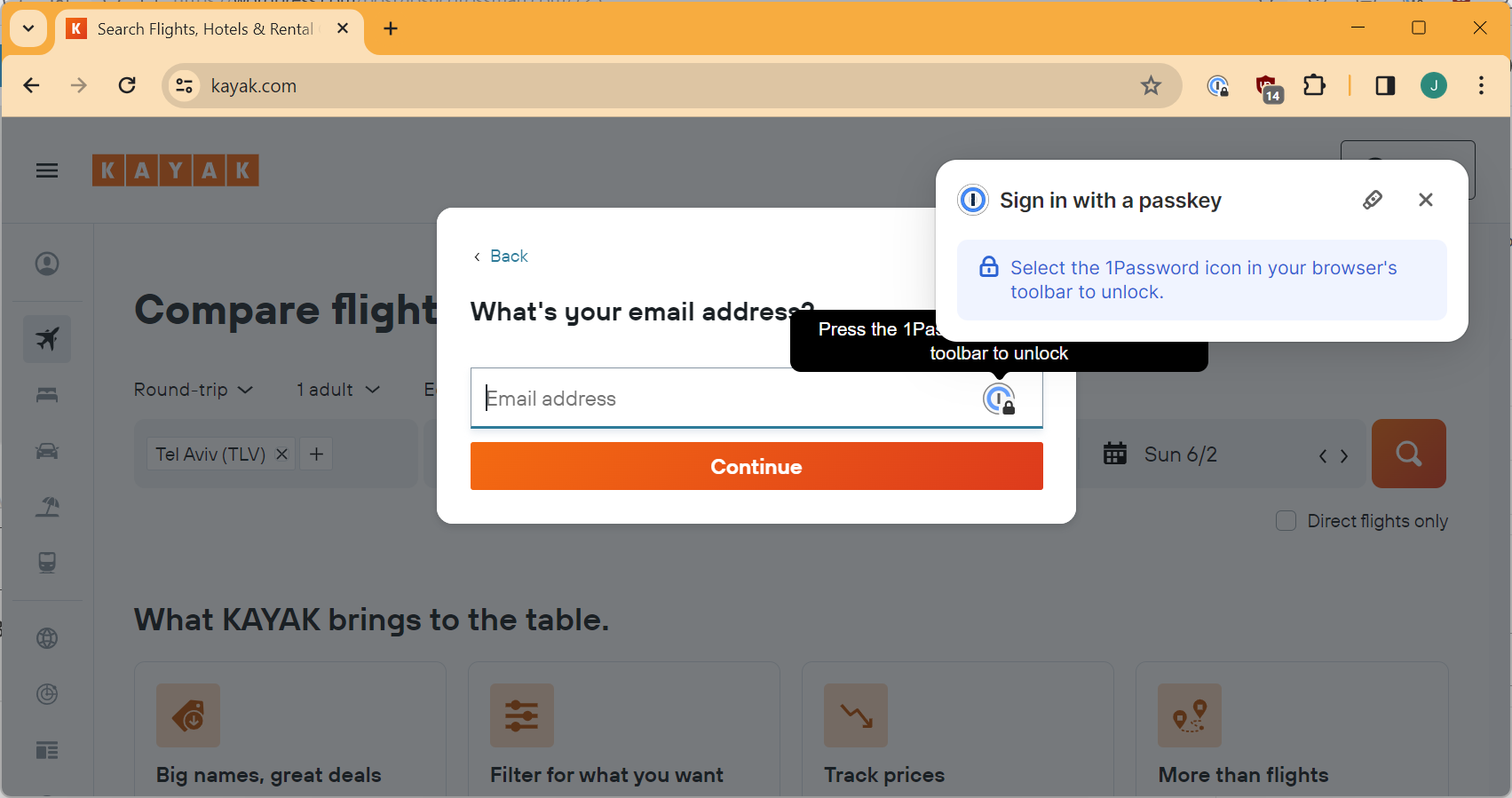
Now, that doesn’t happen. No popup, no teeny tiny icon, no opportunity to use passkeys (as you can see in the screenshot just below). This feels like a minor regression although it does seem to relate more to Firefox than to 1Password. (Note that in part 6, we see that this popup returns so maybe it was just a temporary bug.)
Back to Kayak on Firefox
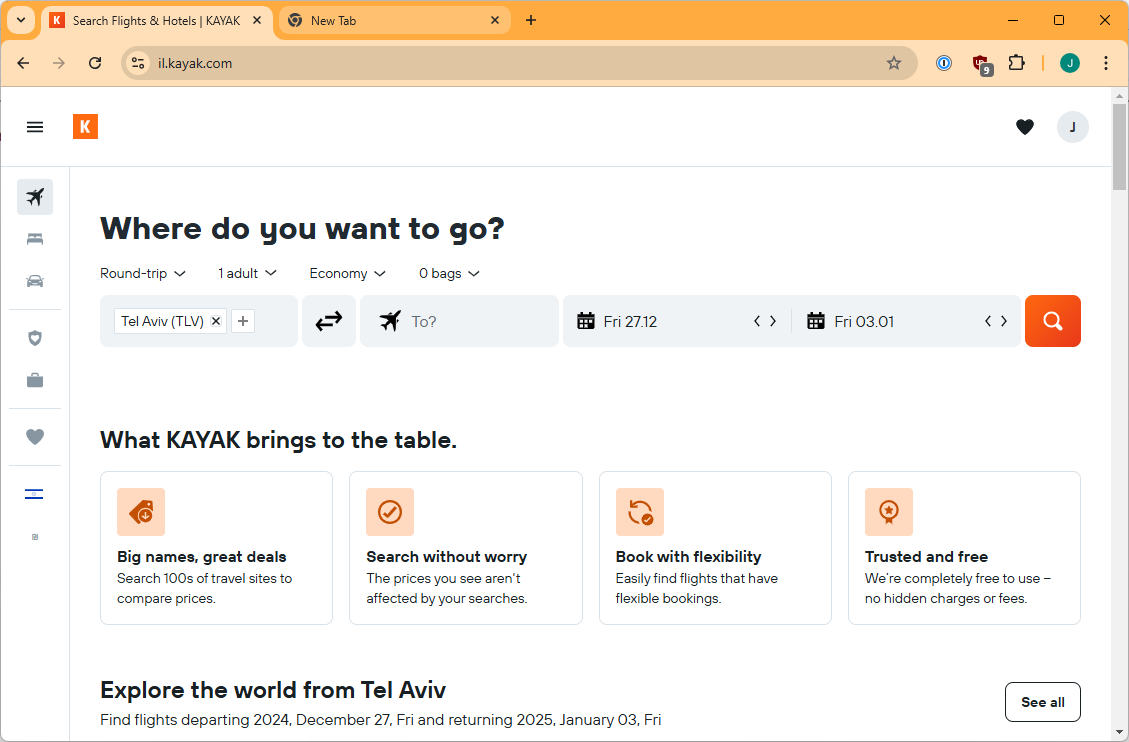
So if I ignore 1Password, last time I got a popup asking about logging in with Google but that didn’t happen this time.
So otherwise, nothing still happens (like last time). I have a passkey for this site on my Android device but Firefox gives me no opportunity to use it.
(Updated) Chrome (different Google account) on Windows 11
What about Chrome? Note that this Chrome browser is using a different gmail account to the one where my passkeys are stored.
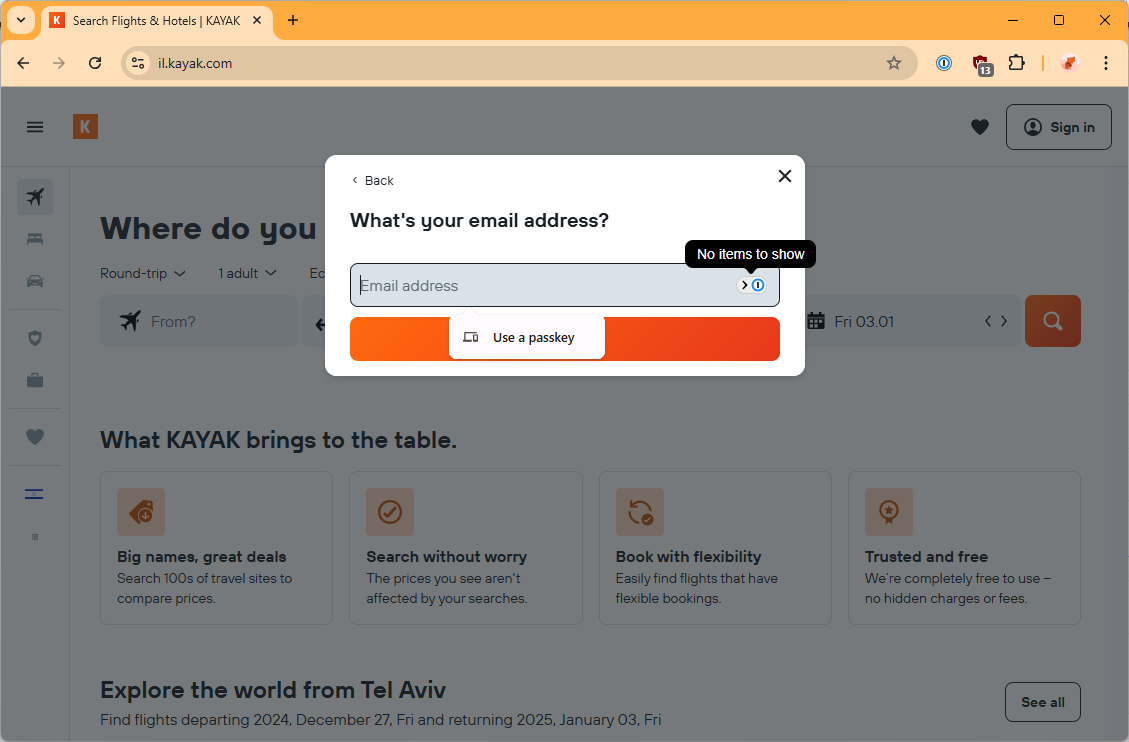
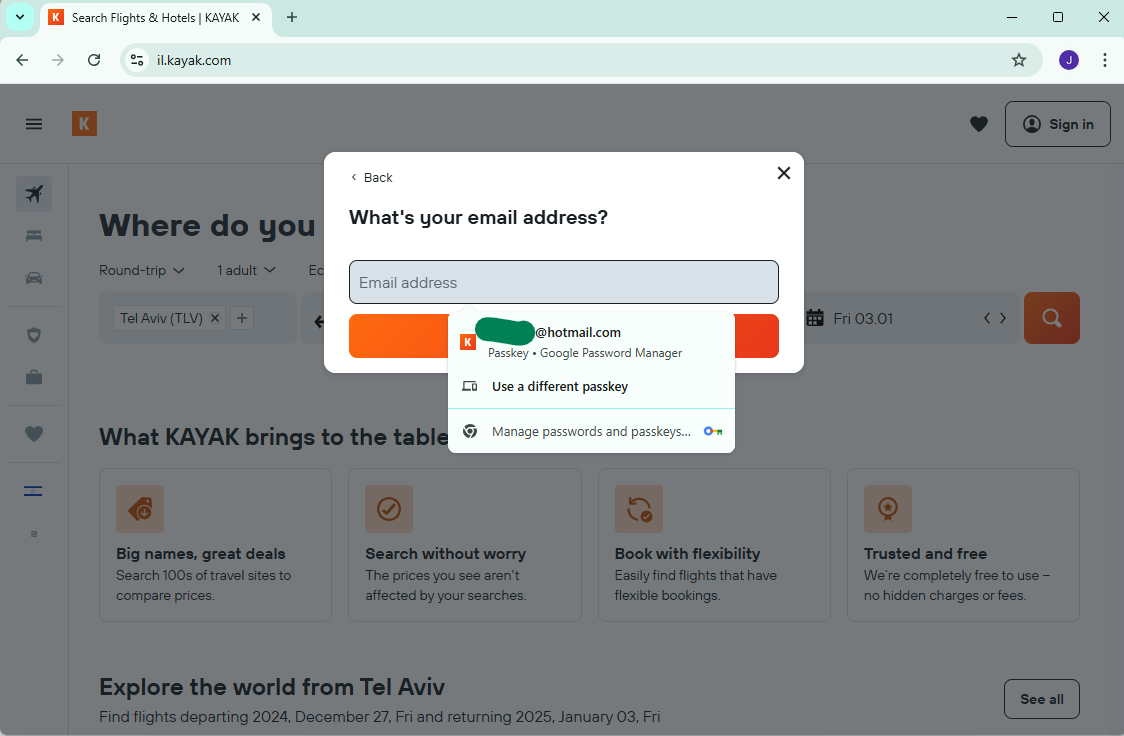
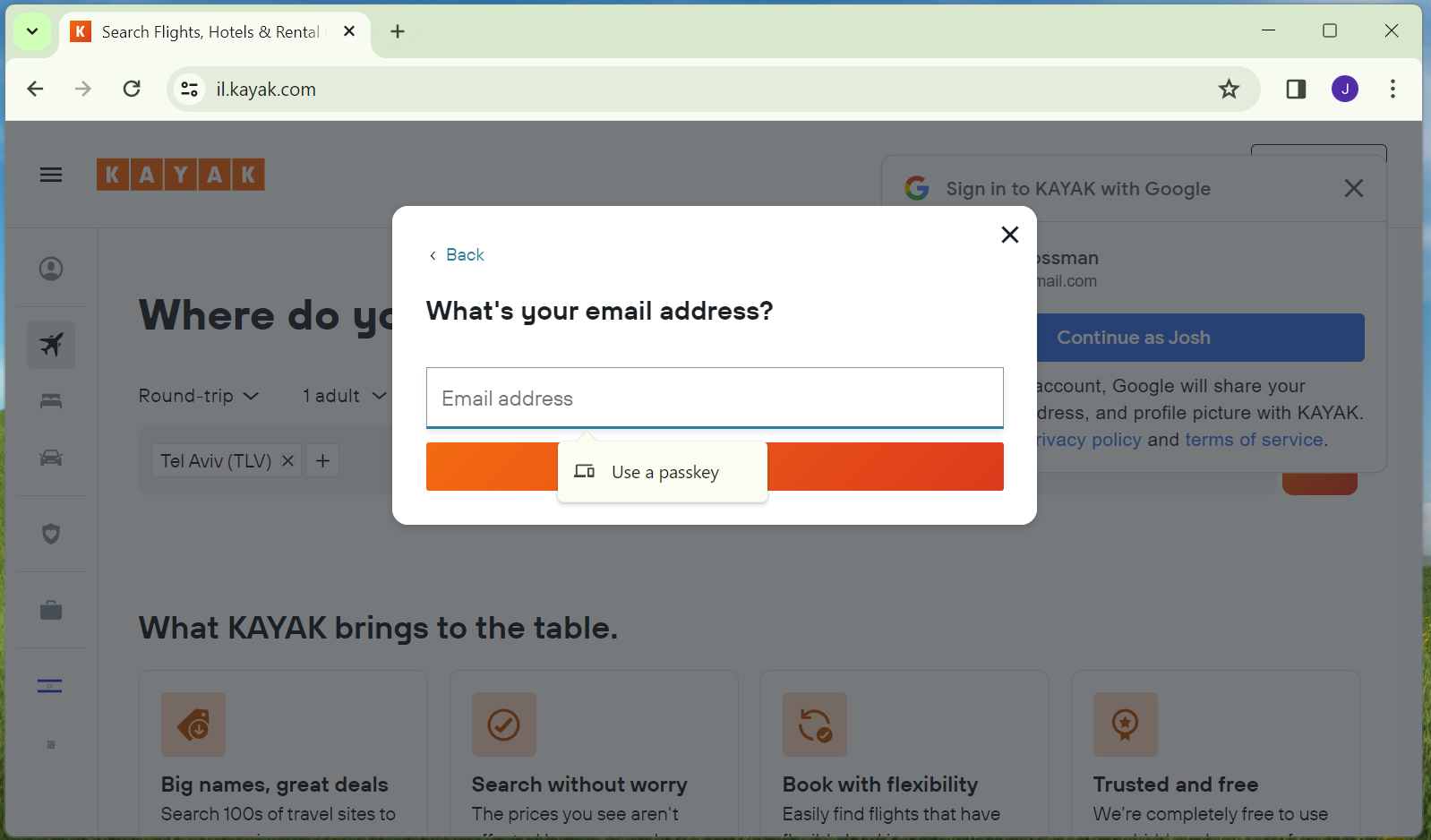
So previously, Chrome offered me two options. Use a passkey or use passwords saved in my Google account. Now, Chrome just offers to let me use a passkey. I don’t know for sure but I suspect that this is because I don’t have any Kayak passwords/passkeys stored in this Google account. So that seems like another UX improvement, presumably by Google.
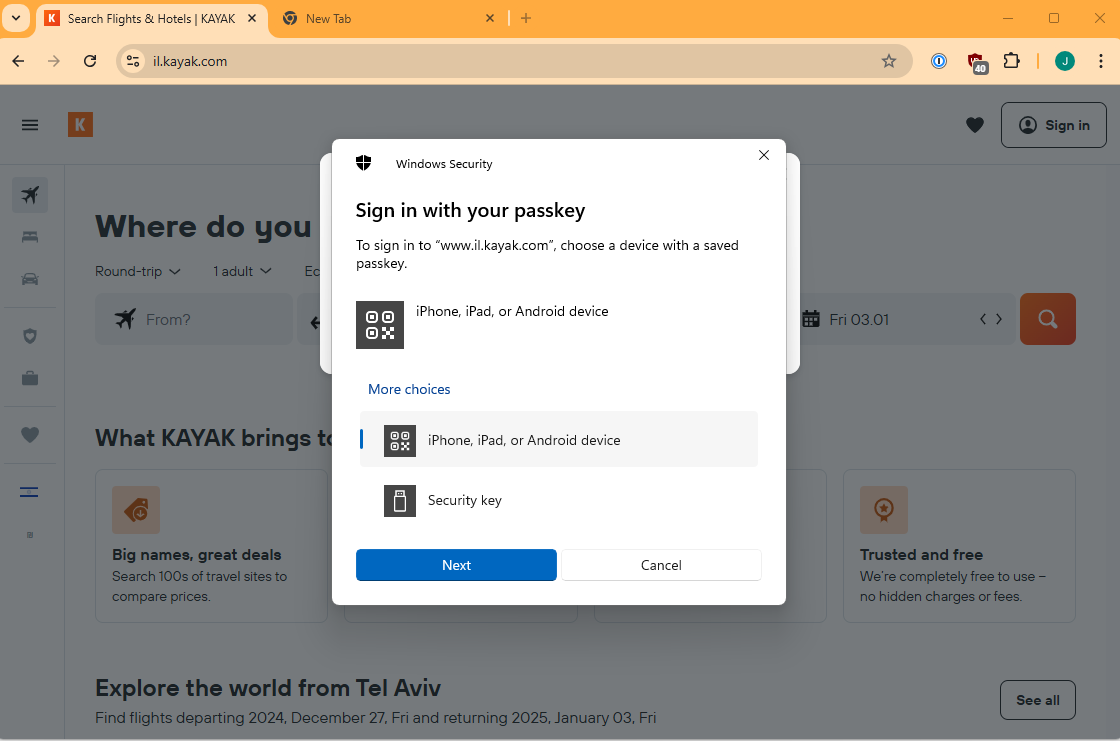
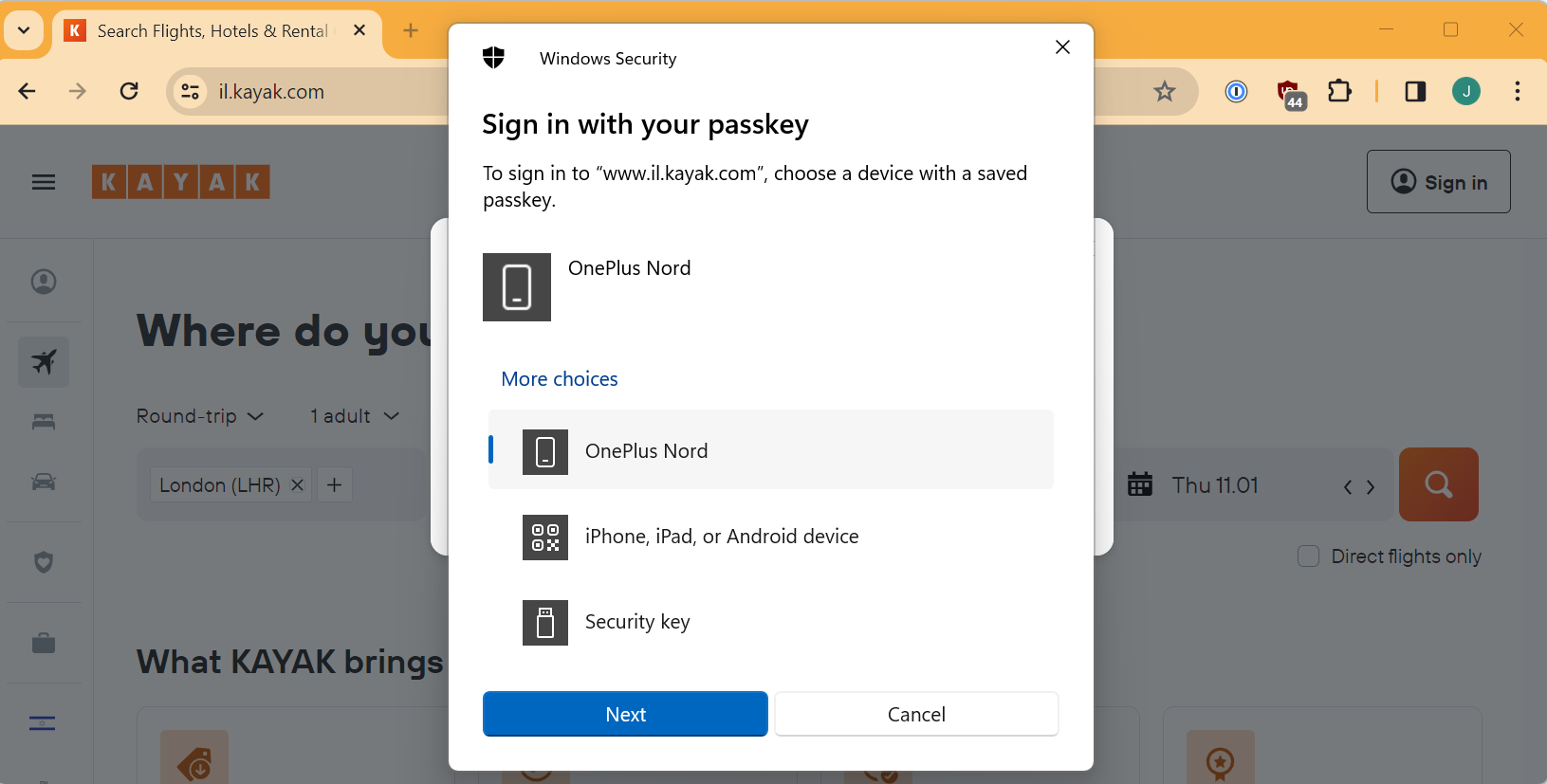
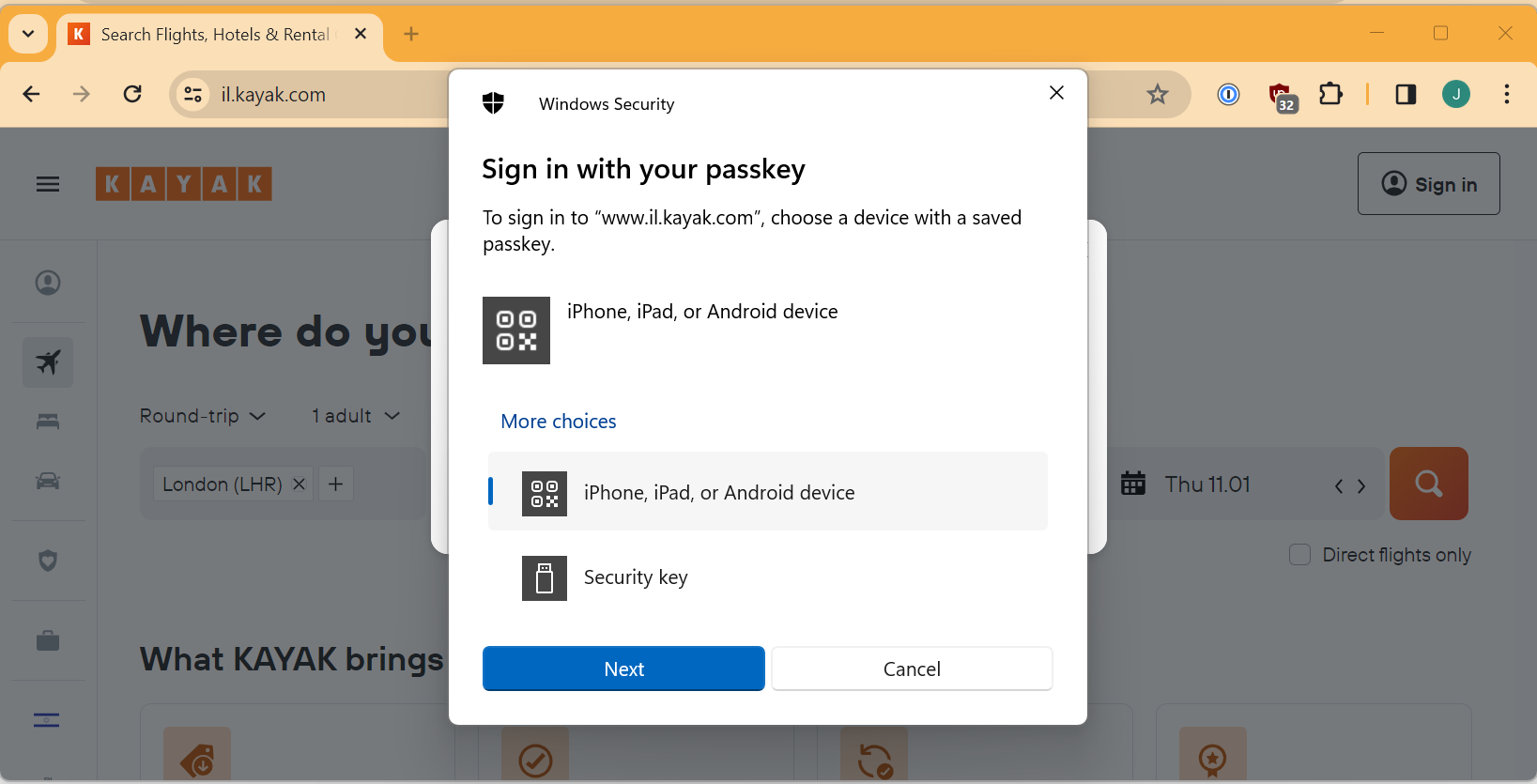
So let’s look at “Use a passkey”. I click it and a new screen appears.
Part 3 – Using a mobile Passkey on Windows
Maybe I don’t need a new passkey after all
So I choose Android device as that is where I know I stored the passkey.
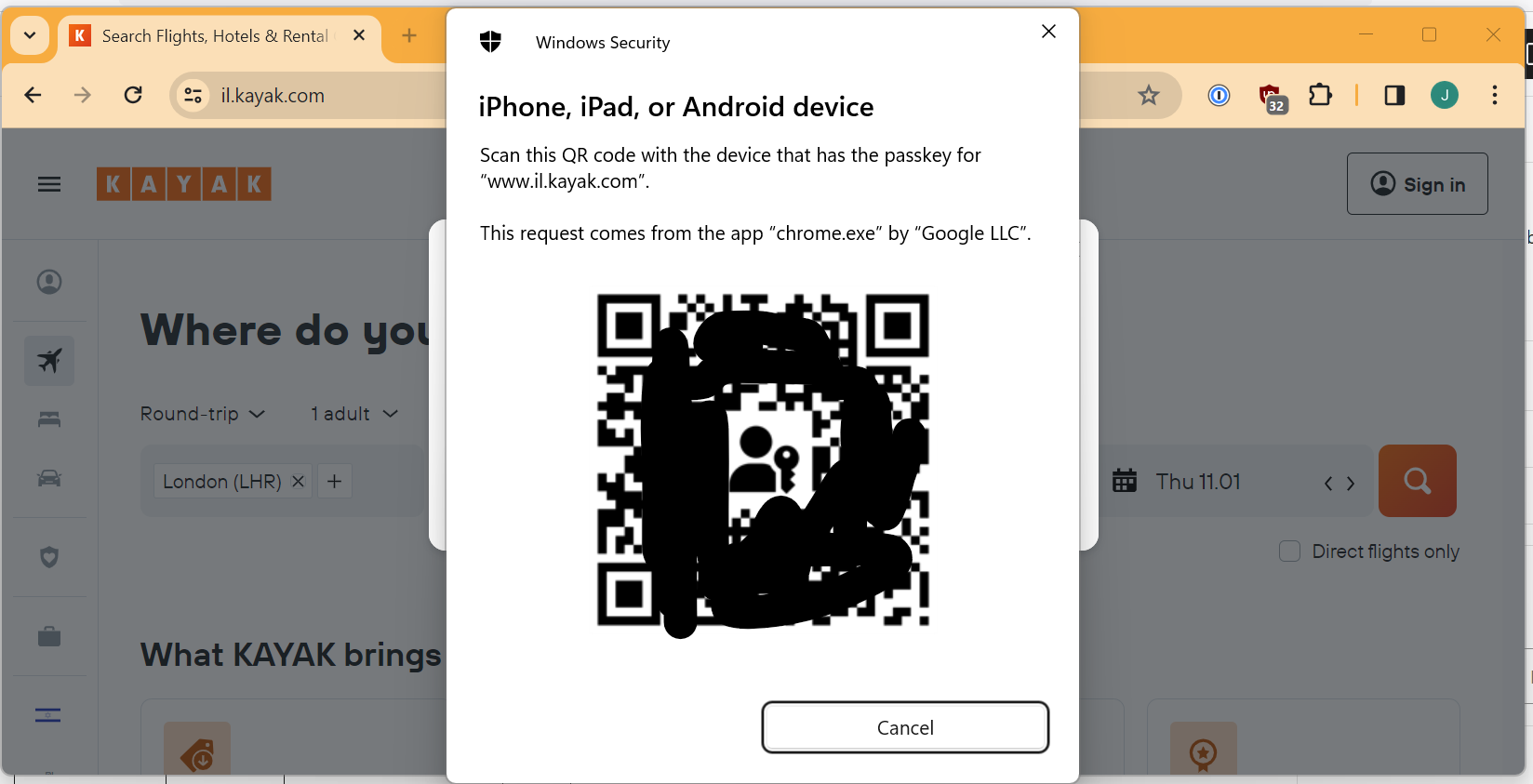
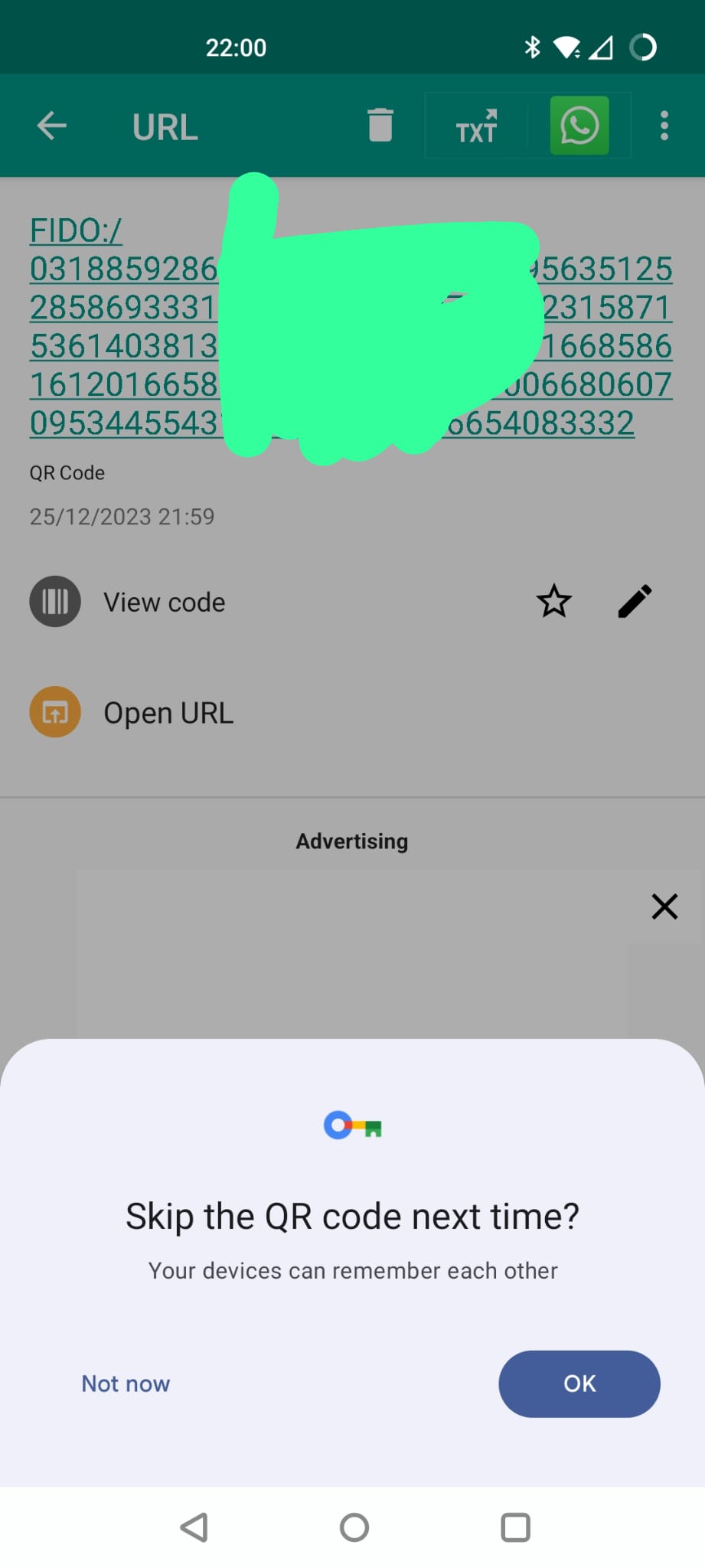
So I now get a QR code flashed up to me, I guess I just scan that with a regular QR code app from my phone? (identical screen)
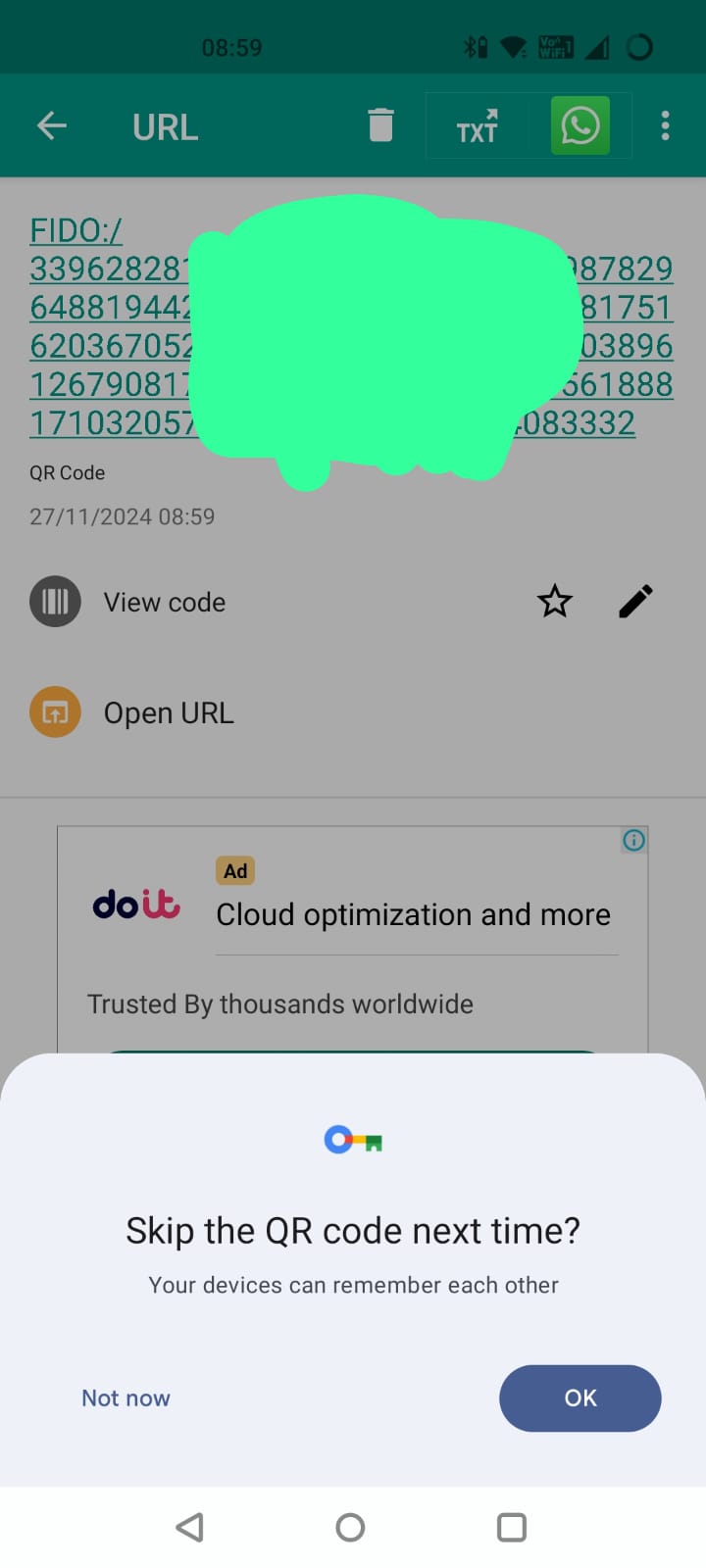
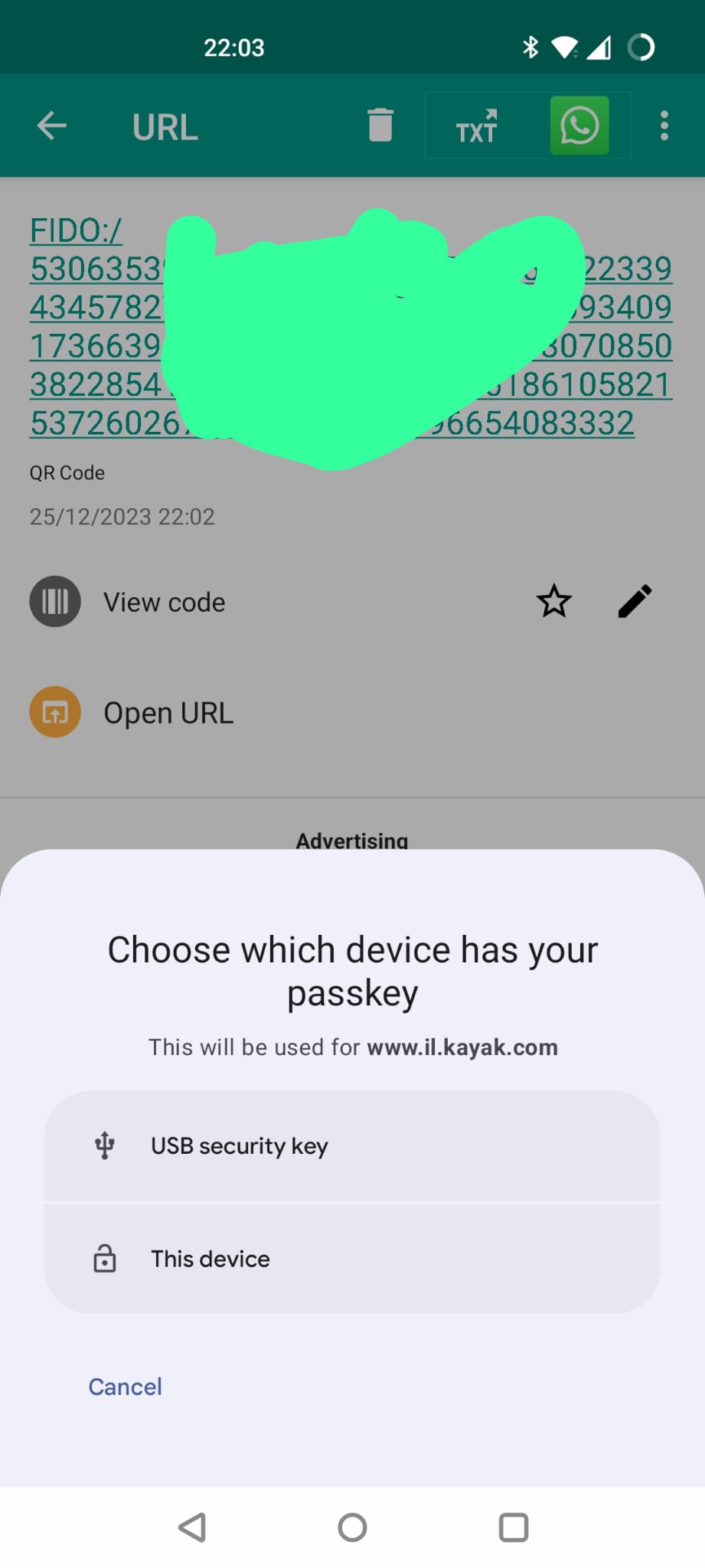
So I scan the code and browse to the URI which it contains.
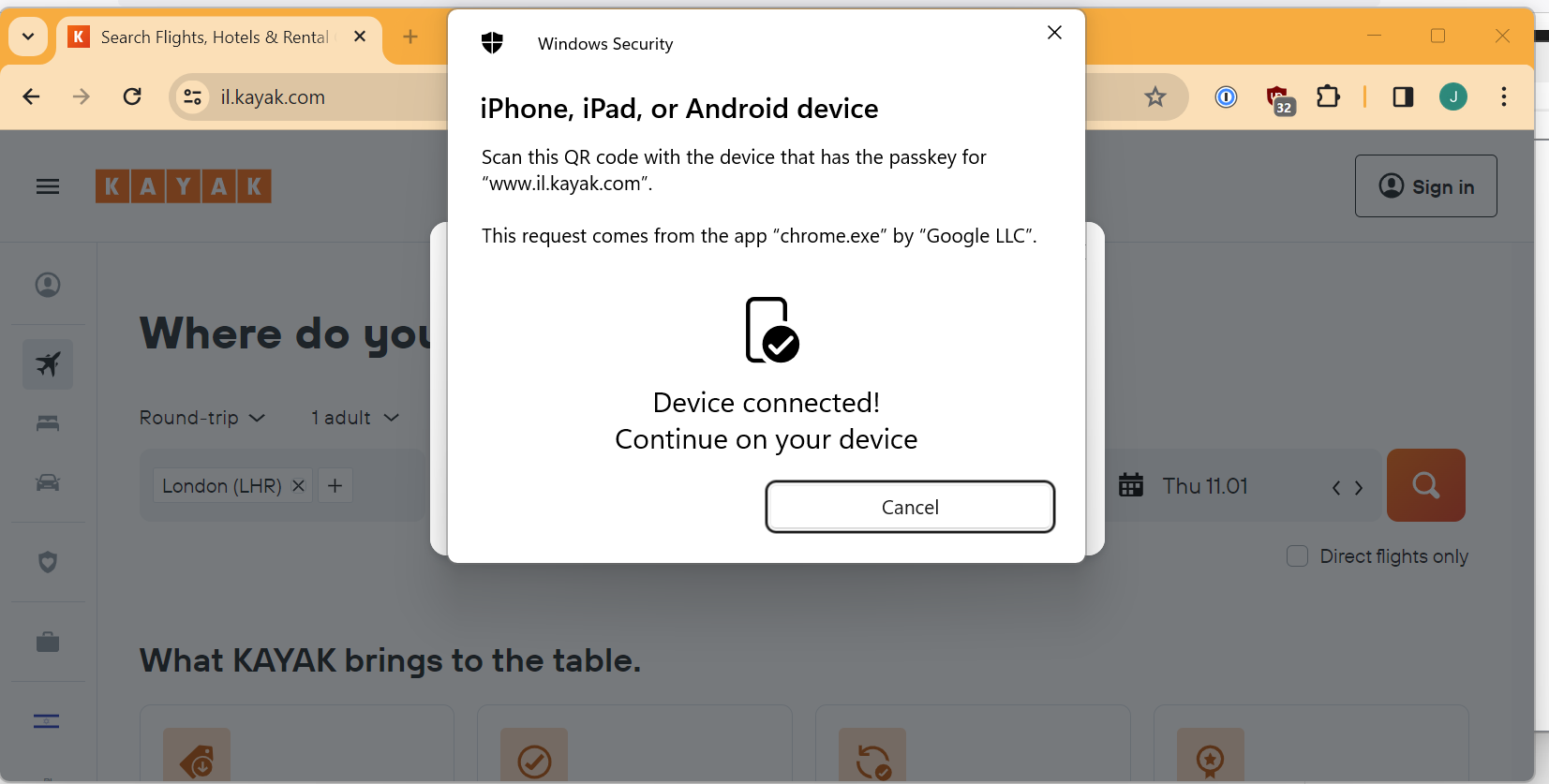
I guess I want my devices to remember each other so that make sense, and now my devices are connected.
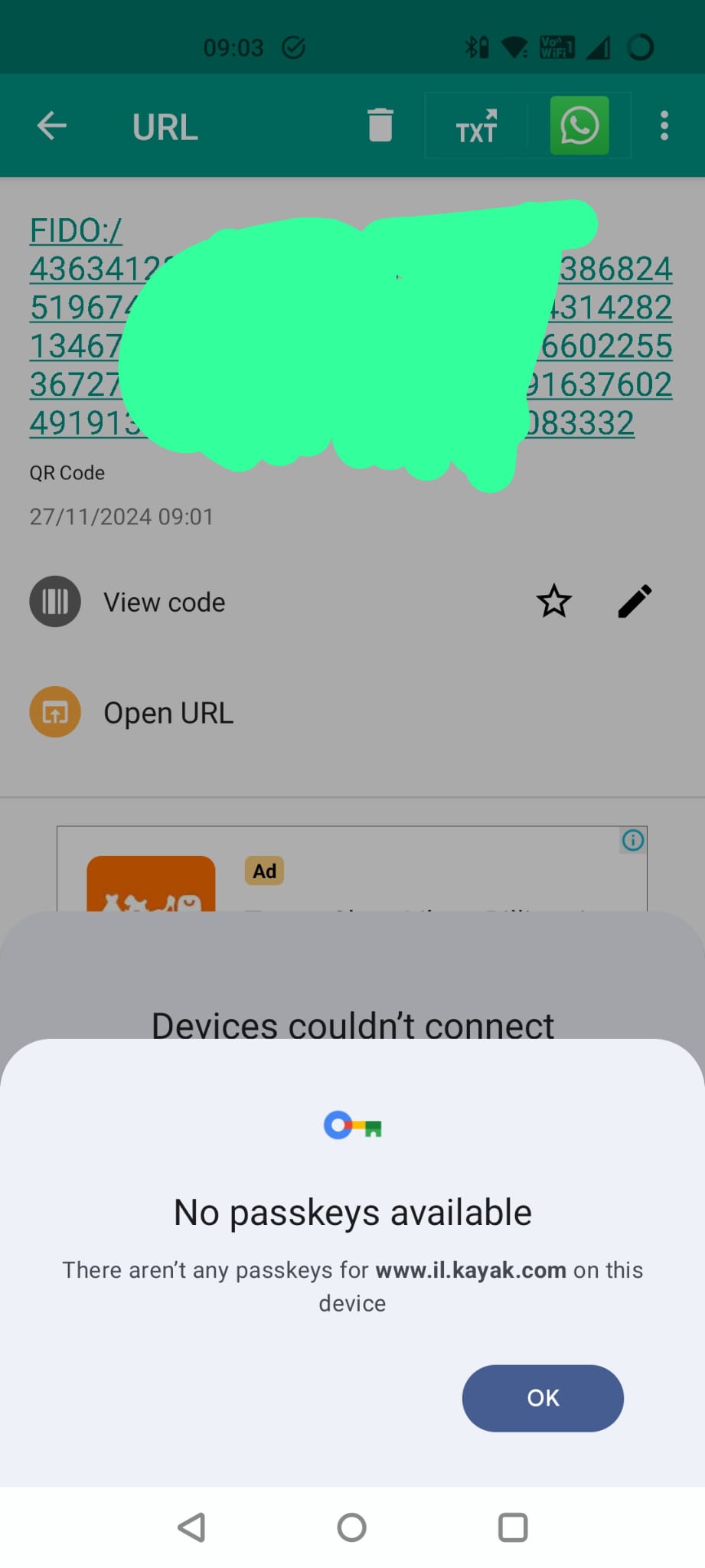
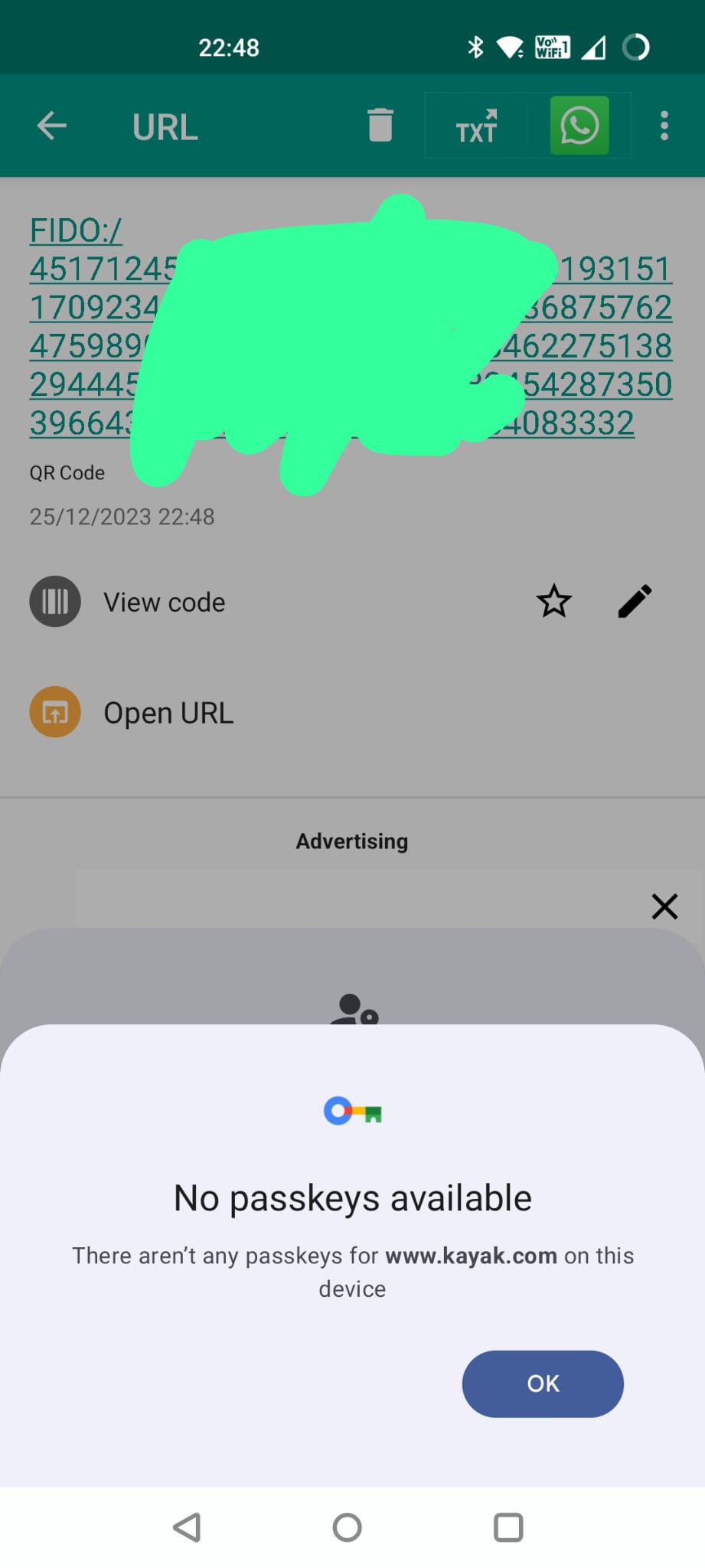
So last time, I got a few other screens about different devices where passkeys could be stored but this time it goes straight to the “computer says no” screen.
So, why did that happen. Same reason as before.
Geographically embarrassed…
For whatever reason, my Kayak app on my phone is set to a region of UK but on my PC I am trying to login to the Israeli version of the site (which Kayak pushes me to automatically based on my location.)
The Passkey is attached to a particular domain and the Kayak app is smart enough to make that www.kayak.co.uk because it is set to UK region but since that domain doesn’t match what I am trying to log into now, I can’t use my existing passkey.
I now have 3 options:
Just enter in my email address, I’ll get a magic link and be in my app and working and passkeys be damned.
Go and fix my app region and create a new passkey and then try logging on my Windows PC again.
Option 1., but then register a passkey on my Windows PC.
Let’s try option 2 first. I also want to see whether the revocation flow has changed.
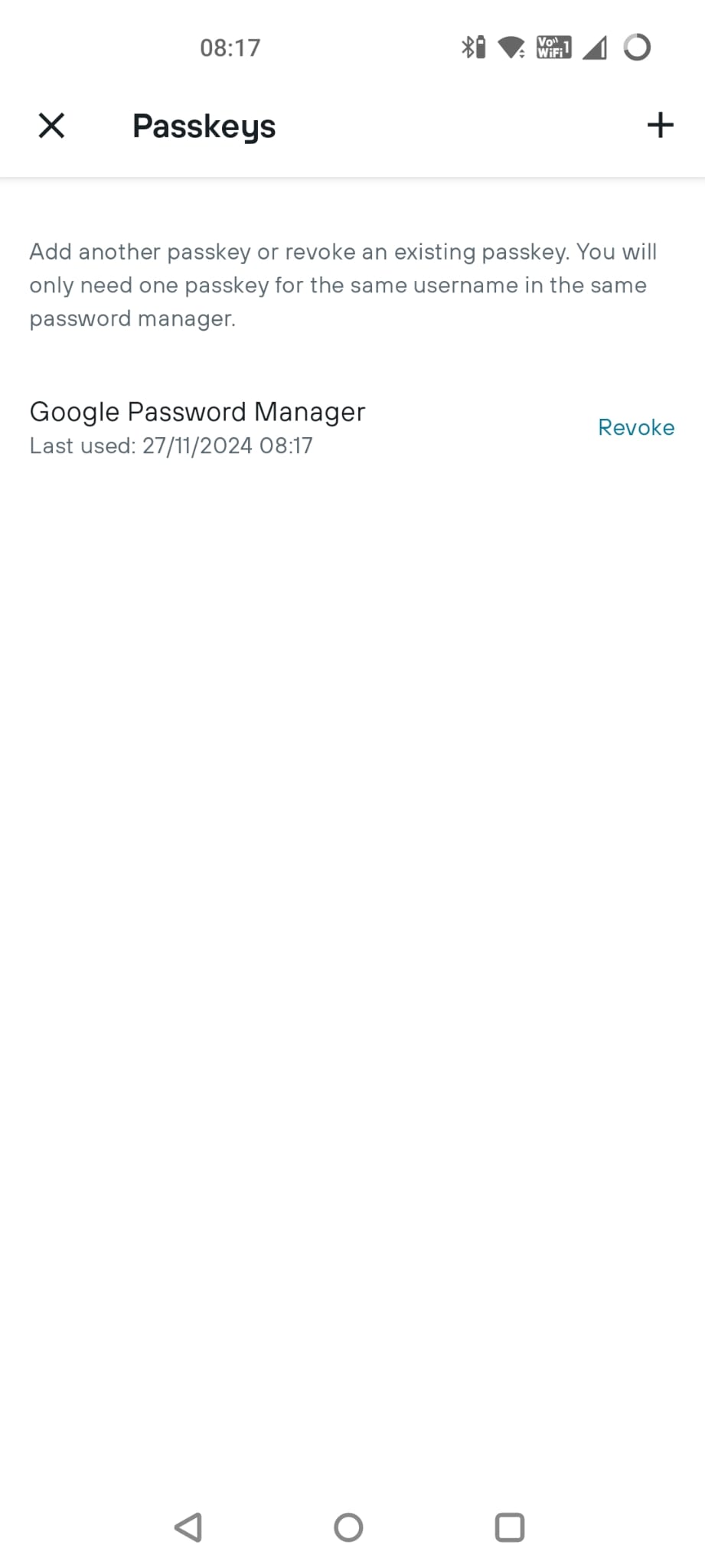
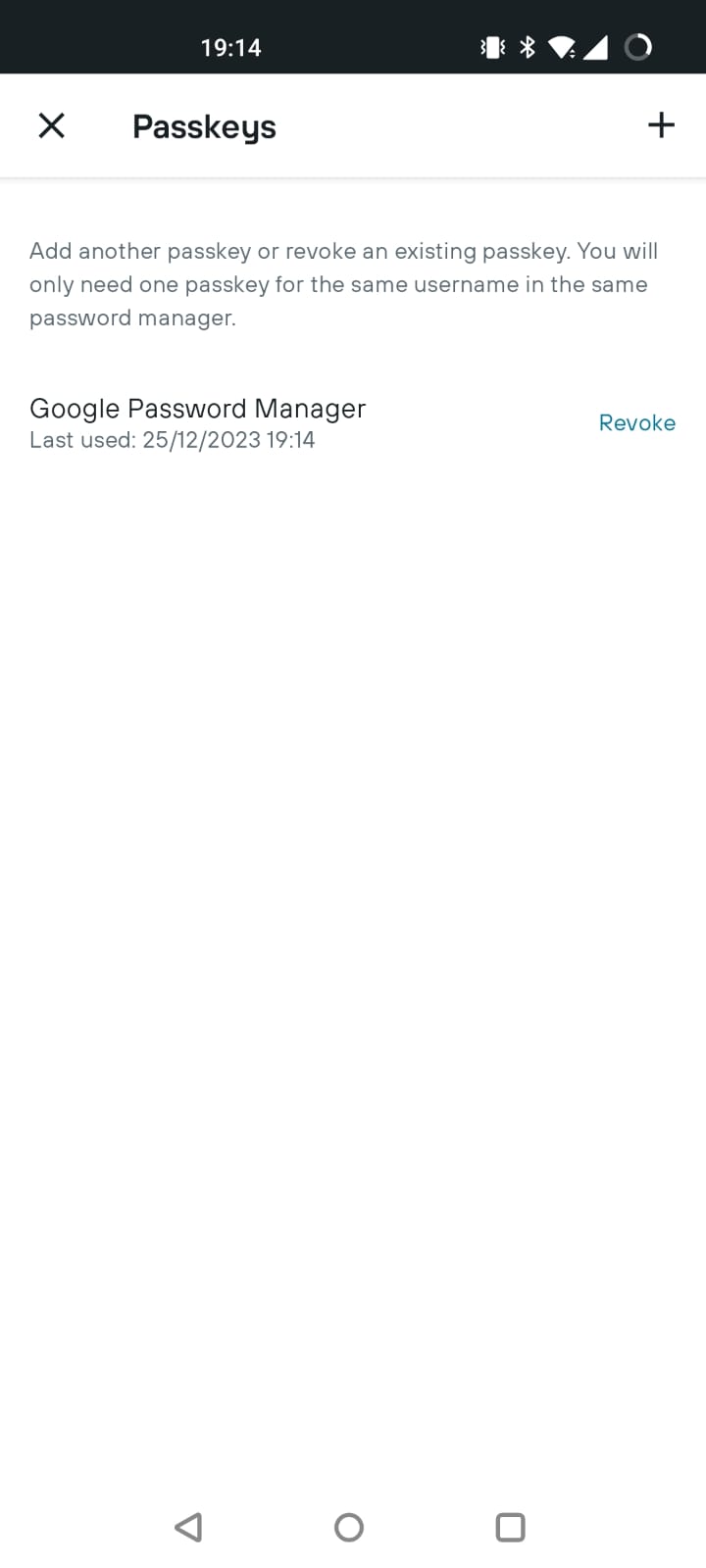
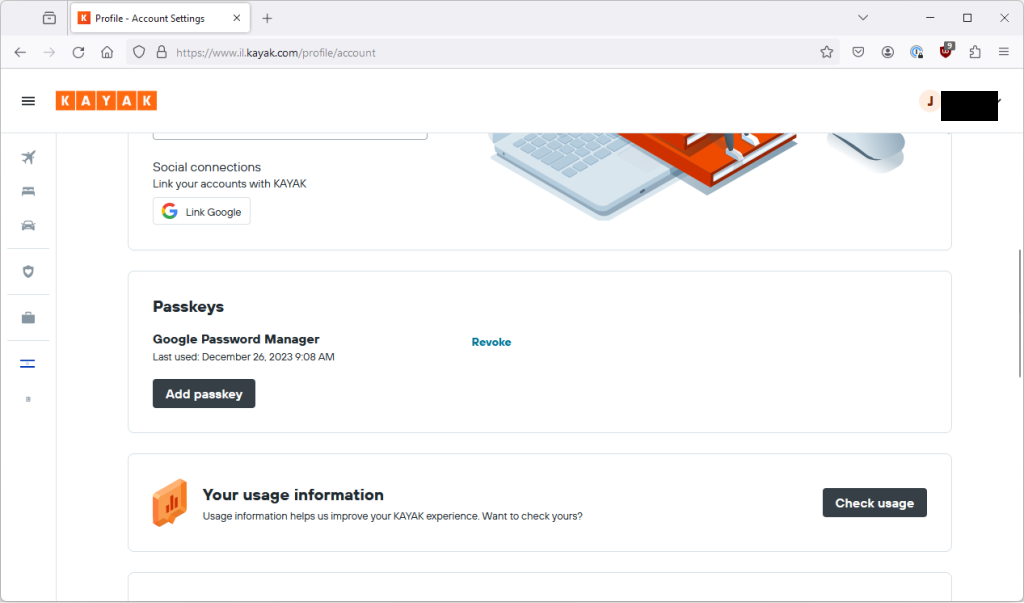
So back in the Kayak Android app I can “revoke” my current passkey. Do I need to? No idea but it seems like the sensible thing to do (identical screen).
So I revoke it and then sign-out.
I go back to login and get presented with this screen again.
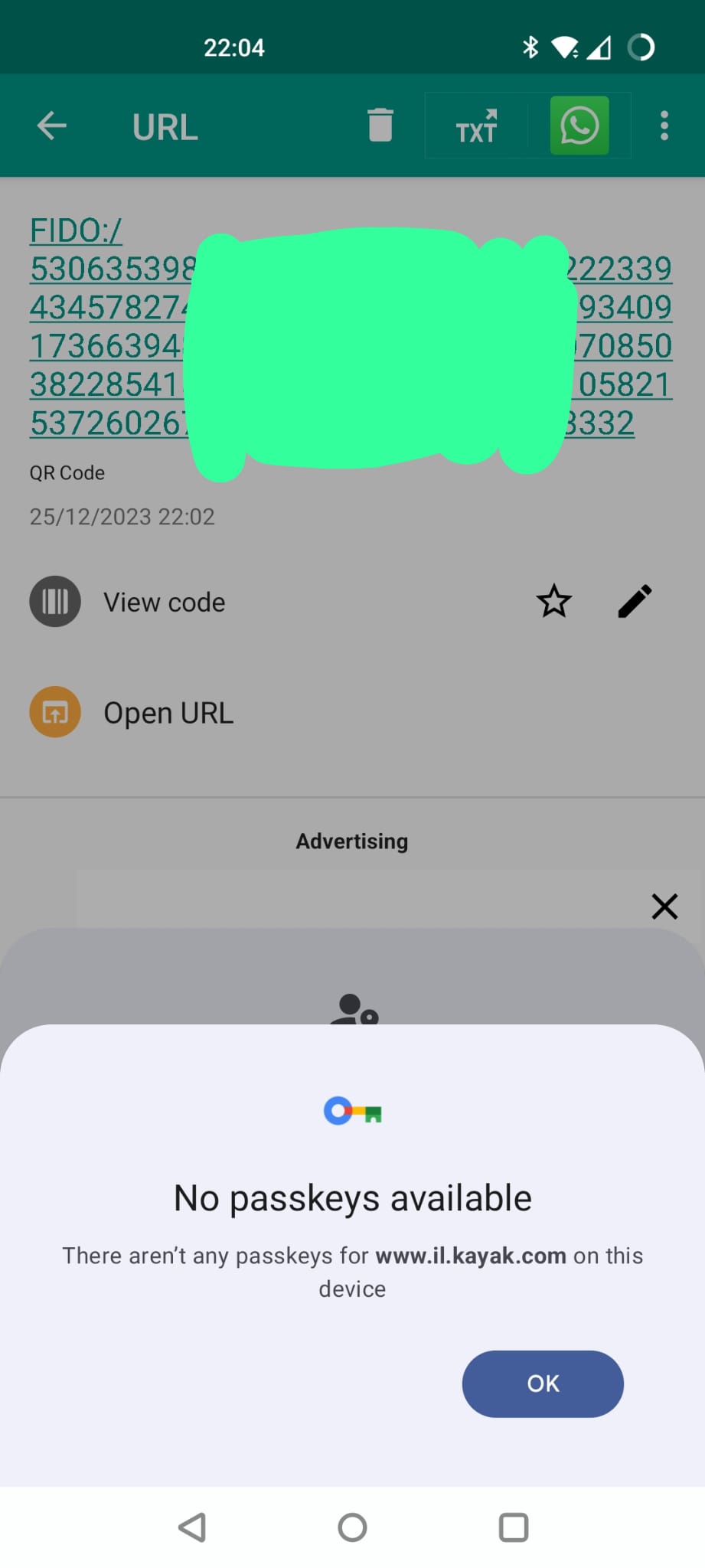
That’s weird, didn’t I just revoke this passkey?
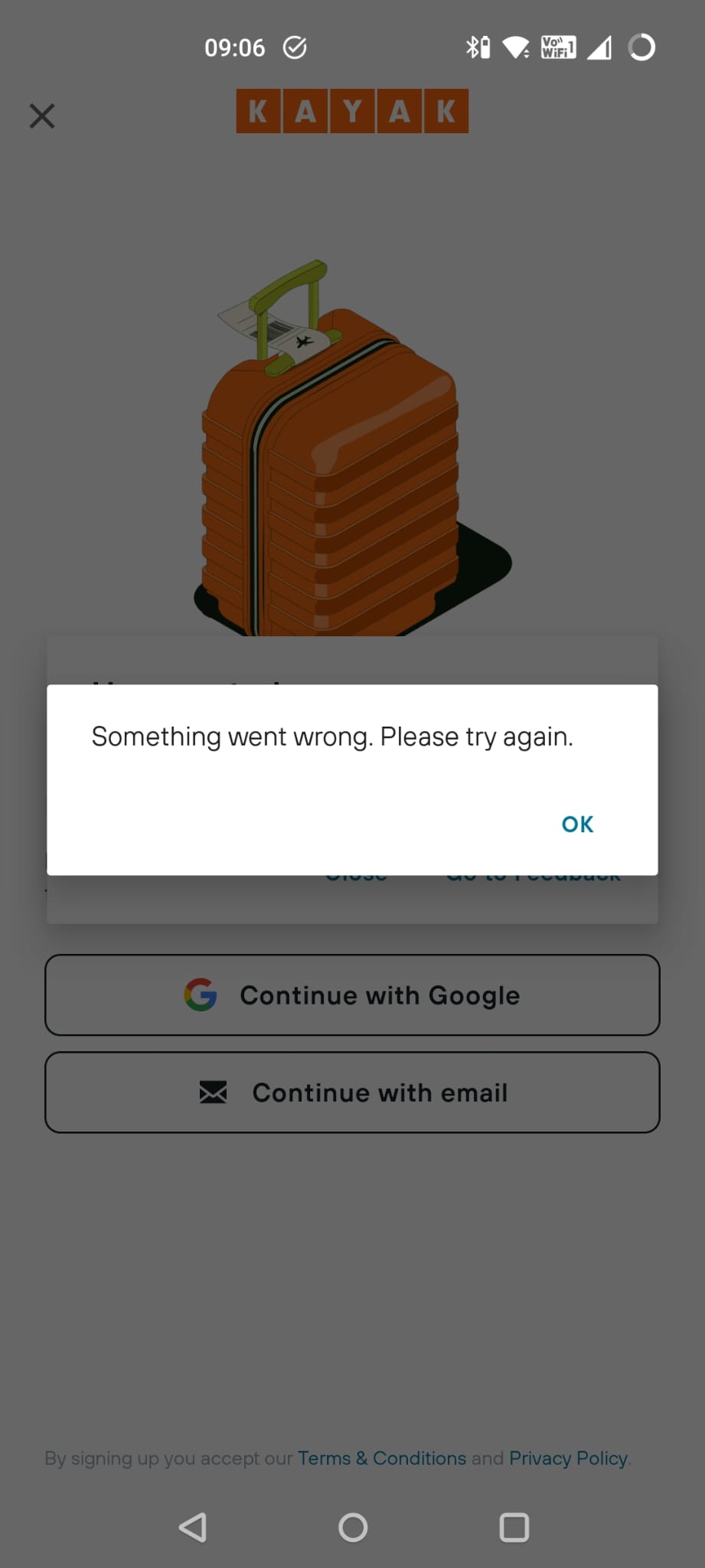
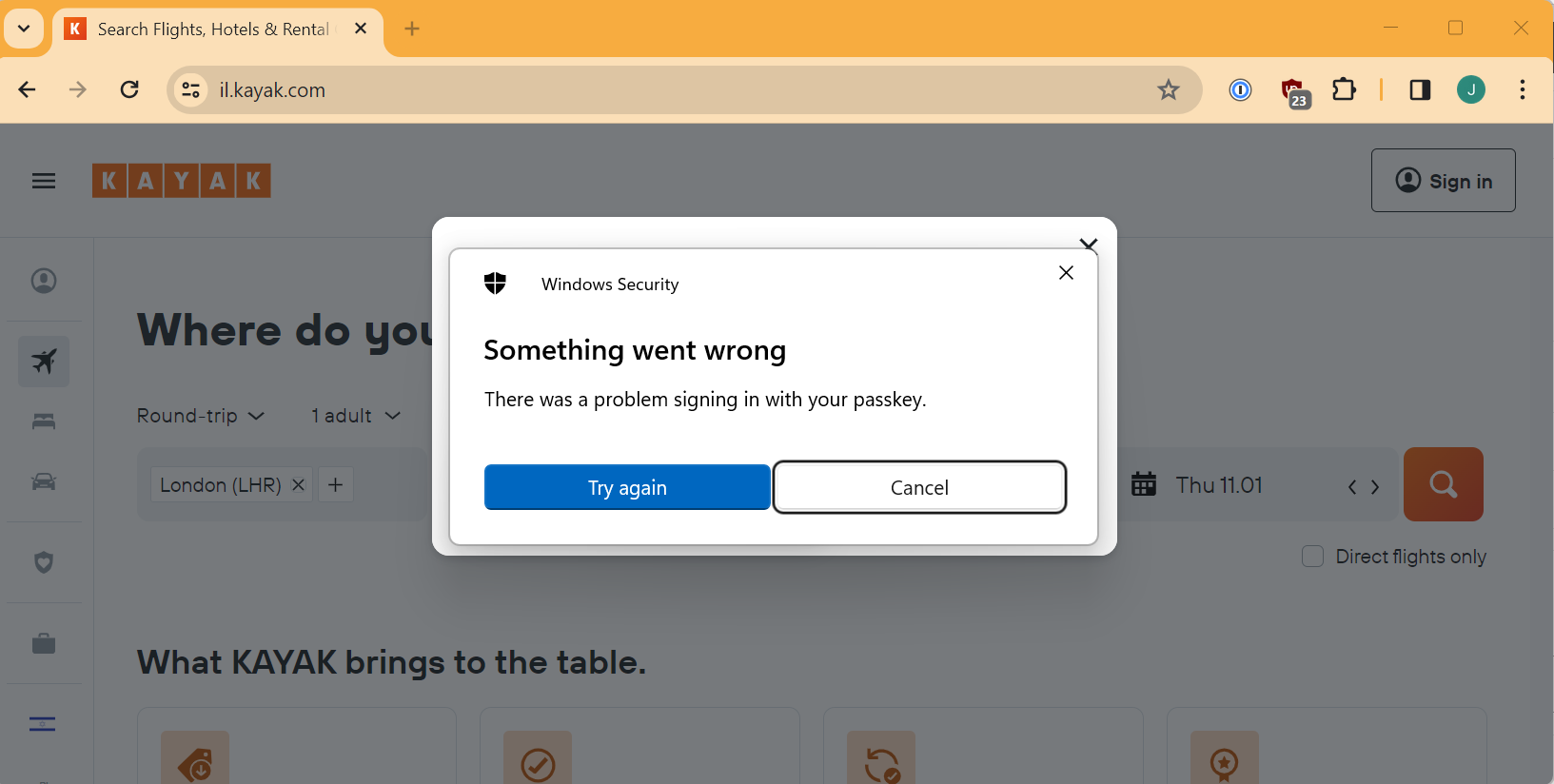
Ah, oh dear. There is a problem.
Now, fortunately since I am doing all of this at the same time, it seems obvious to me that the reason I am getting this error is that despite the fact that I revoked the credential in the Kayak app, it still exists in my Google Password Manager.
Looks like I am going to have to go and delete it manually from there. Hope I can still remember how to find it… (see above…)
Once I have done that, I am going to log back into Kayak, again using an OTP sent to my email, change the region to Israel, create a new passkey and then go back into my Google Password Manager to make sure it is the correct domain (because you don’t see the domain in the Kayak app or when you create the passkey, but you can see it in Google Password Manager).
I’m not going to show you the screenshots, just trust me.
Windows without a new passkey, second attempt
So, back to my Windows PC and to Chrome (identical screen).
I chose my phone and this there is no QR code because I previously did the automagic pairing.
I get the same Android screens as before but this time it recognises my passkey.
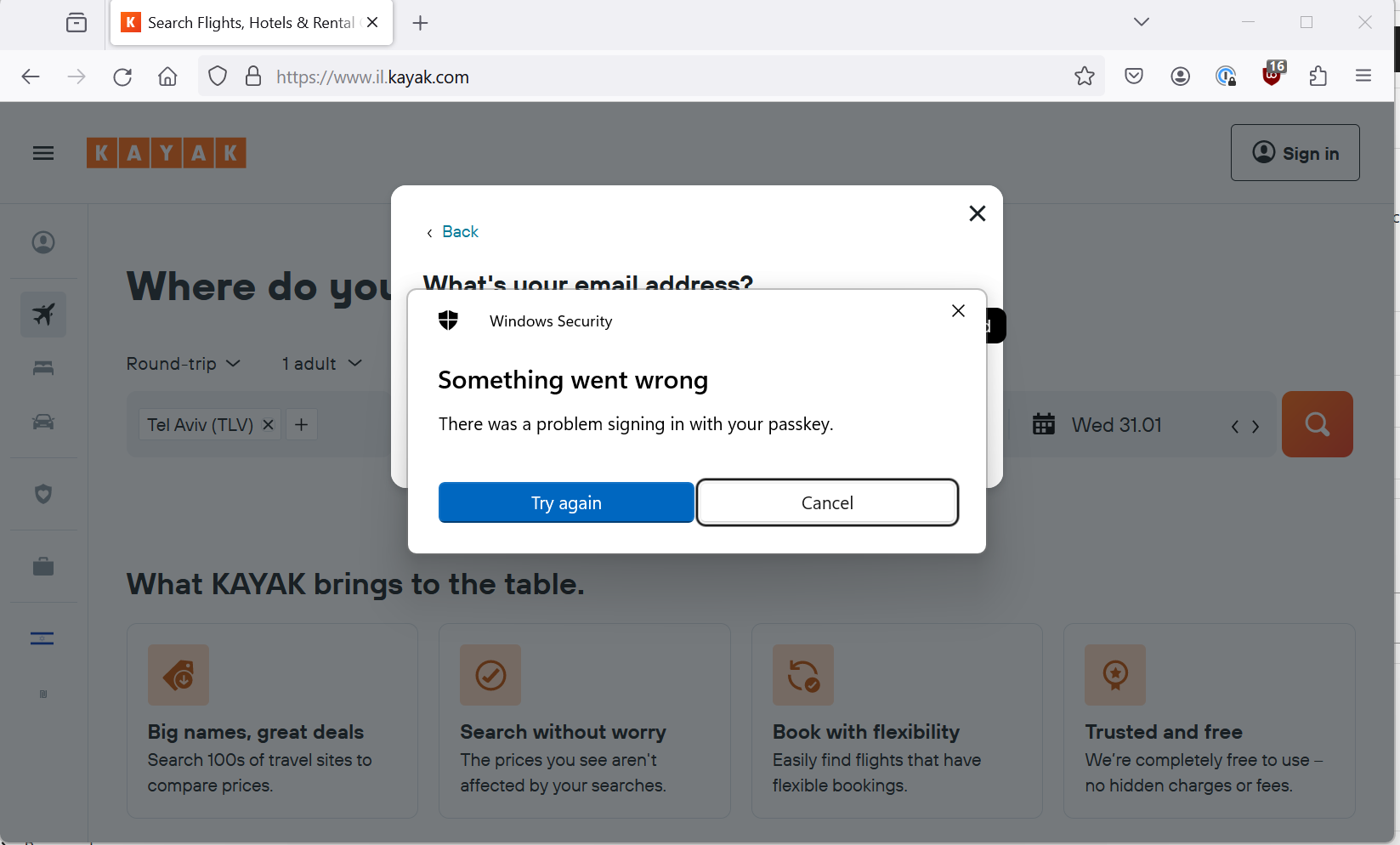
I hit Continue, swipe my finger, and wait for something to happen on my laptop. It doesn’t. And then I get the dreaded error.
(Updated) Just when I though it was going to go wrong…
I tried again and this time the automagic didn’t seem to want to work at all, I couldn’t even get to the “Continue” button.
I closed everything and tried a 3rd time, and this time the magic worked and it logged me in!
(Updated) Part 4 – Now I can use Android passkey on windows! Can I break this?
So it looks like the phone manufacturer fixed the bug so this flow now works which is cool.
So now I wanted to stress test this mechanism.
I switched Bluetooth on both PC and Android device.
Sure enough the automagic where the two devices have previously been connnected needs Bluetooth to be on, for both devices.
So I played with this for a bit and after I had done that, even after re-enabling Bluetooth on both devices, the automagic stopped working smoothly. I had try a few times and close and reopen things before I could make it work again. I guess this ties in with the fact that it only worked on my 3rd attempt originally.
This makes me a little nervous about if the functionality is a little too clever and a little fragile. However, QR scanning seems to be more robust and work consistently. The automagic without the QR code seems to be a usability boost but it should always be possible to fallback to the QR code mechanism.
I don’t have a faraday cage or local coworkers who could help me test out the BLE range or necessity so I leave that as an exercise to others 😀.
(Updated) Part 5 – Can I use my saved passkey directly through my Google account?
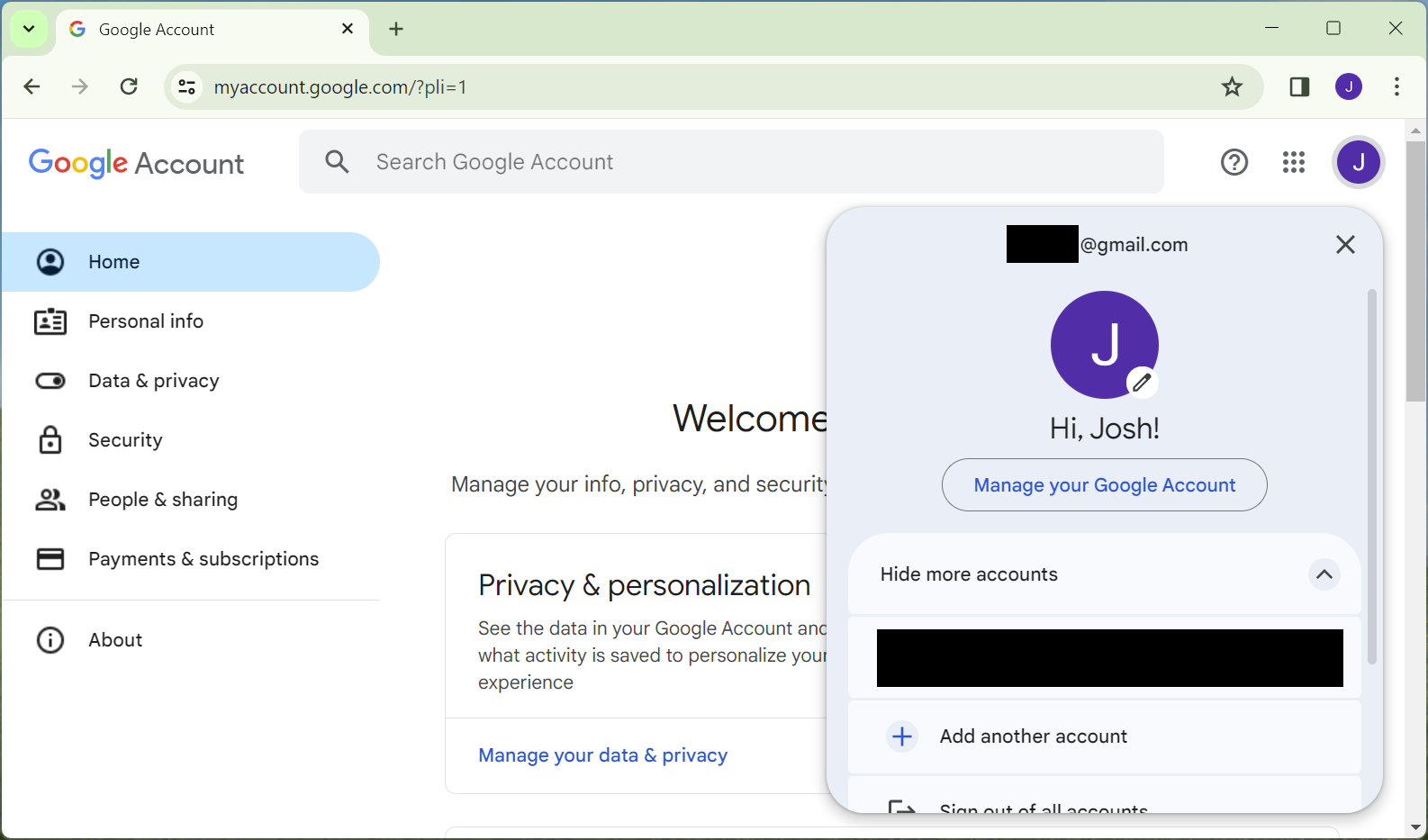
So, now I wanted to try using a Chrome profile on my Windows 11 laptop using the Google account where I have stored the passkey. (Remember that I am logged into that account on Firefox but for whatever reason I can’t directly use my stored passkeys from my Google Password Manager in Firefox).
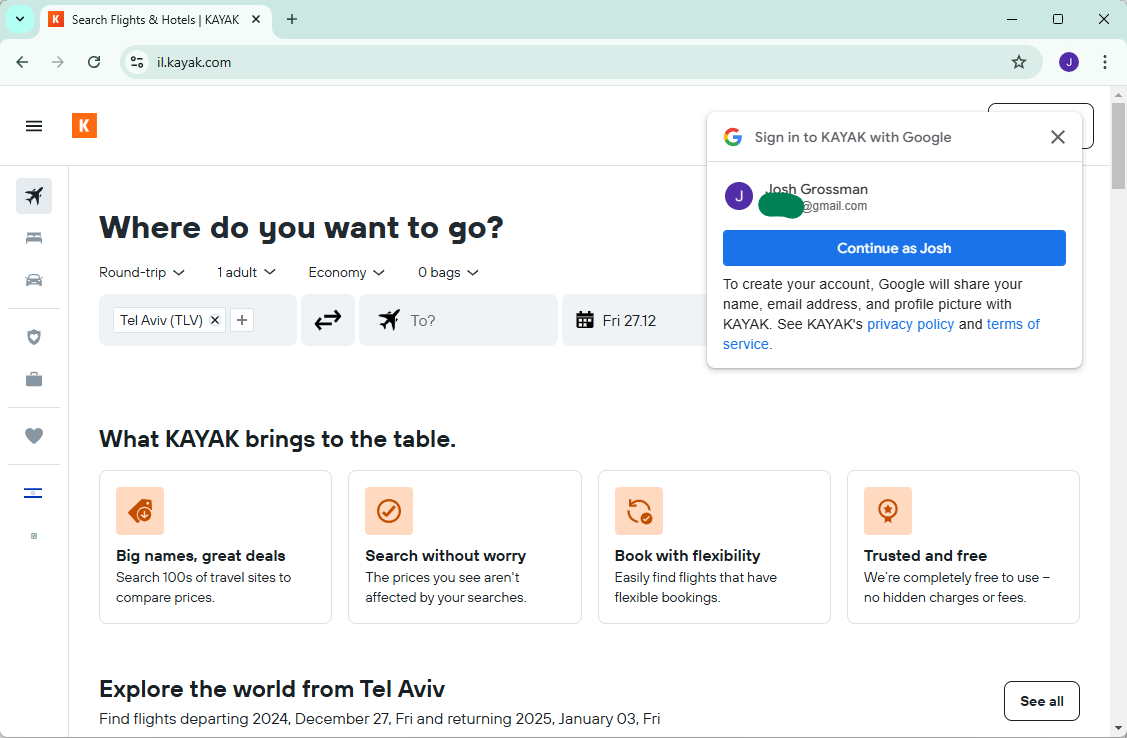
I do that and get presented with this.
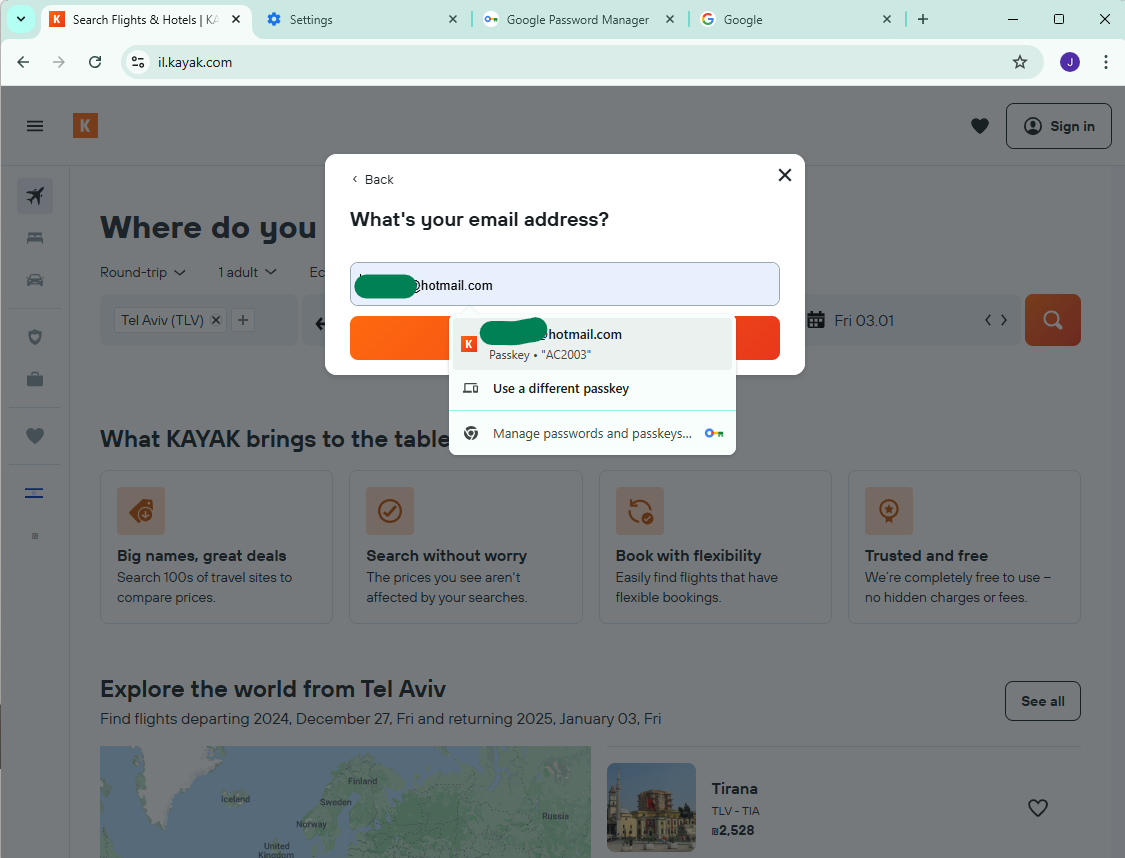
Haha, sign-in with Google is back. But I don’t want that so I close it and choose to login with an email address.
I stored my passkey in my Google account and now Chrome on Windows is letting me use it.
Let’s give it a try.
(Updated) Google Chrome Password manager but connecting to the Android passkey
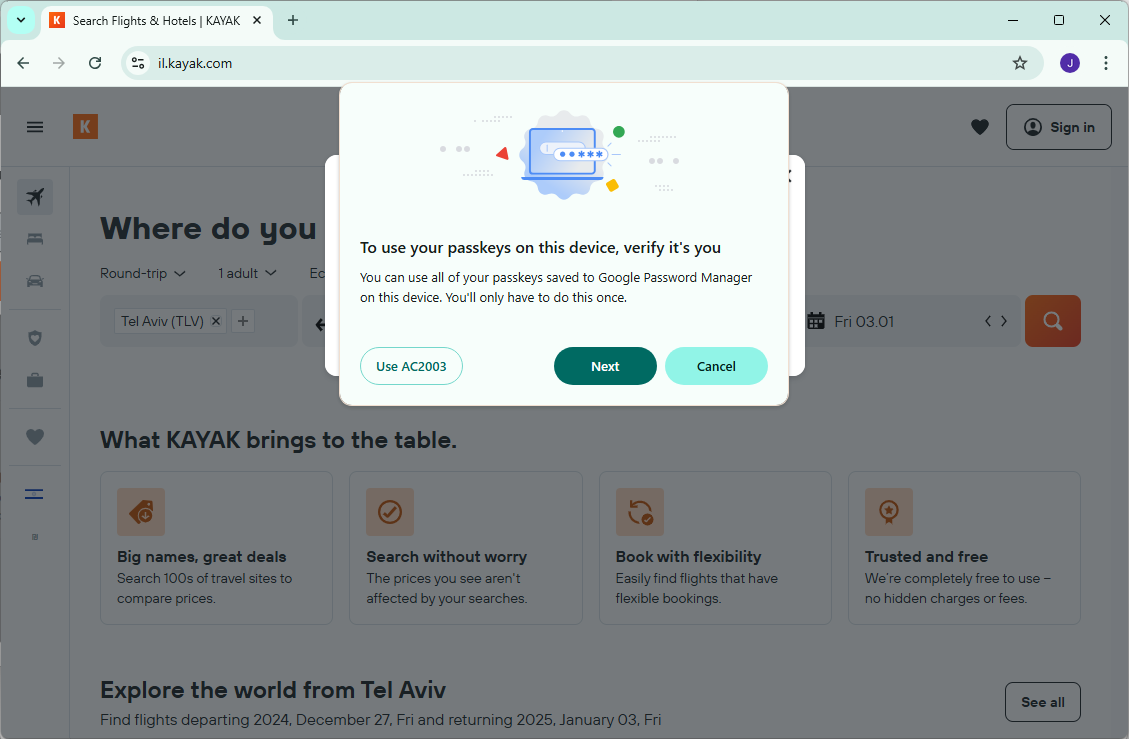
So I’m not going to show all the screenshots but use “AC2003” is letting me use the passkey from my phone and not from my Google Password Manager. Which I did and it worked. But then I wanted to actually use the Google Password Manager. So I went back to the login screen again, but now I see this:
I could not convince Chrome to go back to offering to use the passkey from Google Password Manager. I searched in a bunch of places and couldn’t find an option to do that. I did a brief Internet search but didn’t find any useful results.
Eventually I deleted the Chrome profile and recreated it. This doesn’t feel like a realistic solution for a normal case so if anyone has any idea how this is supposed to be fixed, please let me know!
(Updated) Using the passkey directly from Google Password Manager
So now I am back to the screen which is letting me use Google Password Manager for the passkey.
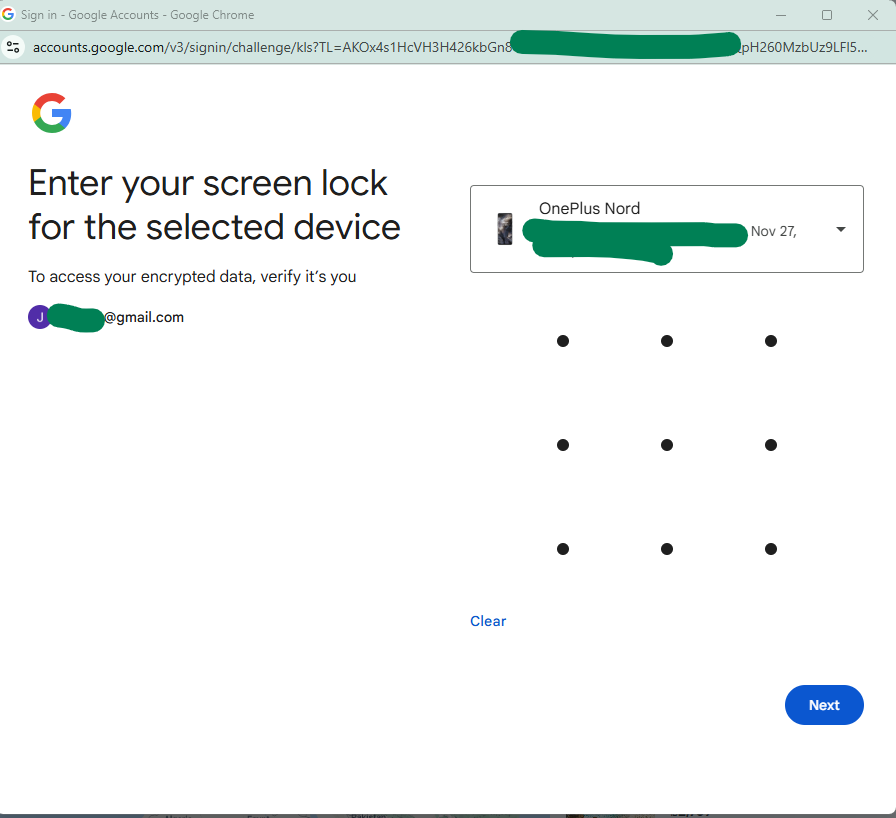
This brought me to this somewhat surprising screen:
I guess it makes some sense although I was pretty surprised (and now I am worried I am going to get shamed for using a pattern instead of a strong passcode on my phone 🙃.)
However, I did my screen lock and it logged me in, nice and slick. This works without any real-time connection to the Android device, no BLE or Internet or anything, It is seems to be synced into Google but protected with something phone specific (the passcode).
Now, this is a one-time operation to get your passkey on that particular device (my PC). After the first time, the passkey is stored by the PC and protected using the PC’s protection mechanism (so Windows Hello).
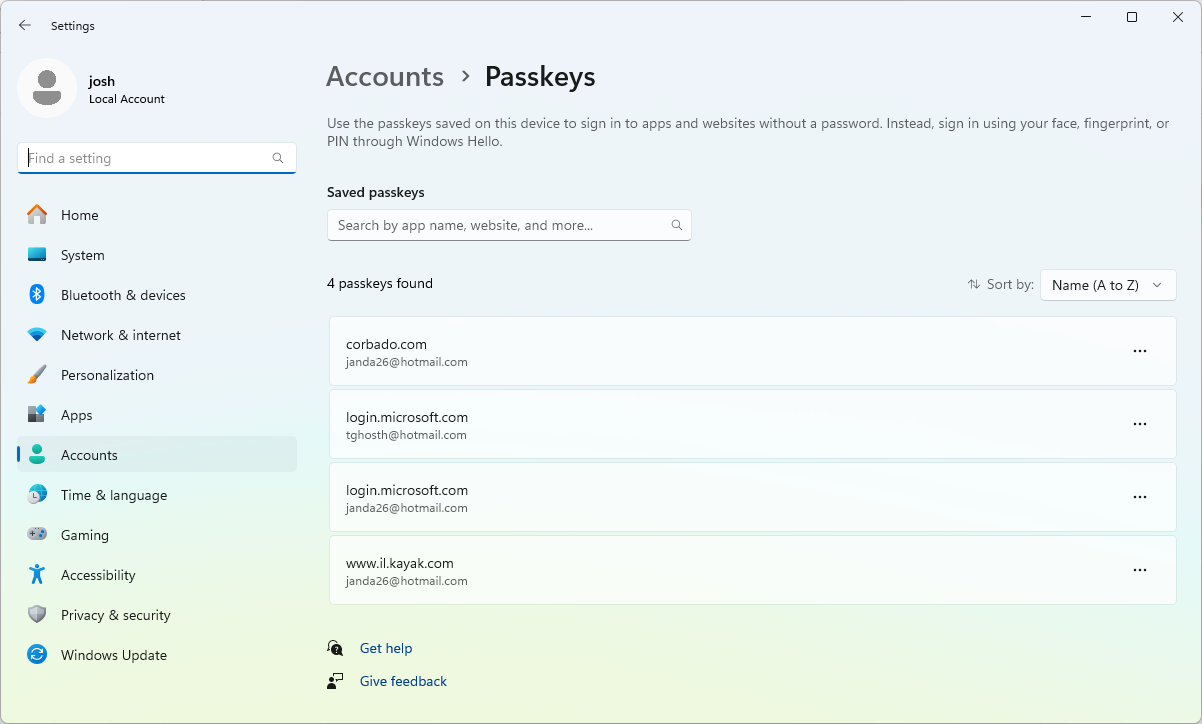
Which makes sense although the passkey is stored in the Google Password Manager attached to Chrome and not in the Windows passkey storage which makes sense overall but does feel a little confusing.
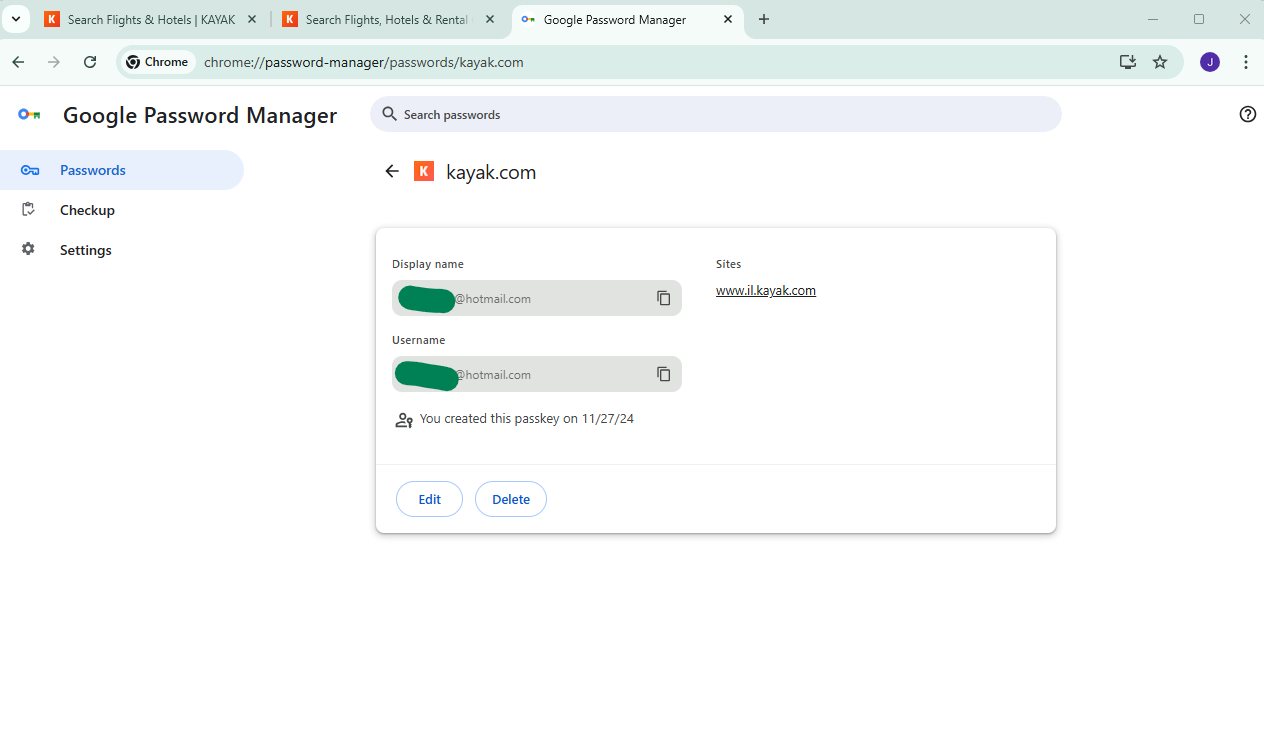
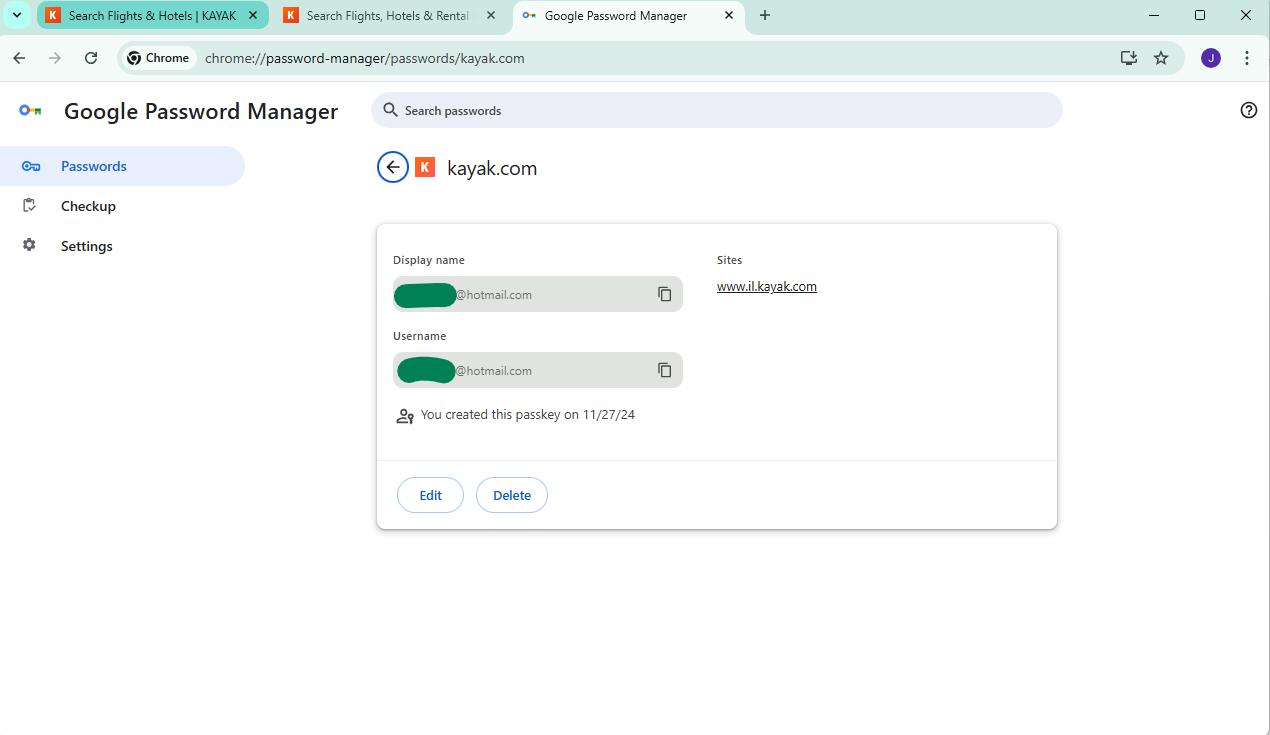
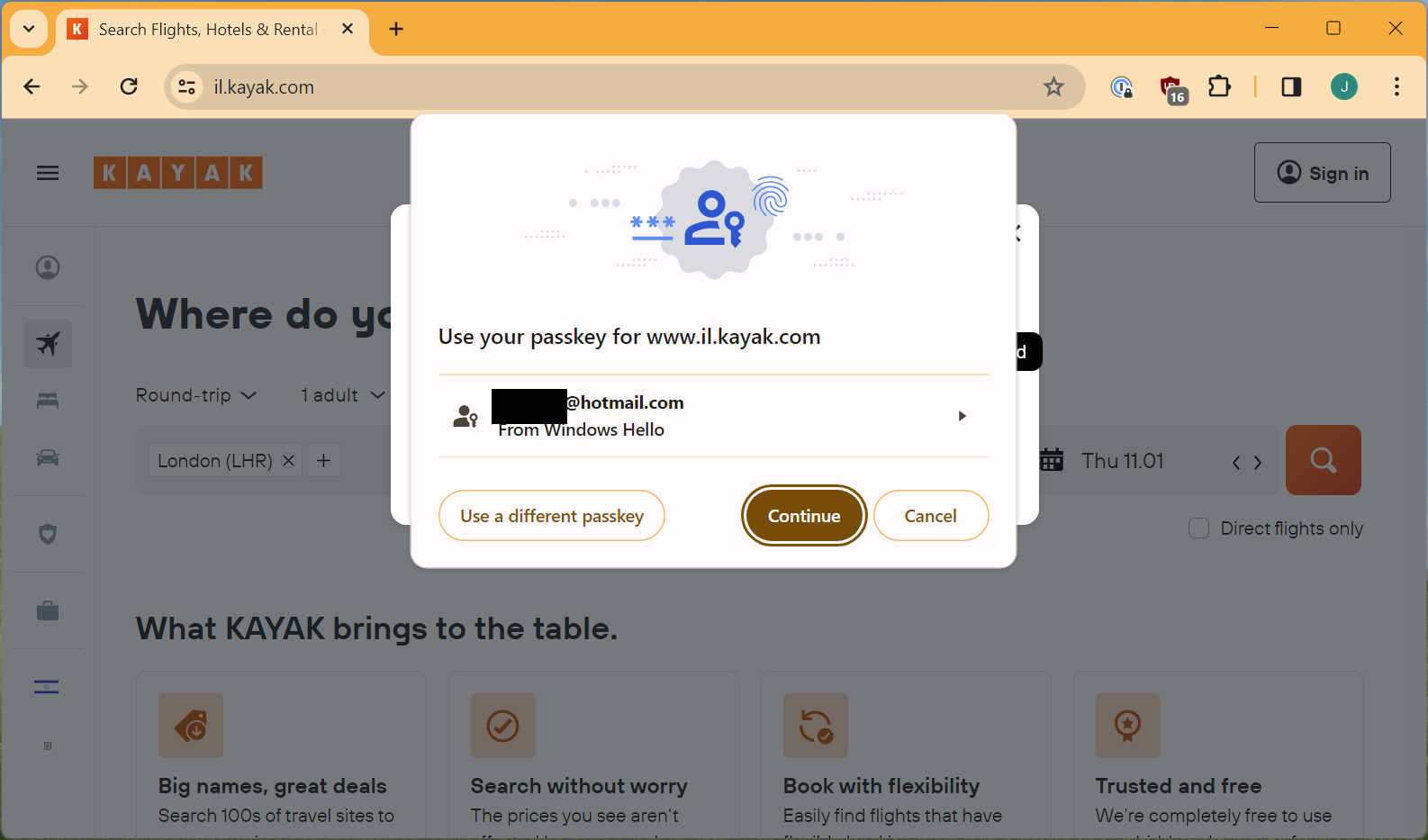
Look, here it is:
One minor quibble is that it shows kayak.com although if you click into it, it will more correctly show you that actually this is for il.kayak.com.
If you try and use it for https://kayak.com it won’t work. You’ll have to take my word for it but on a previous occasion when I looked, it actually said www.kayak.co.uk on the outside and il.kayak.com on the inside so it seems like there are some weird syncing oddities there.
(Updated) What is protecting these passkeys?
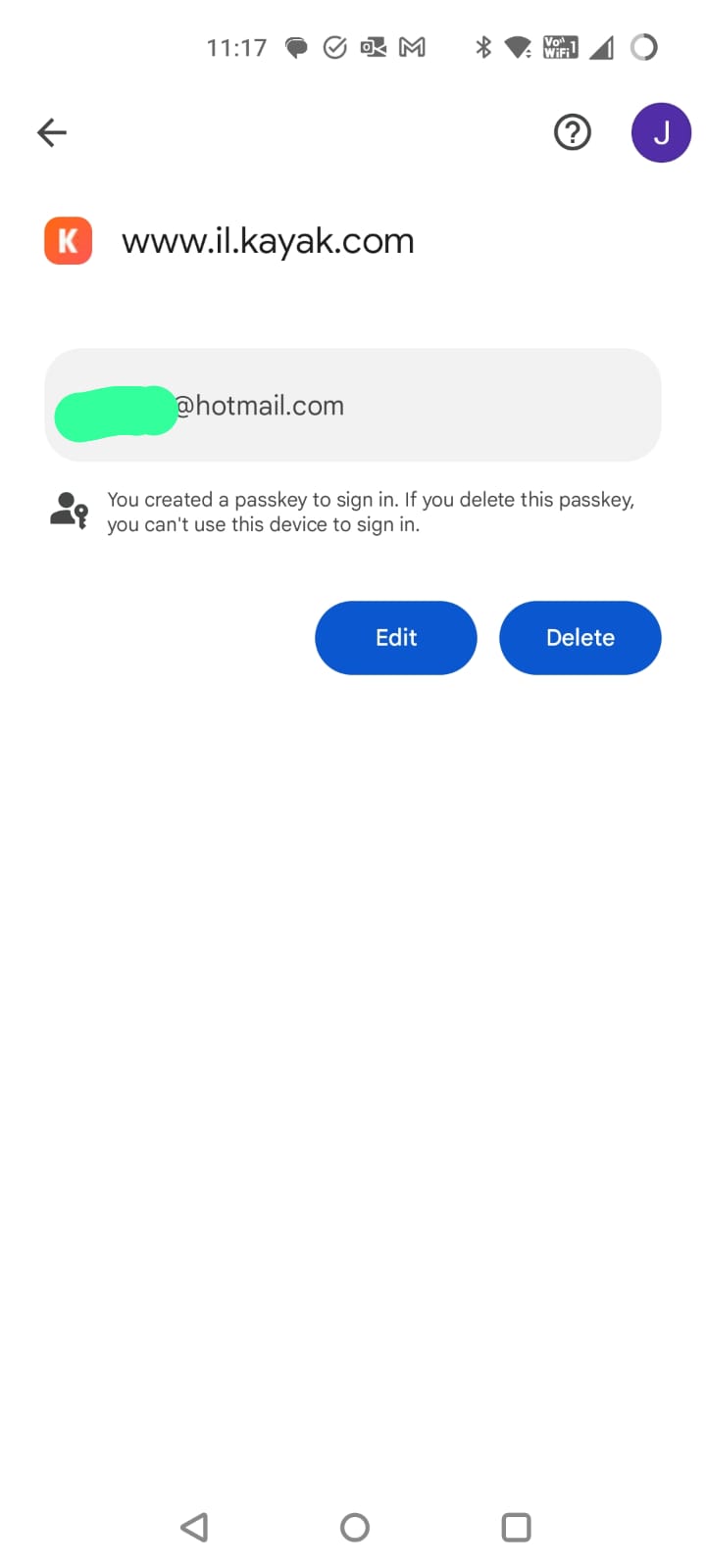
So I was curious about how the protection on the passkey is configured so I went back to my phone to look at the settings.
Note that here it correctly shows www.il.kayak.com.
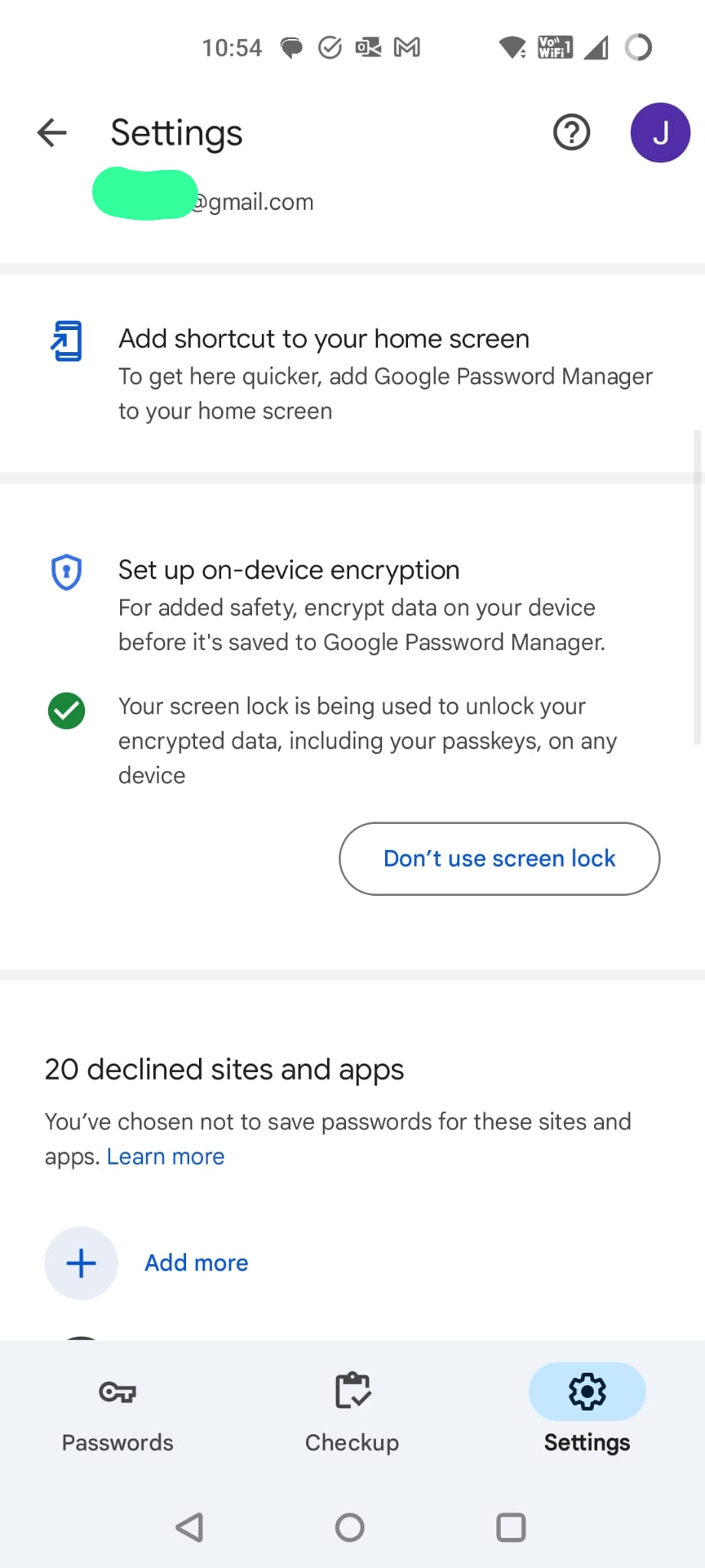
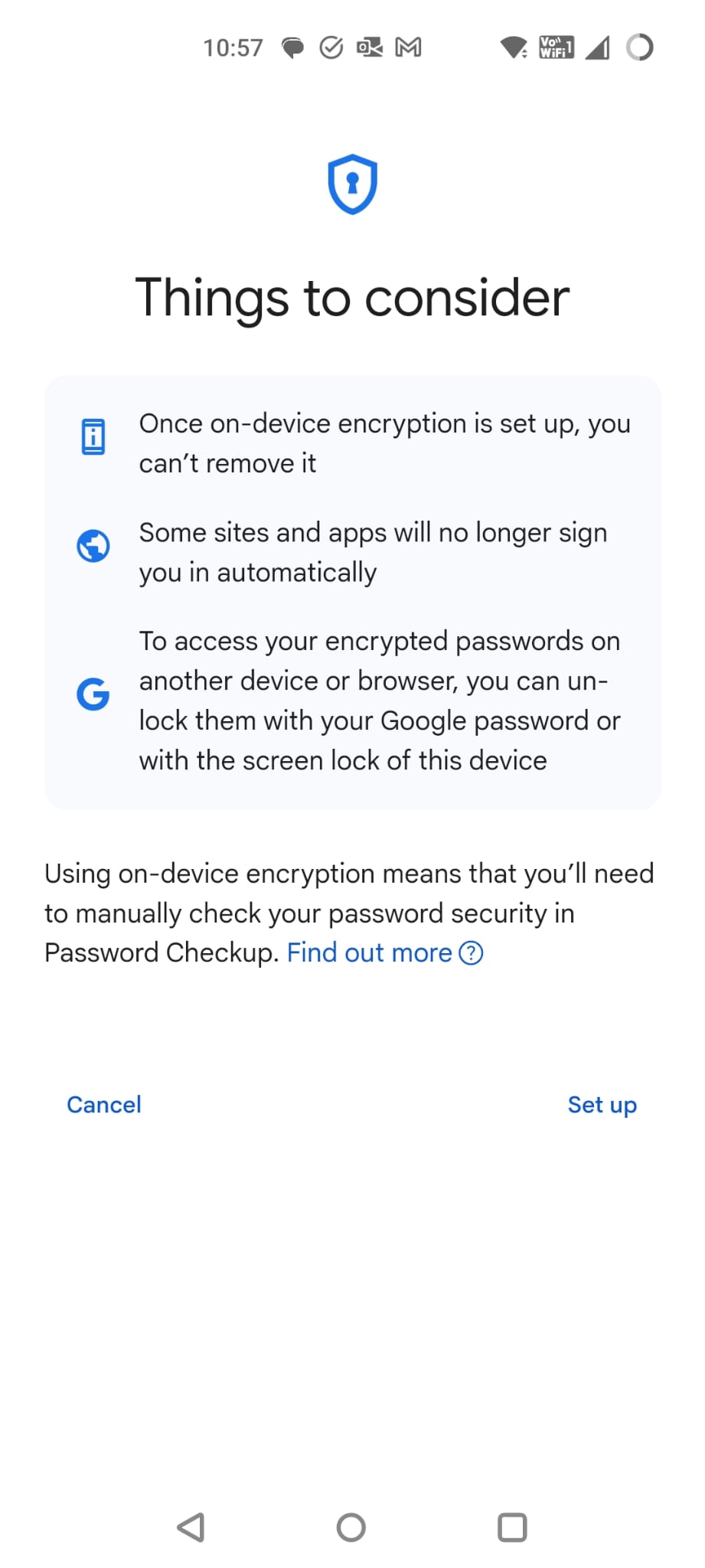
I then go into settings and find an option about on device encryption.
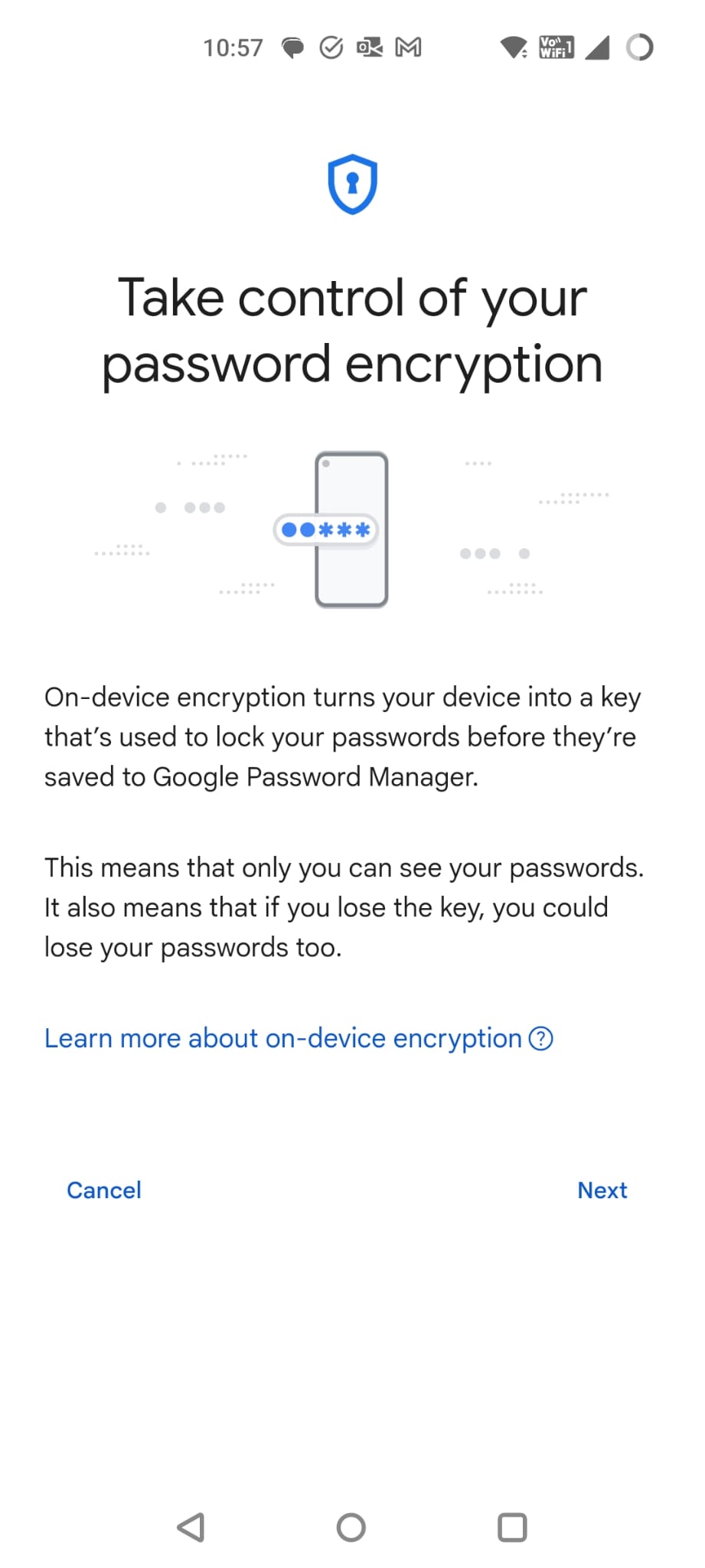
This then led me to some super scary warnings about this feature might be a good thing but that it is irrevocable and that all sorts of terrible things could or would happen.
At this point, I decide that I didn’t want to dig into this all the way as it sounded like a completely different rabbit hole and I didn’t fancy testing it without a testing device and account. The documentation for this is here: https://support.google.com/accounts/answer/11350823
I still think this is a slick flow that is mostly intuitive though.
(Updated) Part 6 – Creating a Passkey on Windows
Let’s go back to option 3 for Windows which was to enter in my email address, get a magic code, get into the app and then register a passkey on my Windows PC.
Well actually, we showed that I could login on my PC using Chrome and a passkey from my Android device, can I do the same on Firefox as I still really want to use Firefox.
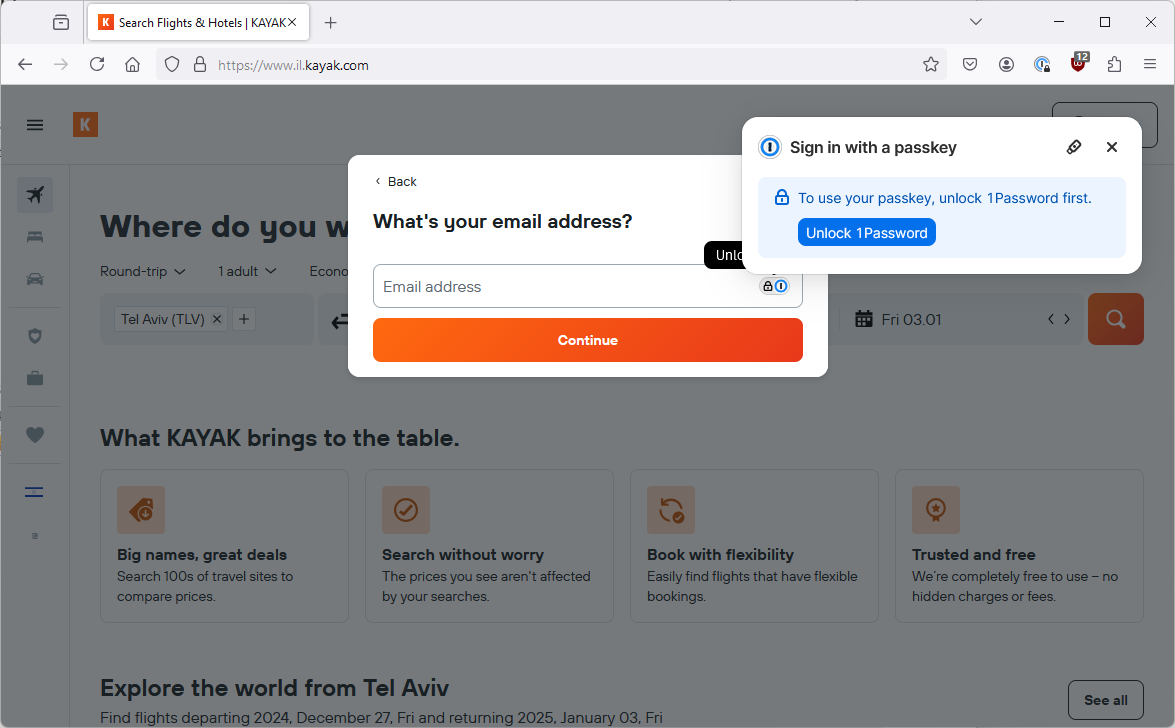
So, this time I open Firefox and the 1Password pop-up is back. Why didn’t it show before? I don’t know!
The tiny security key icon triggers the Windows passkey screen, I choose to use a password from my Android device, the magic happens and I am logged in, nice and easy. (Thanks to 1Password).
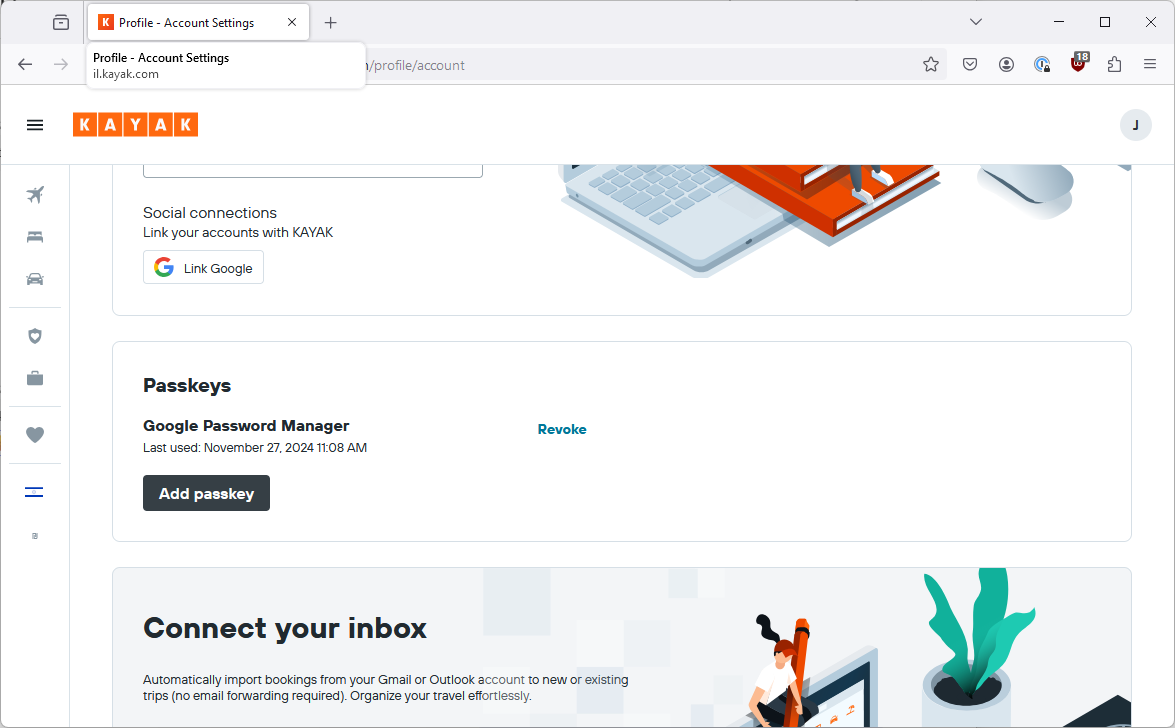
So I dig into a few screens and now I am offered to add a passkey.
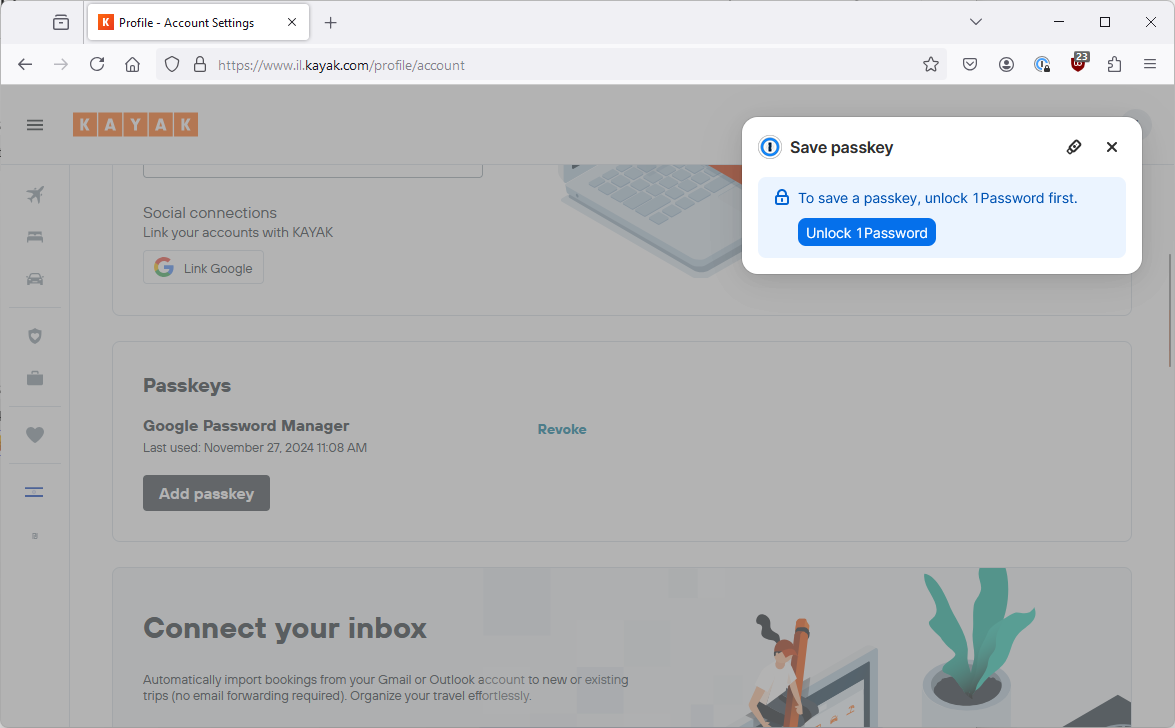
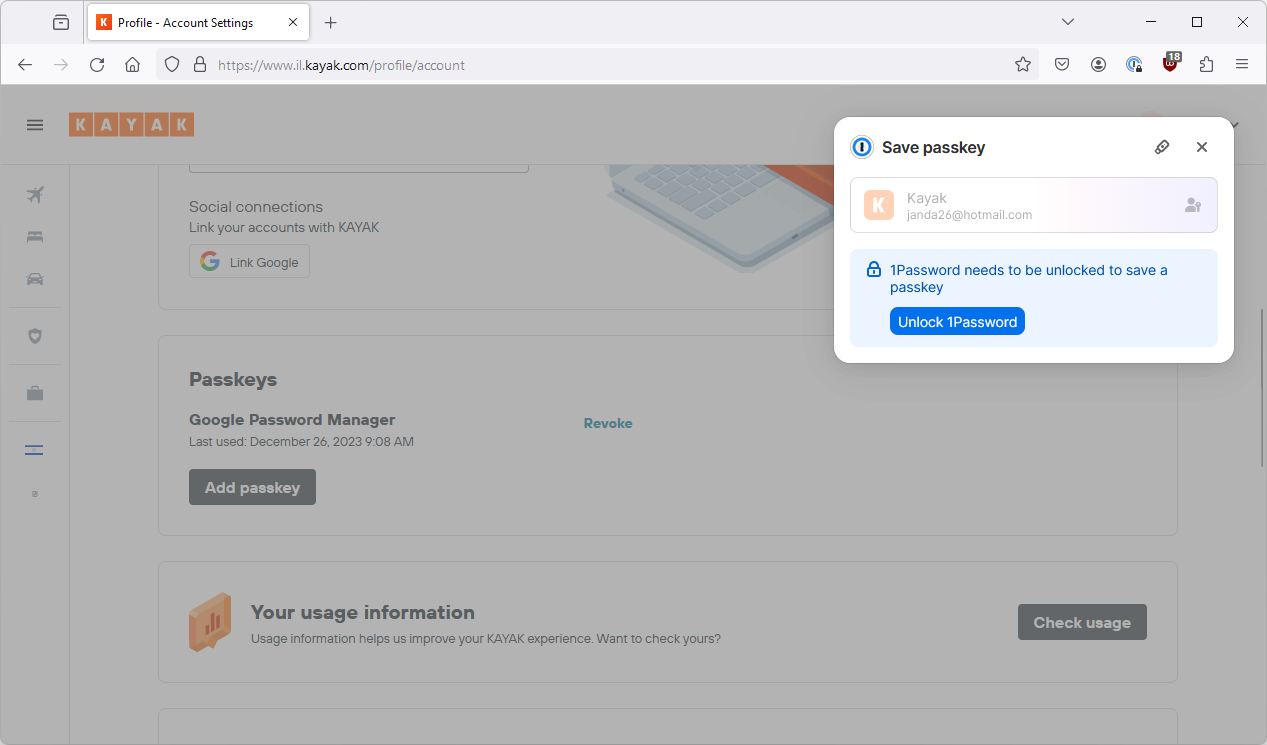
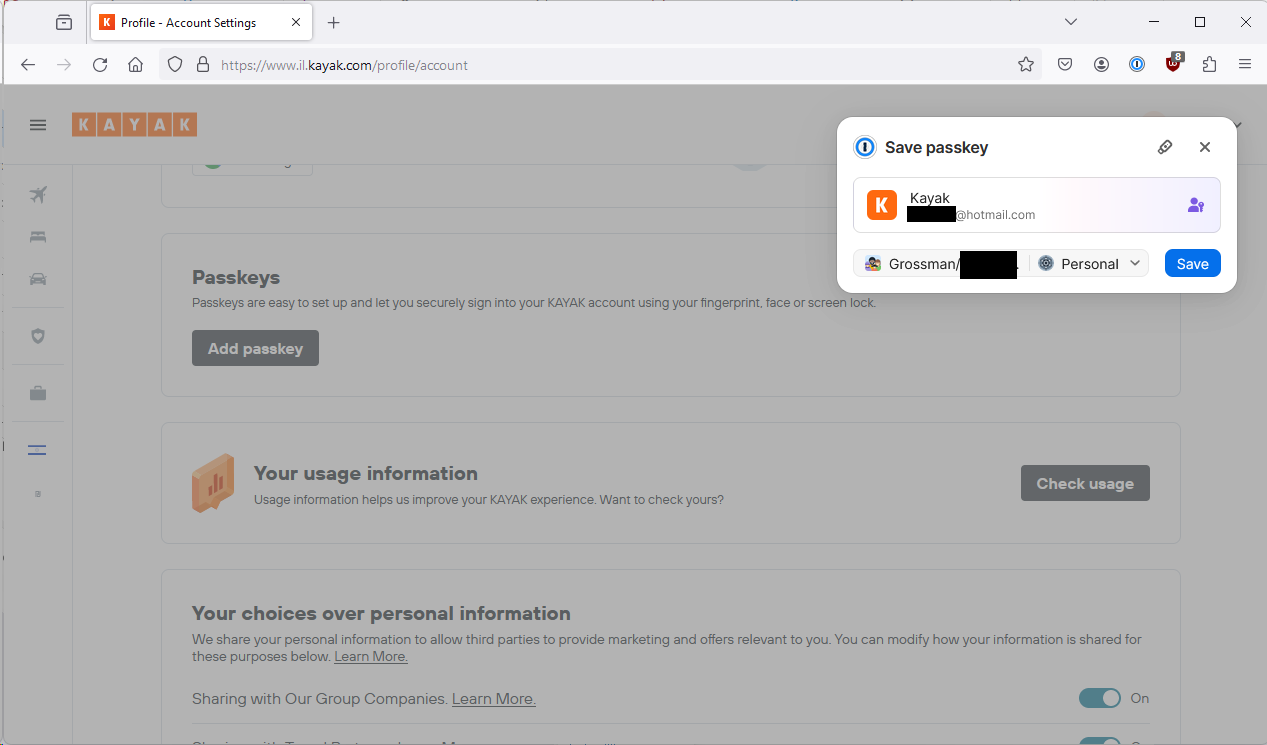
Once again 1Password pops up, offering to store my passkey. Let’s leave that for later.
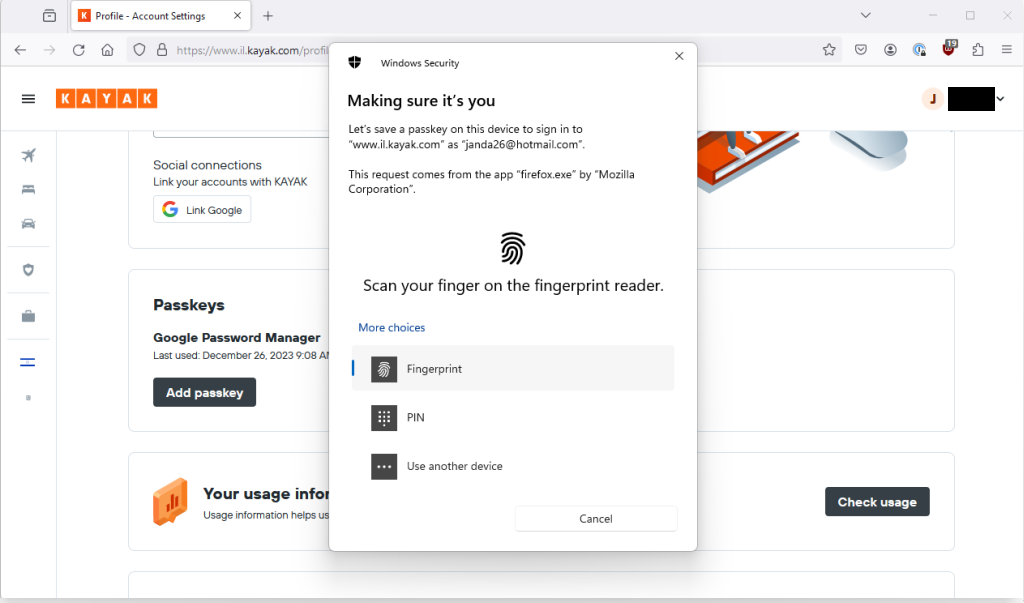
For now I click the tiny security key icon to be taken to the Windows passkey mechanism.
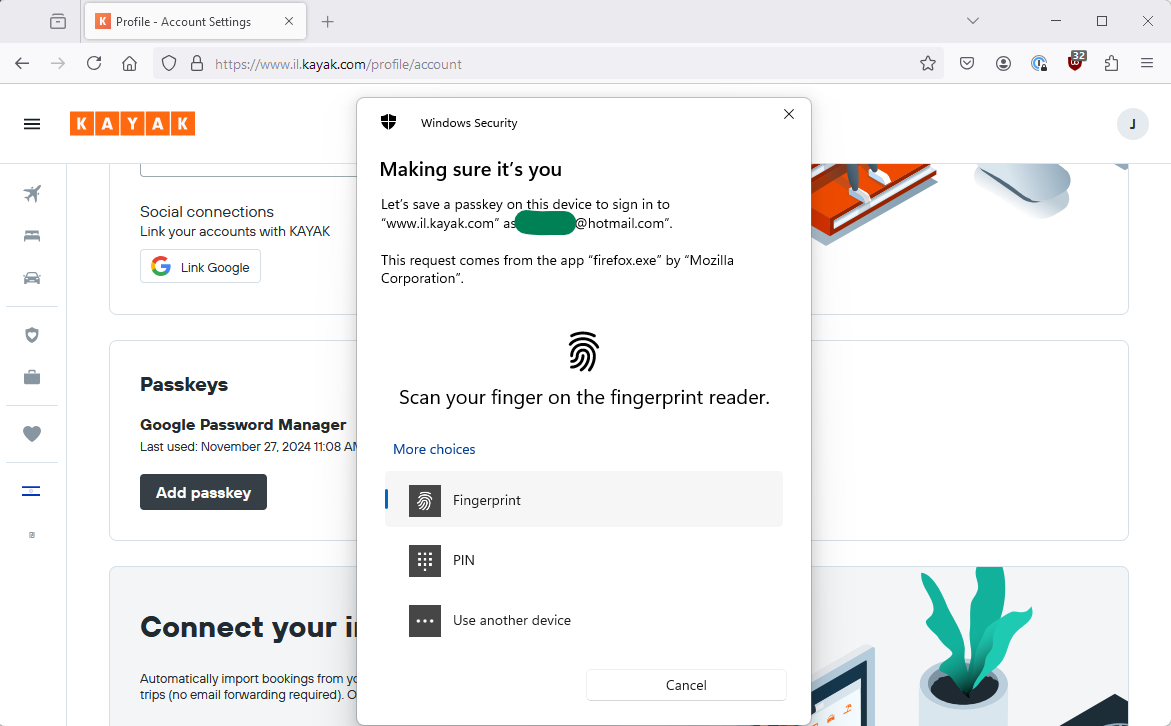
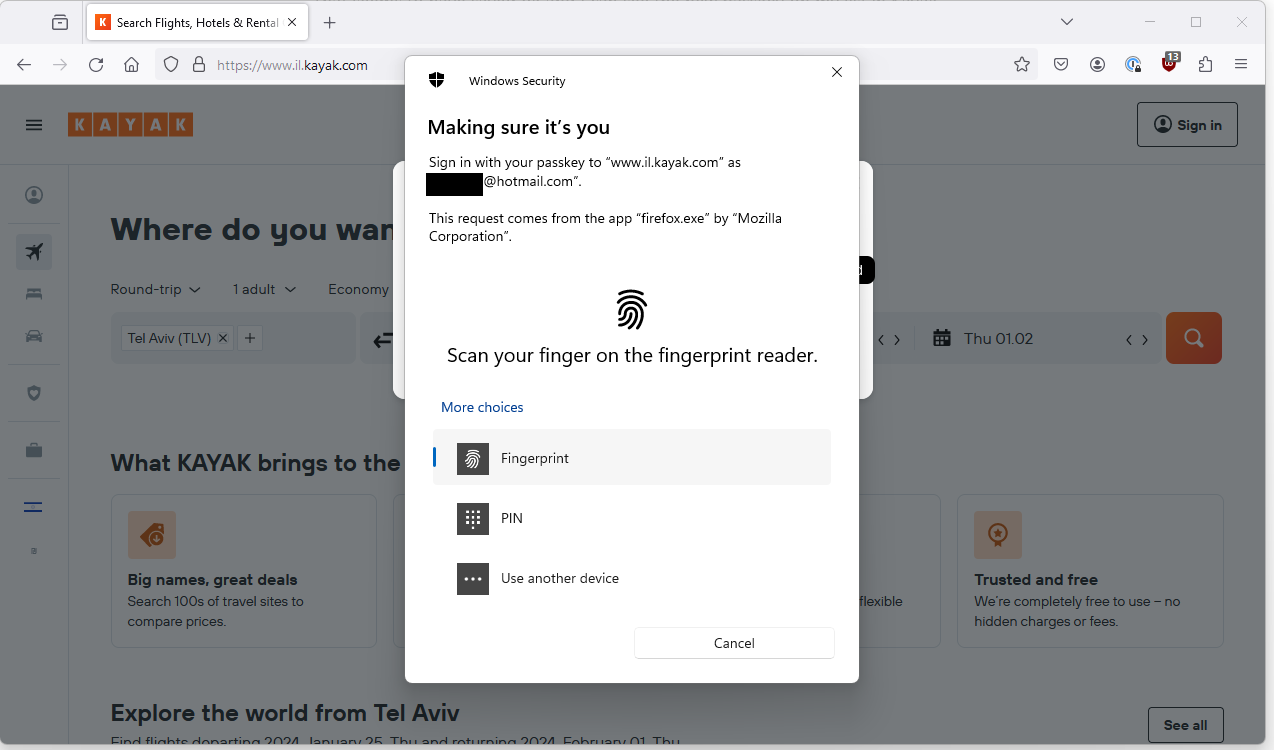
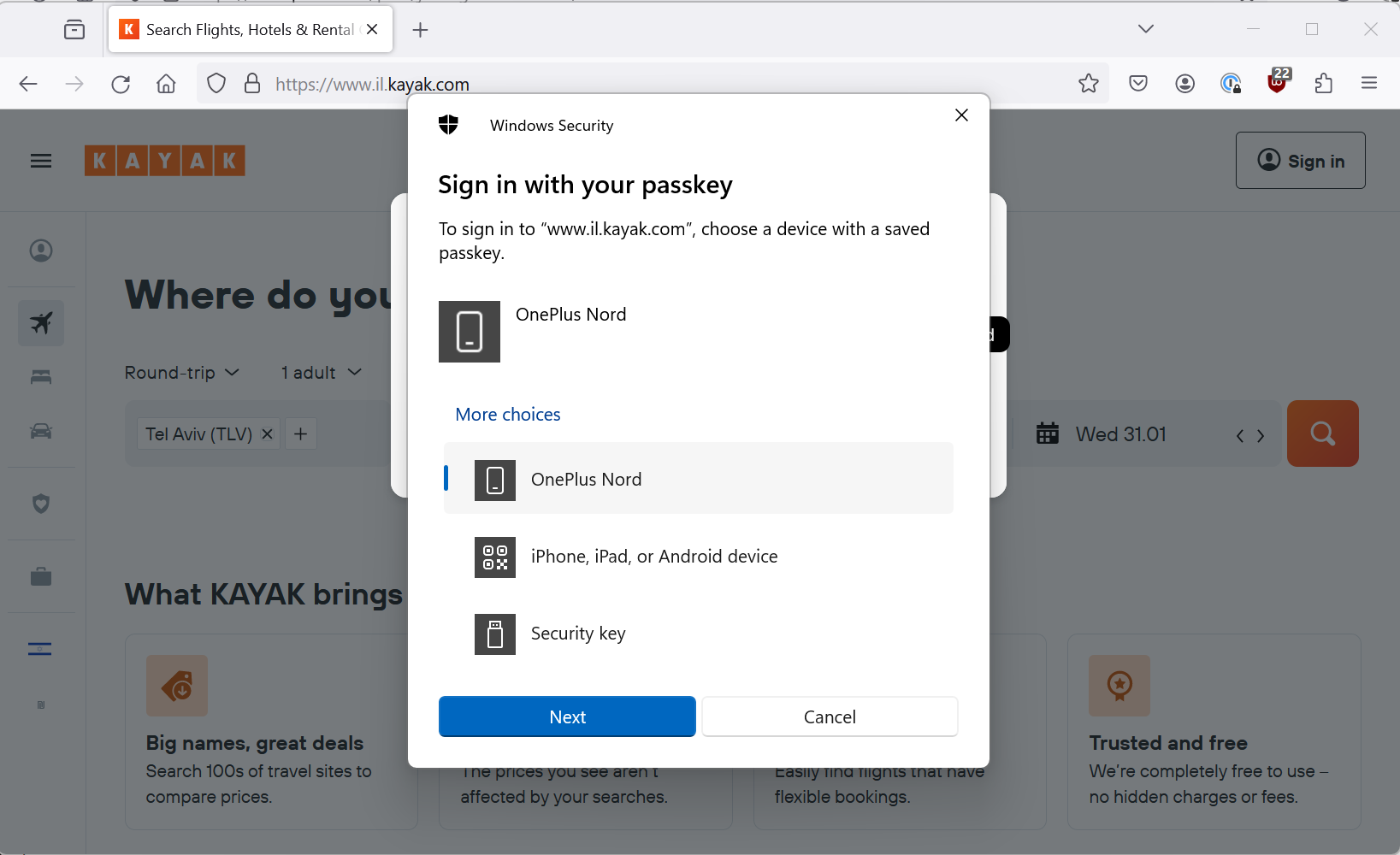
This pops me up a Windows security screen with a few interesting options.
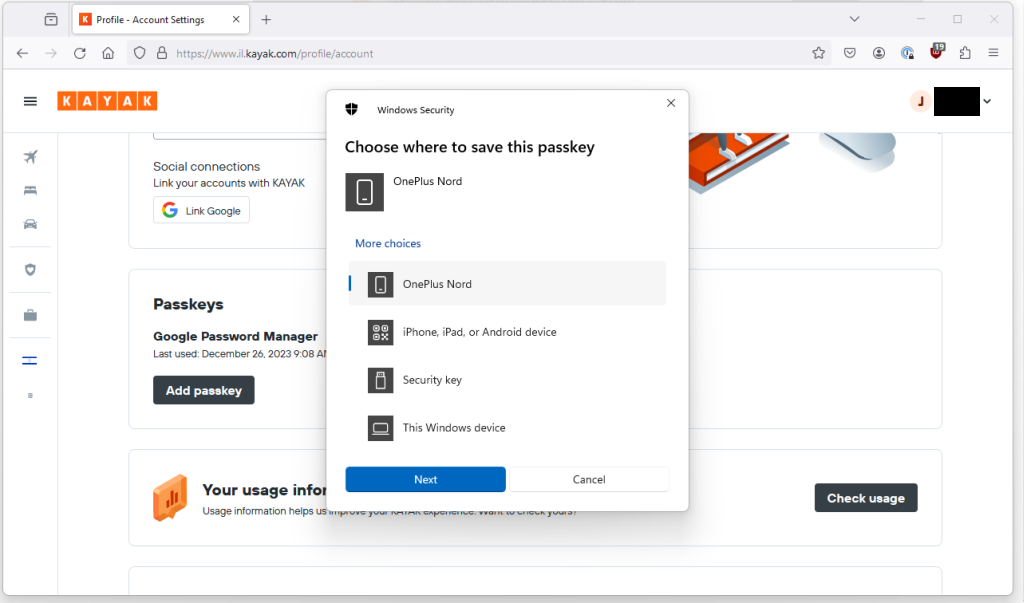
Now, I have Windows Hello and a fingerprint scanner so I can save it on Windows but intriguingly I also have an option for use another device. Presumably, someone who doesn’t have Windows Hello on the their laptop would need to use this?
(Updated) Windows passkey on Android device?
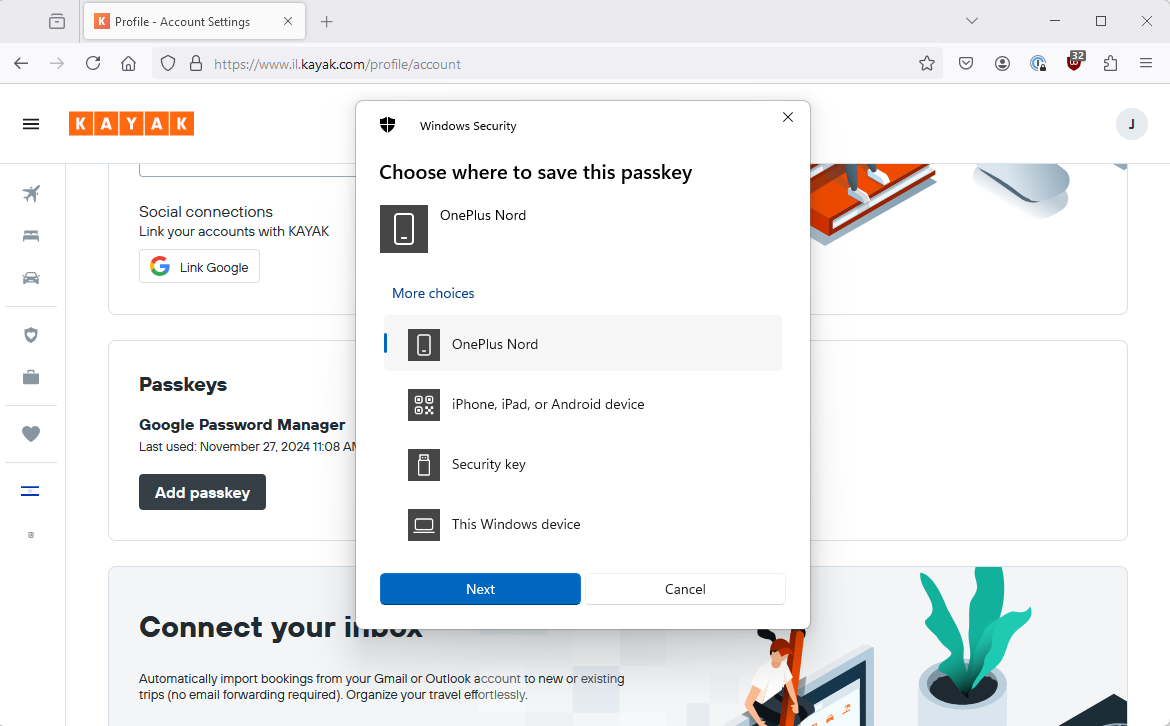
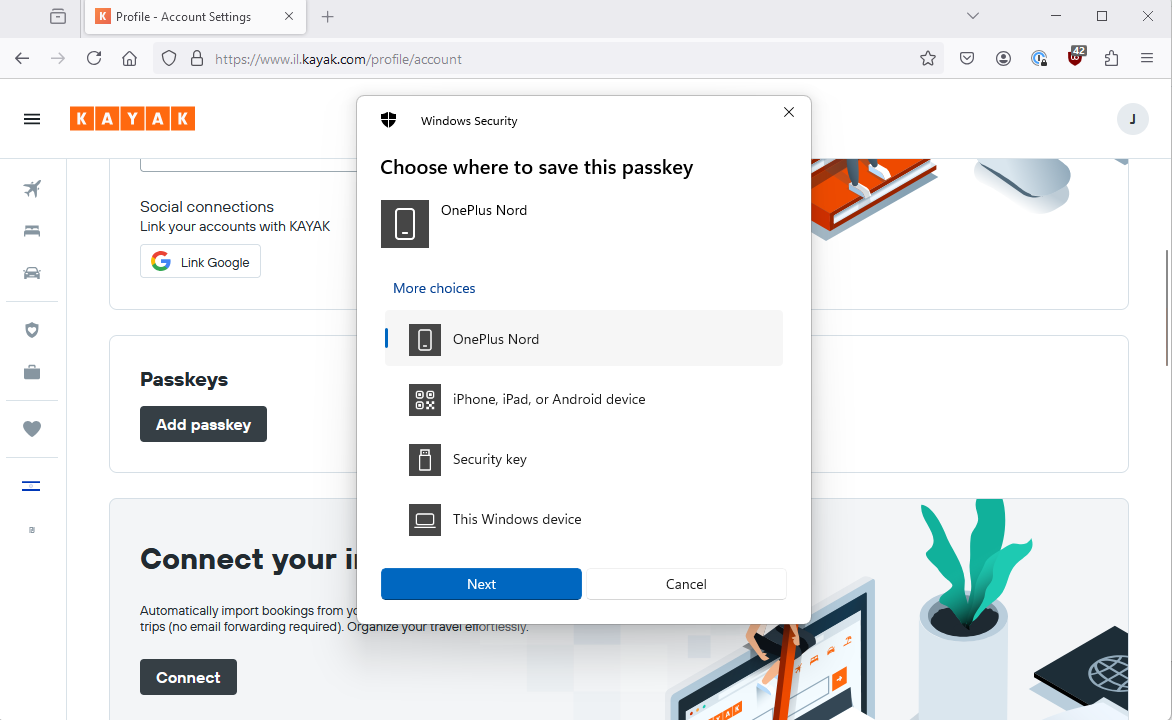
I am going to try and store it on my Android device because I have no idea what that actually means or entails 🙂
For this experiment, I deleted my Android/Google Password Manager passkey from both Kayak and Google Password Manager.
I can now and try and add my new Passkey from Windows, to my mobile device.
I use the QR flow although I could probably have used the automagic flow as well and it succeeds. I can see it in my Android device’s password manager and in my Google Password Manager on Chrome:
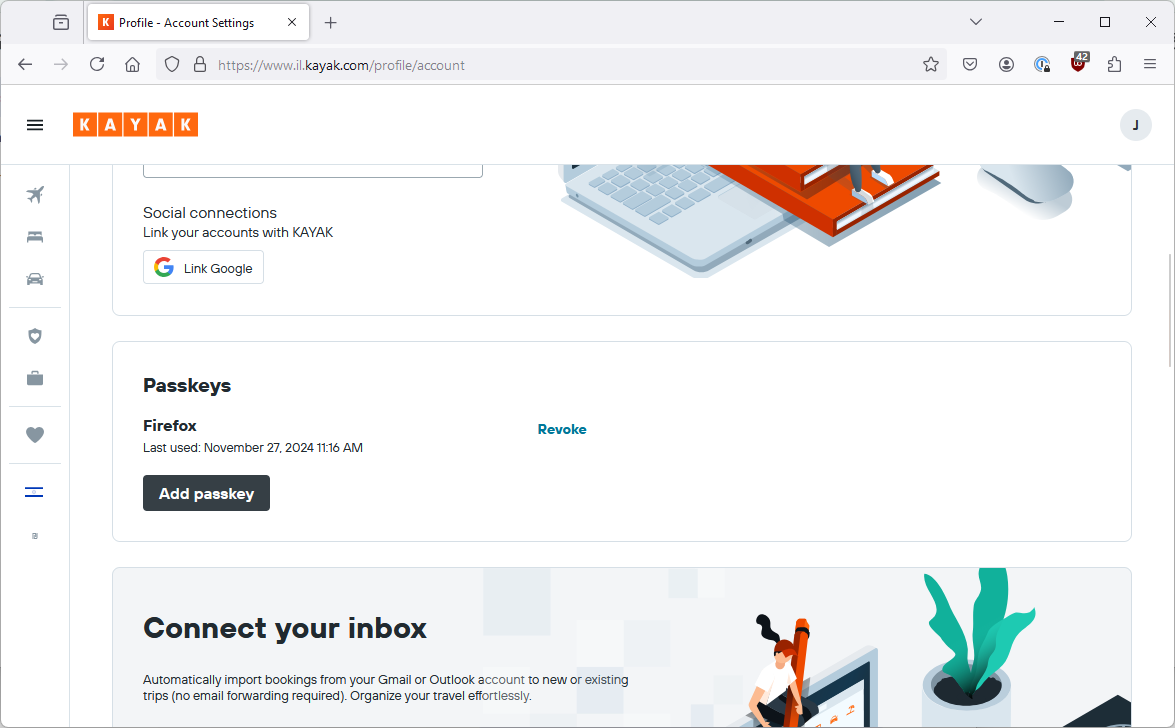
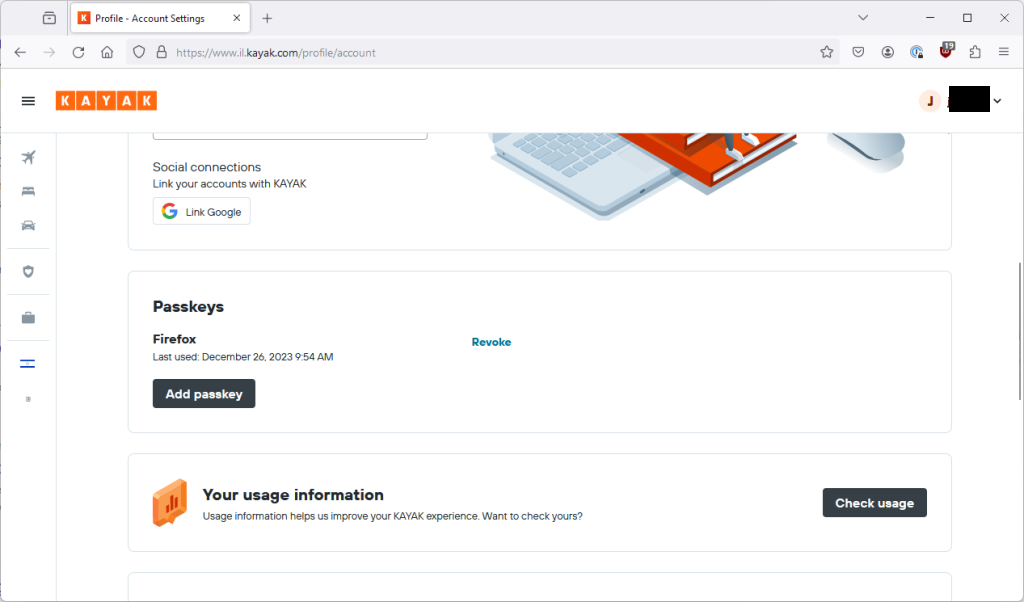
It is still called kayak.com rather than il.kayak.com, and, even more confusingly, it is called “Firefox” in Kayak itself:
Also, a subtle difference is that when I then tried to use this passkey in Chrome from Google Password Manager, it didn’t prompt me for the device passcode but rather just showed me the regular Windows Hello prompt. I guess because the passcode was created via the Windows PC not the Android Device, although in principle it is stored on the Android Device.
The passkey also worked perfectly logging into Kayak on Android and for logging back into Firefox (via the 1Password passkey popup).
However, on my Windows PC on Firefox without 1Password installed, there is no popup and appears to be no way to login using a passkey. It looks like it needs the presence of 1Password to give it a “leg up” which is baffling. From looking at other sites, it looks like the site itself could prompt Firefox to try using a passkey but in this case it doesn’t.
Edge (release 133) seemed to work after an initial glitch.
Other than that, I guess this worked as expected but the labelling is confusing.
Windows passkey on Windows device?
I go back and revoke that passkey because I don’t want a passkey in Google Password Manager which in Kayak is called Firefox. Luckily, now that Google Password Manager synchronises, I can do that in one place and it takes affect everywhere.
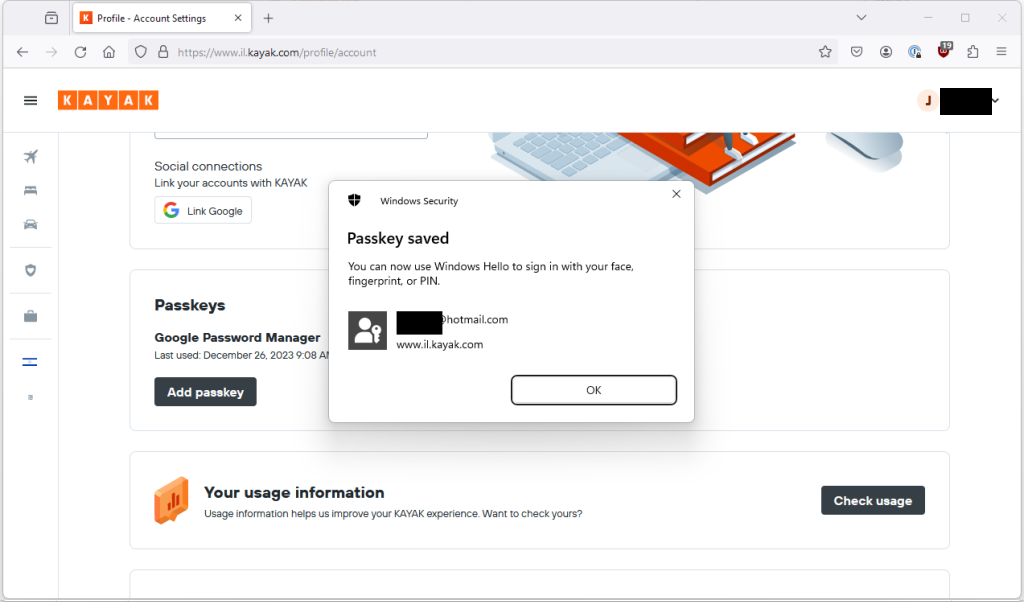
Now, I go back to Kayak in Firefox where I am logged in, choose to create a passkey and select to store using fingerprint on my laptop.
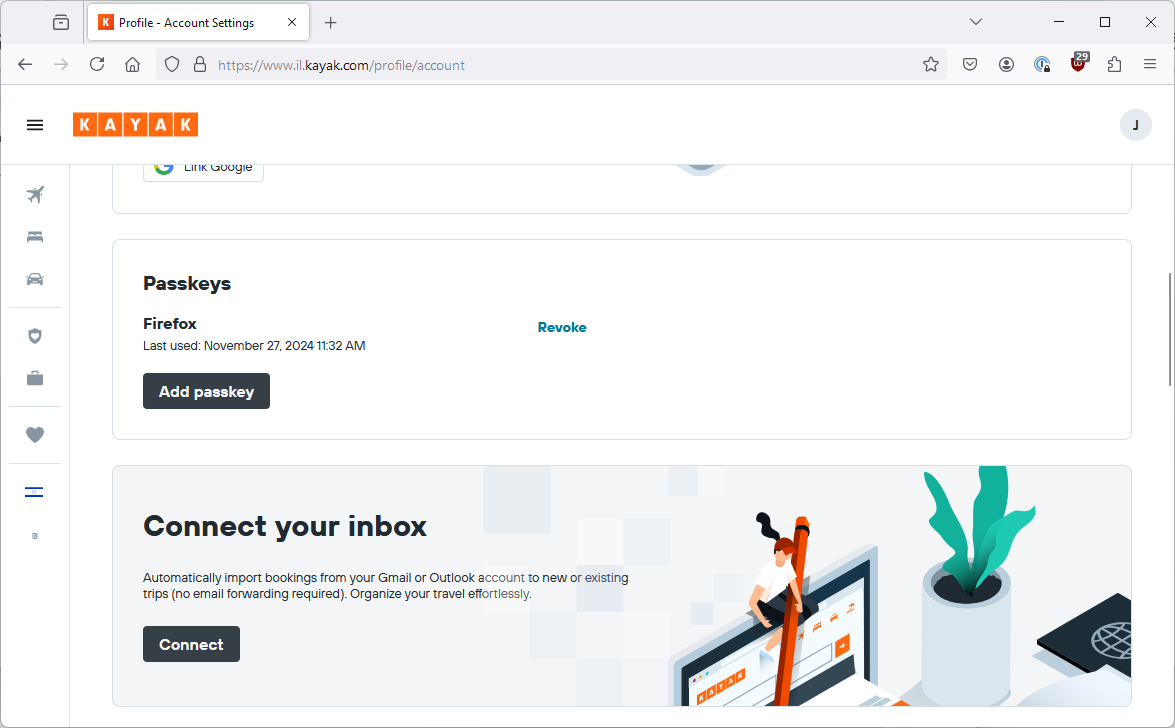
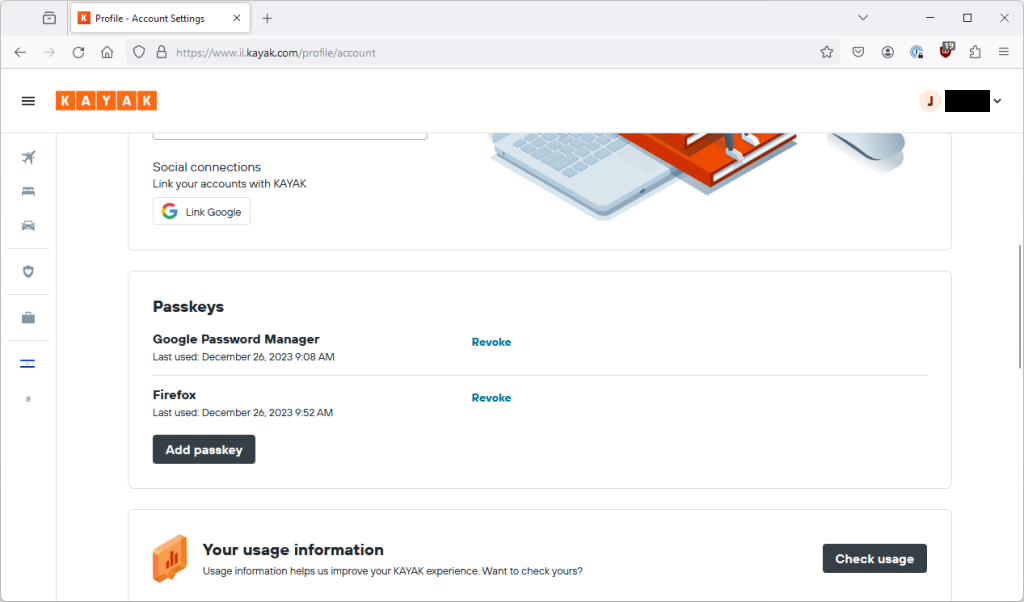
That seems to have saved ok and I can see the new passkey on my list in Kayak.
I logout, go back to login with email, the 1Password pop-up appears, I click the tiny security key icon and now it shows that I can login with my passkey (identical screen).
Swipe my fingerprint on my laptop and I am golden.
Did you notice that the passkey I just created is named “Firefox”.
Can I use it on Chrome? (identical screen)
Yep, so still not a great name but interesting none the less.
Part 7 – Using a Windows passkey on an Android device?
(Updated) Trying natively
Now, is there any way to use my Windows passkey on my Android device?
I have already revoked Android passkey on Kayak and deleted it from my Google Password Manager so that we can find out.
With that done, I clear the Kayak Android app’s data to log me out and open it up on my Android device. I go to login and choose via email. It now pops up an option to use a passkey from a different device.
If I click though, it gives me a QR code which would allow me to do a cross device authentication.
However, I cannot see a way of making this work on Windows 11. If you know how to make this work, let me know.
(Updated) Trying via 1Password
I know from last time that 1Password doesn’t support passkeys on Android until Android 14 and additionally 1Password doesn’t seem to cross device authentication. Again, if you know how to make this work, let me know.
(Updated) Experimentation Summary
So what is the summary of this experiment?
First of all, I want to reiterate once again that none of this is critical of Kayak.com. At this point, it seems like the only real UX issue that is specific to Kayak’s implementation is the naming of passkeys in Kayak’s interface.
There has been a UX improvement around passkeys, although I still saw some unpredictable behaviour. I think it is still fair to say that different combinations of browsers and devices lead to a variety of different (and sometimes unpredictable) user journeys.
Creating a passkey on a device (and using it on that device) is slick with some minor UX differences.
Once you start trying to use an account on multiple devices, your experience will very much depend on your chosen ecosystem.
Google now seems to have a tighter and more interconnected ecosystem.
I believe that Apple’s is also supposed to be well integrated.
Microsoft/Windows seems to lag behind in terms of synchronization and also doesn’t seem to allow using passkeys stored within it for cross device authentication.
1Password has good support Passkeys support across desktop browsers but on mobile it is only available for iOS 17+ and Android 14+. On Android especially users tend to lag behind the most recent versions. 1Password does not also currently seem to support cross device authentication, which might be a function of not having a “physical” presence to stand make a cross device BLE connection.
(I said this last time but I have updated this paragraph to be clearer) Most of the talk about Passkeys assumes that you are using a biometric mechanism like face or fingerprint to use a passkey. However, all the biometric mechanisms I have seen in this process (Android, Windows Hello, 1Password unlock) will themselves fall back to some other knowledge based mechanism such as a PIN. The FIDO Alliance (the main industry body that defined the passkey standard) clearly says that passkeys may use a biometric or a device PIN so I don’t think this is necessarily surprising. However, it is worth considering when you talk about using biometrics and physically proving that the actual person did the authentication. If my device gets stolen and the thief has my passcode, the thief can use any of my passkeys stored on the device until I can remotely lock or wipe it.
As with last time, at pretty much every stage of this experiment, I could have fallen back on to a code being sent to my email address. Without this, the user experience would have been significantly worse.
(new) So what is our current status?
Technically a dream
The technical aspects of passkeys are super cool. Purely using passkeys without supporting fallback mechanisms effectively mitigates phishing and requires no remembered secrets.
The ecosystem is improving but is still a challenge
Since I looked at this ~9 months ago, the ecosystem has definitely improved. If you are using end-to-end Apple devices or you have your Google account signed in everywhere, then you are probably okay. Similarly, if you are logged into your Google account on your Android phone or you are using an iPhone, and you have Bluetooth available to make a cross device authentication flow work then you may also find smooth operations.
However, it seems like right now if you store your passkey into the wrong account or you store it on Windows then you may find those passkeys are not going to follow you around.
The exception becomes the rule
We will often see fallback options, where a particular security option is not possible.
In the case of passkeys, the fallback option tends to be a magic link sent to email or a code sent to email, and as soon as you introduce any complexity at all then the fallback option almost becomes the norm. The ecosystem complexity means that in order to make sure your app is usable cross-platform, or by devices which don’t support passkeys, you are pretty much forced to make fallback options a first-class citizen.
Kayak falls back to an email code or link as soon as something does not go smoothly with the passkeys flow. https://www.passkeys.io/ is entirely usable without passkeys, just email codes. https://passkeys.eu is entirely usable without passcodes, just email codes.
Now you might say, well I could use any app with standard authentication with just an email code if I activate the forgot password process. But there are two problems with that. Firstly, forgot password would (or should) be considered a non-standard login and cause noise, in this case the code/link login seems to be considered like any other login. Secondly, with standard authentication, if MFA is enabled then the forgot password process should not work just from an email link anyway.
Another fallback example I mentioned above was that on my Android phone I could use my phone pattern instead of a biometric so that eliminates the physical “biological” proof of presence and instead relies on the complexity of your pattern or your your PIN or whatever.
What does this mean for security
Well, basically this means that you are only as secure as your weakest fallback option. Passkeys don’t mean anything if the user’s email is compromised and that is the fallback option. Biometrics don’t mean anything if the fallback is using the phone’s PIN.
Passkeys are super secure but the current authentication flows using passkeys, not much more so than classic authentication flows. For example, the phishing resistance will also fail if a fallback can be used.
But the user experience is great, right?
In a simple scenario, the user experience is fabulous. Really simple flows and super easy to log in.
Even in complex scenarios, the user experience has significantly improved and works a lot more smoothly.
However, user experience is also a function of recovery flows or fallback flows and if you are too strict about enforcing pass keys, the necessary recovery flows are going to wreck user experience and possibly put a lot of strain on your user support function.
If you just see passkeys as a user experience improvement whilst also allowing flexible recovery flows then that will probably work out well for your, but you need to sure that this doesn’t damage your overall security level by slipping to fall back authentication too easily.
How much effort it all of this for developers?
Well, you could bring pay a 3rd party service to do this for you, but do you really want another 3rd party service? Odds are you are already using a 3rd party service for your authentication mechanism, maybe they support it?
Somewhere I found a support ticket explaining that this was not yet supported but I can’t find it now, probably because they are embarrassed, as well they should be.
So anyway, if your 3rd party provider supports it then maybe it is easier. If not, then there are going to be a lot of flows, edge-cases and management screens and functionality that your developers are suddenly going to have to deal with.
Discovering Google Identity Platform didn’t support it put the final nail in the coffin for me and this particular client, there was no way I was going to suggest my client to get bogged down in this or buy another 3rd party. 9 months on there is no real sign of this being implemented any time soon.
(Updated) In conclusion
My previous conclusion was that this is a really cool piece of tech but until the ecosystem gets itself together, it is going to be hard to justify the return on development investment.
I think the ecosystem has improved but there are certainly edge cases remaining where fallback options are going to be necessary.
The more I think about it, the more I think that the primary value proposition is user experience rather than security. To operate as an effective security improvement, I think there are several other considerations:
It will be necessarily to combine passkey implementation with a carefully thought out set of risk-based recovery flows. When I wrote the original article I had not seen much discussion of that, nor have I since then. I saw this blogpost which is a little salesy and disorganized but I think captures the point that there are pros and cons to different recovery mechanisms and that some form of adaptive recovery may be necessary.
Whilst carefully thought out recovery flows would be good for passwords as well, I think it is more important with passkeys where there is a higher likelihood of the passkey being unavailable or losing it all together since it is less easily transferable and also a less familiar mechanism than a password. This would then potentially mean more use of recovery flows.
There seems to be a debate about whether passkeys on their own can be considered multi-factor authentication since they are not tied to a particular device and they do not absolutely require biometrics (see below). If passkeys are considered a single factor then another factor is still required.
There is also the fact that so much of the security around passkeys falls back on the security of the ecosystem where the passkey is stored. Again, this is a problem shared with passwords but has to be taken into account when trying to demonstrate the overall security uplift.
In my day job I work with developers to provide advice on building features securely and building security features. From what I have seen so far, the engineering effort for an application developer to implement something like this is not trivial, especially considering the recovery flows. This means a high cost to implement or alternatively paying the cost of using a 3rd party service/authentication provider to handle passkeys. Whilst the user experience improvement might help, I am not convinced that the security uplift alone justifies the cost at this point and I’d currently be hesitant to push this as a priority.
(new) Looking to the future
I think the usability aspect of passkeys is possibly the most compelling argument for using them, especially for apps which are looking for minimal user friction. Easy fallback means that the ecosystem aspects matter less for this.
For the largest app platforms who handle their own authentication (GitHub, Amazon, etc), it seems like they have the scale and the expertise to make implementing passkeys themselves worthwhile.
For any app which would consider Social Login (e.g. via your Google or Facebook account) as a viable authentication mechanism, I think it is hard to argue that implementing passkeys themselves will provide a security uplift.
For apps where social login isn’t appropriate, I think we are most likely to see apps adopt passkeys if they get it as a feature from their 3rd party authentication provider such as Auth0 or Descope.
Otherwise, I am not convinced at this point we will see widespread examples of other organizations implementing this themselves.
(Thanks for Michal Kamensky for proof-reading and providing feedback and discussion on this post 😀)
Introduction
I’ve heard loads and loads of buzz recently about passkeys and how they are bringing about the password-less revolution. However, whilst the technology itself is super-clever, the practicalities and edge-cases have made me hesitant to recommend it to actual organisations who are writing apps for consumers.
(This entire post entirely ignores the business to business or enterprise uses for passkeys as they tend to have a more unified ecosystem, instead of focuses on consumer-facing applications.)
Having opportunity recently to consider recommending it, I decided the best way to figure out whether my concerns were valid or not would be to experiment with a real life implementation.
Detailed walk-through
So this section is pretty long and complicated but if you are someone who cares about how this impacts user experience, I think it would be worth your while following the journey I went through.
Kayak.com, the travel metasearch engine is one of the case studies which Google themselves highlights as part of their promotion of passkeys so it seemed like they would be a good option.
So, I could have tried to build my own example but I decided it would make more sense to use an implementation from some real developers.
In this post, I’ll walk you through my experiences using passkeys with Kayak.com.
I want to make very clear that nothing in here should be considered critical of Kayak.com and it’s engineering organization. My primary aim is to demonstrate various use cases and allow people who are considering implementing passkeys to see the different situations their users might encounter.
Also, note that some of the screenshots are not strictly in order (e.g. I went back and took further screenshots later) but I am describing faithfully the steps I went through.
Part 1 Creating a mobile passkey
Native App on Android
So the first thing I tried was installing the Android native app. I go to login and see this screen:
Almost immediately though, this “Login with Google” screen pops up over it:
I don’t know if this is Kayak or Google making this pop up, but it is not what I want to do in this case so I close it again. It does however make me wonder whether social login is a far simpler way for B2C apps to handle authentication…
So I choose “Continue with email” and now I can enter in my email address. Throughout this, the username of the account I use to login will be a Hotmail account but when I store my passkeys shortly, it will be to a Google account. Hopefully that makes the different identities clearer.
Notice how it hasn’t said anything to me about passkeys. I believe this is a choice on the part of Kayak but I could be wrong.
I hit continue and it tells me I have been sent a verification code to my email.
Here we go, promptly delivered to my inbox.
I enter in my code and now I’m in as a registered user.
The sharp-eyed among you will have noticed that the “Account” option mentions passkeys. Having noticed that and dug into a couple of sub-menus, I can now create myself a passkey.
I hit “Create” and this screen tells me that I am creating a passkey for “KAYAK” for my Hotmail account, and storing it into my gmail account. (I could also choose other Google accounts from my phone to store it in.)
Now, this is important, something on my device has to be able to store/manage the passkey. Since I am on an Android phone, Google will be managing it. If I was on an iPhone, it would be going into my iCloud Keychain. If I was on a Windows machine then Microsoft would be handling it. This page shows which devices/manufacturers support what features:
https://passkeys.dev/device-support/
Simples? Not so much…
Anyway, a swipe of my fingerprint and now I have a passkey created.
So, now what can I do with this?
So if I log out of the app and then go to login, instead of the “Login with Google” pop-up, I now see a different pop-up.
I can hit “Continue”, swipe my finger again and I am back in again!
In terms of user experience, that was great! Nice and easy.
Now, where are my keys?
So, how can I find the passkeys on my device? Well they aren’t in a specific app.
What about in my settings screen?
Well, “Credential Storage” doesn’t have anything to do with this type of credentials and the mysterious “Passkey linked devices” doesn’t seem to do anything at all. Maybe this is specific to my device manufacturer though…?
Turns out, it is on the “Password Manager” screen
So much for our passwordless future…
How do you know which of these are passwords and which are passkeys? Only by clicking on each one to see.
Not ideal but hopefully we shouldn’t need to use this page very often.
Part 2 Creating a passkey on Windows
Firefox on Windows 11
So, now let’s move to my Windows PC. My usual browser is Firefox so let’s try and login here.
Nothing pops up immediately until I hit “Continue with email” at which point 1Password pops up offering to let me use a passkey. That is interesting, turns out that 1Password also supports passkeys.
Well I don’t have a passkey on 1Password so that makes sense.
What happens if I open that site on Firefox without the 1Password extension installed?
Nothing.
Well, that’s not true, actually it initially flashed up a pop-up strongly encouraging me to login using Google (like when I first opened the app) but it only showed me in Hebrew so I decided a screenshot would not be super helpful 🙂
Chrome on Windows 11
What about Chrome?
Well that is interesting, Chrome is offering me two options. Use a passkey or use passwords saved in my Google account. Now, again that word “password” even through I think it would let me use the passkey stored in my Google account. (Actually, I’m pretty sure it would not 🤷♂️). But that’s irrelevant because I am not logged into the correct Google account on this browser and I am not going to start changing things around now.
So let’s look at “Use a passkey”.
(By the way, 1Password on Firefox also gave me this option to use a passkey from Windows itself by clicking on this teeny tiny icon on the screen that popped up, see if you can spot it in the Firefox screenshot above!)
Anyway, back to Chrome, a new screen appears.
Part 3 – Using a mobile Passkey on Windows
Maybe I don’t need a new passkey after all
So, now Windows is offering to let me use a passkey from a different device. Except I thought the passkey was in my Google account, which is none of those options.
Ok, well the Android device is the only thing that makes sense there so let’s try it.
So I now get a QR code flashed up to me, I guess I just scan that with a regular QR code app from my phone?
So I scan the code and browse to the URI which it contains.
I guess I want my devices to remember each other so that make sense, and now my devices are connected.
(Sure enough, if I do that, my phone appears on the original Windows Security screen above and the next few menus on the phone appear automagically, without having to scan a barcode. I actually don’t know how that works and can’t be bothered to go and look it up right now but it seems cool.) (Ed note: This aged poorly)
I click through the next few screens on a best guess basis because honestly the wording is quite confusing and I get the disappointing answer of “computer says no“.
So, why did that happen. Again, sharp eyed readers might have figured it out.
Geographically embarrassed…
For whatever reason, my Kayak app on my phone is set to a region of UK but on my PC I am trying to login to the Israeli version of the site (which Kayak pushes me to automatically based on my location.)
The Passkey is attached to a particular domain and the Kayak app is smart enough to make that www.kayak.co.uk because it is set to UK region but since that domain doesn’t match what I am trying to log into now, I can’t use my existing passkey.
I now have 3 options:
Just enter in my email address, I’ll get a magic link and be in my app and working and passkeys be damned.
Go and fix my app region and create a new passkey and then try logging on my Windows PC again.
Option 1., but then register a passkey on my Windows PC.
Let’s try option 2 first.
So back in the Kayak Android app I can “revoke” my current passkey. Do I need to? No idea but it seems like the sensible thing to do.
So I revoke it and then sign-out.
I go back to login and get presented with this screen.
That’s weird, didn’t I just revoke this passkey?
Ah, oh dear. There is a problem.
Now, fortunately since I am doing all of this at the same time, it seems obvious to me that the reason I am getting this error is that despite the fact that I revoked the credential in the Kayak app, it still exists in my Google Password Manager.
Looks like I am going to have to go and delete it manually from there. Hope I can still remember how to find it… (see above…)
Once I have done that, I am going to log back into Kayak, again using an OTP sent to my email, change the region to Israel, create a new passkey and then go back into my Google Password Manager to make sure it is the correct domain (because you don’t see the domain in the Kayak app or when you create the passkey).
I’m not going to show you the screenshots, just trust me.
Windows without a new passkey, second attempt
So, back to my Windows PC and to Chrome.
I chose my phone (yes I have a relatively cheap Android phone, laugh all you want) and again there is no QR code because I previously did the automagic pairing.
I get the same Android screens as before but this time it recognises my passkey.
I hit Continue and wait for something to happen on my laptop. It doesn’t.
And so it all starts to go wrong…
I try again and this time my Android device was locked and I mashed some buttons but it didn’t work again for some reason.
Third time, I have the Android device unlocked, next to my laptop, everything ready. Still no dice.
A fourth time, a fifth time, a sixth time, each time before I can click through the multiple screens on my Android device, I get an error message.
Why? No idea. Maybe there is a configurable timeout somewhere? Maybe I am missing something else? Write in and tell me.
So what now? Well remember how I said 1Password also gives me that option through Firefox when I go to the email sign-on page on Kayak…
(I also have the 1Password extension in Chrome but I don’t see the 1Password pop-up in Chrome. Why? I don’t know.)
I go back to Firefox, that 1Password pop-up is no longer showing. Why? I don’t know.
I close Firefox, reopen it. Still nothing.
I close Firefox, lock 1Password, open Firefox, browse back to the email sign-in page on Kayak and now I have something.
I hit the tiny security key icon (despite the fact I am not using a security key) and we are back to this familiar screen.
Same problem on Firefox.
At this point, my finger is getting tired of swiping each time to approve the passkey use only for the process to fail.
Back to Chrome, NOW I get the 1Password thing popping up but not the regular Chrome menu 🤦♂️.
I press the tiny security key icon, and this time I scan the QR code rather than relying on the auto-magic pairing. I tap through all the menus on the Android device…
I got this error again.
Why? Because somehow, Chrome had this time NOT redirected me to the Israeli site but rather to the regular .com site.
Part 4 – Why can I not use my Android passkey on windows!?
Maybe there is a bug in the linkage?
I go to clear out my linked devices on both my Windows and Android devices.
On Android, that is *relatively* straightforward after browsing through a bunch of menus I found this.
On Windows, it is not straight forward. You can enjoy the twists and turns of this thread:
One regedit visit later (90s throwback) and I had the device link deleted.
Went through the whole process again on Chrome and the same failure happened.
At this point, I called it a night and decided that I was going to have to employ advanced troubleshooting.
Gooooooooooooooood morning, or is it?
Ok, it’s morning. Bright eyed and bushy tailed, I’ve restarted my computer so let’s see if I can convince this to work today.
Back to Chrome on Windows, phone is unlocked and I am on the correct domain for my passkey. The 1Password thing pops up instead of the Chrome native one again, I still don’t know how it decides which to show. I click the tiny icon, go through the same flow to use the passkey from my Android device and…
Still fails with exactly the same behaviour.
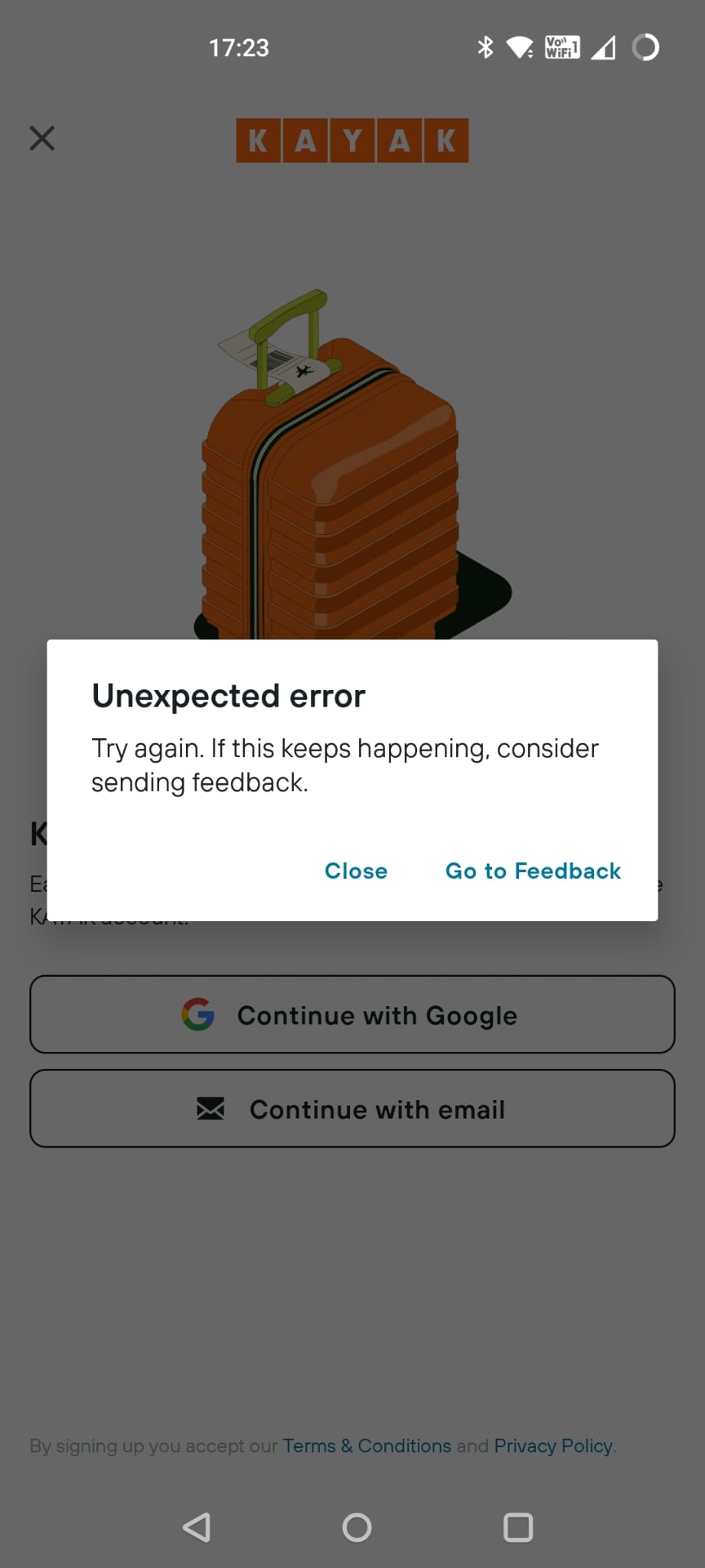
I go back to my Android device. I am still logged into the Kayak app and I can see the passkey is registered there. I can see the passkey still exists in my Google Password Manager. I log out of the Kayak app and try to login again with my passkey. I get the same cryptic error message as when I had revoked the key in Kayak and it doesn’t let me in.
I force close the app and try again, this time it works fine and I am logged in again. That was weird but maybe just some sort of glitch? Who knows?
So my passkey definitely works (on Android). I try again with Chrome on Windows and same failure again. It seems to get the stage where I need to swipe my fingerprint and then fails on Chrome before I even have chance to swipe.
In my desperation, I even open up a different laptop and try to login to Kayak using Chrome on that. But it’s running Windows 10, not Windows 11 so I don’t get the pop-up and I don’t feel like trying to figure out what is actually possible under Windows 10. (Spoiler alert, I’m pretty sure nothing is natively possible there).
Alright, I am out of ideas. No idea why this is not working.
Why it’s not working
At a later date, I managed to find another Android phone and another Windows 11 PC and bottom line is is that the QR code flow to use my Android passkey on another device just flatly seems to not work on my cheap Android device (which honestly wasn’t THAT cheap, I’m not talking Aliexpress $5 phone here).
Doesn’t matter what site, the flow doesn’t work. I even tried using adb and logcat to debug but couldn’t find any useful information and Googling didn’t help either.
Part 5 – Can I use my saved passkey directly through my Google account?
So, I decide that in the interests of fairness, I will try option 4 which is to create a new Chrome profile on my Windows 11 laptop using the Google account where I have stored the passkey. (Remember that I am logged into that account on Firefox but for whatever reason I can’t directly use my stored passkeys from my Google Password Manager in Firefox).
I do that and get presented with this.
This screen is letting me use passkeys via the Windows mechanism (which we have seen just doesn’t seem to work) but it isn’t showing me the “Use passwords saved in your Google account” option that I saw on my other Chrome profile.
I am definitely logged into a Google account, and the correct Google account.
So why didn’t I get the “Use passwords saved in your Google account” pop-up?
So I go to the “Google Password Manager” and…
My passkey is not there. It is definitely in the list on my Android device. I guess this kinda makes sense because it is supposed to be tied to my device but I don’t think it is unreasonable that someone would expect that given how obsessed Google is with synchronising all your stuff everywhere, that your Google Password Manager would also be the same everywhere.
Part 6 – Creating a Passkey on Windows
Let’s go back to option 3 for Windows which was to enter in my email address, get a magic code, get into the app and then register a passkey on my Windows PC.
So, I still really want to use Firefox so back to that. It again tries to get me login with my passkey and again fails so instead sends me a magic code to my email address. (This is all being done using the same Hotmail address for the Kayak account).
Enter in the magic code and I am logged into the app, nice and easy.
So I dig into a few screens and now I am offered to add a passkey.
Once again 1Password pops up, offering to store my passkey. Let’s leave that for later.
For now I click the tiny security key icon to be taken to the Windows passkey mechanism.
This pops me up a Windows security screen with a few interesting options.
Now, I have Windows Hello and a fingerprint scanner so I can save it on Windows but intriguingly I also have an option for use another device. Presumably, someone who doesn’t have Windows Hello on the their laptop would need to use this?
Windows passkey on Android device?
I am going to try and store it on my Android device because I have no idea what that actually means or entails 🙂
I go through a very similar flow to trying to use a passkey from my device with a QR code (if I don’t use the saved version of my phone) but I am seeing the same failure behaviour so let’s leave this for now.
Windows passkey on Windows device?
I go back and select to store using fingerprint on my laptop.
That seems to have saved ok and I can see the new passkey on my list in Kayak.
I logout, go back to login with email, the 1Password pop-up appears, I click the tiny security key icon and now it shows that I can login with my passkey.
Swipe my fingerprint on my laptop and I am golden.
Did you notice that the passkey I just created is named “Firefox”.
Can I use it on Chrome?
Yep, so not a great name but interesting none the less.
Part 7 – Using a Windows passkey on an Android device?
Trying natively
Now, is there any way to use my Windows passkey on my Android device?
I am going to revoke my Android passkey on Kayak and delete it from my Google Password Manager so that we can find out.
With that done, I clear the Kayak Android app’s data to log me out and open it up on my Android device. I go to login and it doesn’t say anything about passkeys. Looks like that isn’t possible.
But wait, I have 1Password on my phone, maybe that will make it work?
Trying via 1Password
I go back to Kayak and revoke my Windows passkey, the one that is actually called Firefox.
I also delete it from my Windows passkey store (it is the bottom one).
I logout and log back in again in Firefox.
It actually prompts me again to use my passkey. (I took the screenshot above but forgot to actually do the deletion). I swipe my fingerprint and it silent fails with no error message, presumably because I DID revoke the passkey in Kayak.
This time I actually remember to delete the passkey so now I need to login using a magic code again. I get in, back to the accounts screen and adding a passkey.
This time, I am going to store the passkey in 1Password.
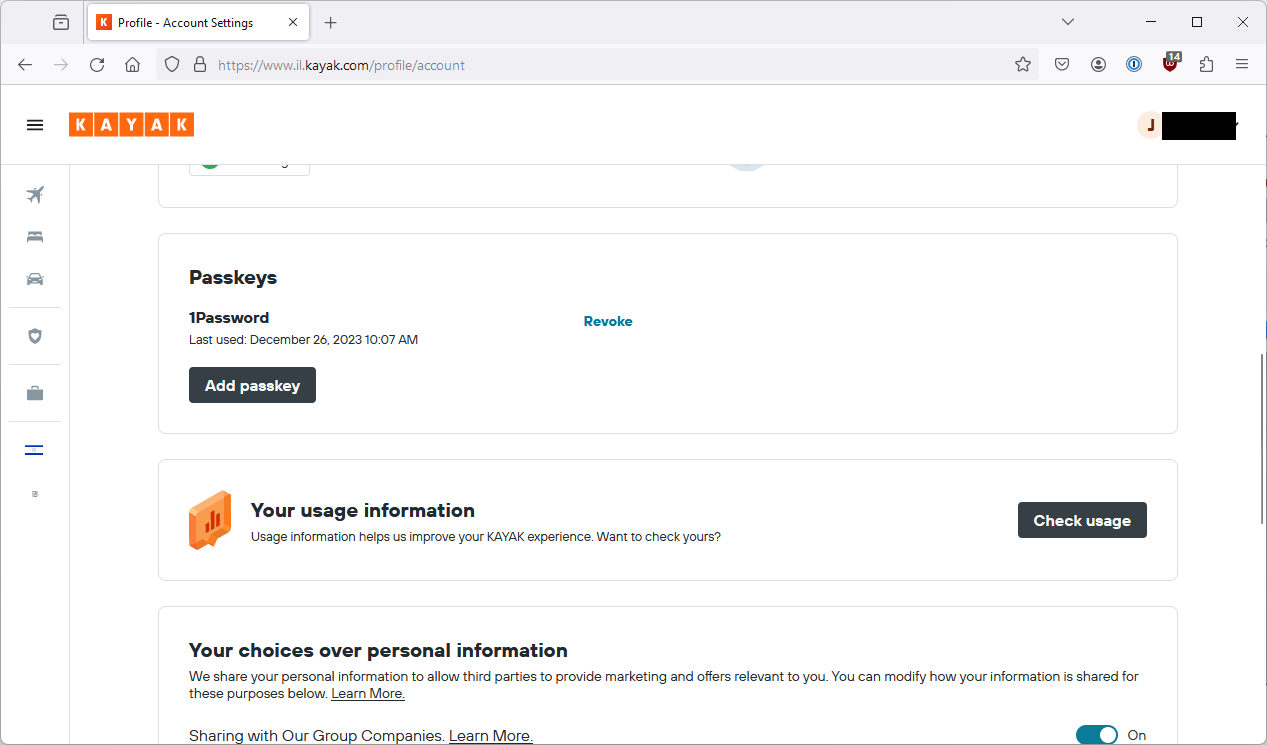
Job done, that is now added.
I can logout, go back to login and 1Password tells me I have a passkey I can use.
Click the magic button and I’m in.
So now, I go back to my Android Device.
(Remember I deleted my passkey on that device.)
I open up Kayak and see if I get told about a passkey by 1Password, but nope nothing there.
Maybe it doesn’t know the App is Kayak so it doesn’t present it to me. I uninstall the app and browse to the site manually.
So in the browser, 1Password knows it has something for this site and will fill in the email address.
But the next screen I get is from Android and gives me two confusing options, neither of which help me in this case.
It turns out that doing this via 1Password basically isn’t possible until Android 14 which I don’t have and was only released a couple of months ago. Seems like it isn’t going to be a realistic solution in the short to mid term.
Experimentation Summary
So what is the summary of this experiment?
First of all, I want to reiterate once again that none of this is critical of Kayak.com, they have made a good-faith effort to make this work but they aren’t responsible for the surrounding ecosystem issues.
There is currently a lot of confusing UX around passkeys, even for very basic operations. Different combinations of browsers and devices lead to a variety of different (and sometimes unpredictable) user journeys.
Creating a passkey on a device (and using it on that device) is relatively slick although the weird UX differences still apply.
Once you start trying to use an account on multiple devices, the UX really breaks down. Passkeys don’t synchronise where you might expect them to synchronise and the QR code flow that is supposed to work around that appears to be unusable on my device and maybe all OnePlus devices…
Most places that talk about Passkeys assume that you are using a biometric mechanism like face or fingerprint to use a passkey which in theory should provide proof your are physically present. However, the FIDO Alliance (the main industry body that defined the passkey standard) clearly says that this may be a biometric or a device PIN. Practically speaking, on my Android phone I could use my phone pattern instead of a biometric so that eliminates proof of presence and instead relies on the complexity of your pattern or your your PIN or whatever. I don’t think this is a passkey specific thing but it is worth considering when you talk about using biometrics.
At pretty much every stage of this experiment, I could have fallen back on to a code being sent to my email address. In some cases, I was forced to fall back on to this.
Ecosystem improvements will probably require Operating System upgrades. For example, 3rd party password managers which would probably greatly simplify the cross-device ecosystem will only be supported by Android 14+ which was only released very recently.
What are other people saying?
At this point, in my experimentation, I had pretty much gotten to here:
So I decided to ask a few people in the industry. I am not going to name names but here are a couple of examples. I guess this section would have been more convincing if I had gotten signed affidavits and done video interviews but that wasn’t really practical 🙂 so I am paraphrasing a lot below.
I spoke to a very well known web security researcher who is also involved with a SaaS product. They said that they had not been asked for passkeys by customers, didn’t have much of a plan to implement them and overall didn’t see them as of immediate importance.
I also spoke to someone who was going to be shortly giving a talk about passkeys. They were sympathetic to my ecosystem concerns and saw the current goal as building awareness of passkeys rather than expecting significant roll-out in the near future. They then told me that one of the demos from the talk that they were about to give had broken the previous day. The reason appeared to be some weird bug in Android 14 that had suddenly stopped 3rd party password managers working.
This feedback seemed to confirm my usability concerns and I am therefore led to the following conclusions.
So what have we learnt?
Technically a dream
The technical aspects of passkeys are super cool. Purely using passkeys effectively mitigates phishing and requires no remembered secrets.
Ecosystem is a nightmare
The current ecosystem is really problematic! If you are using end-to-end Apple devices then you are probably okay, otherwise you are going to see a whole range of compatibility issues and differences in what is supported where.
The exception becomes the rule
We will often see fallback options, where a particular security option is not possible.
In the case of passkeys, the fallback option tends to be a magic link sent to email or a code sent to email, and as soon as you introduce any complexity at all then the fallback option almost becomes the norm. The ecosystem complexity means that in order to make sure your app is usable cross-platform, or by devices which don’t support passkeys, you are pretty much forced to make fallback options a first-class citizen.
Kayak in particular rushed to fallback to an email code or link as soon as something did not go smoothly with the passkeys flow. https://www.passkeys.io/ is entirely usable without passkeys, just email codes. https://passkeys.eu is entirely usable without passcodes, just email codes.
Now you might say, well I could use any app with standard authentication with just an email code if I activate the forgot password process. But there are two problems with that. Firstly, forgot password would be considered a non-standard login and cause noise, in this case the code/link login seems to be considered like any other login. Secondly, with standard authentication, if MFA is enabled then the forgot password process should not work just from an email link anyway.
Another fallback example I mentioned above was that on my Android phone I could use my phone pattern instead of a biometric so that eliminates proof of presence and instead relies on the complexity of your pattern or your your PIN or whatever.
What does this mean for security
Well, basically this means that you are only as secure as your weakest fallback option. Passkeys don’t mean anything if the user’s email is compromised and that is the fallback option. Biometrics don’t mean anything if the fallback is using the phone’s PIN.
Passkeys are super secure, current authentication flows using passkeys, not much more so than classic authentication flows.
But the user experience is great, right?
In a simple scenario, the user experience is fabulous. Really simple flows and super easy to log in.
Unfortunately, as I hope I have demonstrated above, once scenarios get more complex or you have device compatibility issues or there is some weird bug that breaks things, user experience is going to plummet and you need to decide if your organization is ready for this.
How much effort it all of this for developers?
Well, you could bring pay a 3rd party service to do this for you, but do you really want another 3rd party service? Odds are you are already using a 3rd party service for your authentication mechanism, maybe they support it?
Somewhere I found a support ticket explaining that this was not yet supported but I can’t find it now, probably because they are embarrassed, as well they should be.
So anyway, if your 3rd party provider supports it then maybe it is easier. If not, then there are going to be a lot of flows, edge-cases and management screens and functionality that your developers are suddenly going to have to deal with.
Discovering Google Identity Platform didn’t support it put the final nail in the coffin for me and this particular client, there was no way I was going to suggest my client to get bogged down in this or buy another 3rd party.
In conclusion
Look, this is a really cool piece of tech but until the ecosystem gets itself together, it is going to be hard to justify the return on development investment.
Definitely learn about it, try it out and make sure you understand it but when it comes to implementing it in production, maybe leave it to the curious or the early adopters for now.
]]>Josh Grossman5 Product Security talks that caught my eye on the Black Hat USA 2023 schedule.2023-07-19T09:54:58+00:002023-07-19T09:54:58+00:00https://joshcgrossman.com/2023/07/19/5-product-security-talks-that-caught-my-eye-on-the-black-hat-usa-2023-scheduleIntroduction
(You can also check out my previous post about some other great trainings on offer 😀)
As a trainer, I also get a Black Hat briefings ticket. The Black Hat briefings bring some of the top security research and war stories from around the world to attendees.
In my excitement to attend, I’ve already been through the schedule to see which talks I think will be most useful from an application and product security perspective, so here are some of my top picks! (The list is in chronological order)
#1 James Kettle breaks the Internet again!
Every year, James Kettle from PortSwigger Research comes back with another brand new and unusual vulnerability class and this year he is back to talk about web race-conditions. His talks are always a master-class on how to perform security research but also contain useful information on how to mitigate the vulnerability class and how to test for it.
As with previous years, his talks will be accompanied by new functionality in Burp Suite and new learning lessons in the free Web Security Academy that PortSwigger provides so this talk seems like a great opportunity to keep up to date with the latest web application attacks.
#2 Bringing security from chaos (engineering)
Kelly Shortridge from Fastly has been championing security chaos engineering for a while now as a way of improving the security industry in general, including releasing a new book about it. Kelly has also found time to prepare a variety of highly interesting and relevant articles and research pieces about security in general, based on significant experience in industry.
This talk, “Fast, Ever-Evolving Defenders: The Resilience Revolution”, looks like it will be a fascinating overview of how to really design defendable systems and treat security as an organisational (rather than technical) challenge. It also provides a refreshing counterpoint to the all too pervasive trend to try and improve security by just adding another tool or class of tool.
#3 Cookie up a storm
Think you know everything about cookie security? Think again. Marco Squarcina and Pedro Adãowill be talking about new attacks related to cookies and vulnerabilities in security mechanisms previous thought secure.
With 12 CVEs, and 30 vulnerability disclosures affecting, major Web development frameworks, and server-side programming languages and middlewares, leading to RFC changes, this sounds like the sort of issue which might have a long tail and be potentially exploitable in a variety of contexts.
#4 I can’t let you release that feature, Dave
With AI being such a hot topic, obviously there was going to be something relevant in this area. This talk from Mrityunjay Gautam and Pavan Kolachoor from Databricks looks like it is going answer an age-old product security question: how can we bring the right level of security guidance and verification to the features which need it the most in the Software Development Lifecycle?
Coming from two practitioners (which is an encouraging sign for any talk), this talk discusses how to use AI instead of other more manual or unreliable methods for solving this problem.
#5 Sealed with a loving Private Key
Software ecosystem security is a problem that continues to grow, with developers becoming accustomed to relying on downloading libraries and functionality from package repositories despite a variety of challenges in verifying the security of what they’re downloading.
Trevor Rosen and Zach Steindler are engineers from GitHub, and they’ll be telling their story about trying to solve this problem for the NPM ecosystem using the sigstore project for software signing.
I’m hoping this will start a trend of greater traceability in software development and that if it can be done at NPM scale, it can be done more widely.
Conclusion
With almost 100 talks on the briefings schedule, there should be something for everyone but these are the ones that caught my eye. Feel free to let me know if there are any others you think I should take a look at! What did I miss?
]]>Josh GrossmanFive Black Hat USA courses that caught my eye, (#5 won’t shock you at all!)2023-04-20T17:32:56+00:002023-04-20T17:32:56+00:00https://joshcgrossman.com/2023/04/20/five-black-hat-usa-courses-that-caught-my-eye-5-wont-shock-you-at-allSeems like a long way away but believe it or not preparations for Black Hat USA 2023 are well underway!
In particular tickets for Black Hat’s highly sought after training courses are already on sale and doing brisk business. Was preparing for my course, building a high value access scanning program, I’ve had a little chance to look over some of the courses on offer and I thought I’d pick out some of those that caught my eye.
#1 Get Ready, for Ransomware!
Let’s start off with a problem that is absolutely plaguing this industry. Ransomware is just everywhere and all organizations big and small are affected. It’s also an attack type where reacting fast and effectively can make or break the response.
The “Ransomware Response Boot Camp” will give you the opportunity to practice that in a safe environment and Sherri and Matt have loads of great experience in this area so them up on this before it’s too late!
#2 Up in the Clouds…
Cloud now seems to have become one of the main frontiers in organisational IT and where IT systems go, the hackers will follow. Unsurprisingly, compared to a traditional environment cloud offers its own challenges but also its own opportunities for security defence.
The “Adversarial Cloud Incident Response” course brings together twoguys (Rich and Will) with shedloads of experience building and defending cloud environments, and they’re going to use this experience plus some great sounding hands on exercises to get you doing that as well.
If you need to defend a cloud environment, go check them out!
Oh and did I mention that each of the trainers (Haroon, Casey, Jacob and Marco) was a legend in the security industry even before they started at this company so any interaction with them is going to be super valuable anyway.
If network defence is your day job, hit them up today!
#4 The weakest link in the chain…
The AppSecEngineer/we45 team have taken the application security education by storm over the last few years with a seemingly unending chain of new courses in the application security and DevSecOps space. This year at Black Hat USA, their illustrious leader Abhay Bhargav is back with one of their newer courses, “Attacking the Application Supply-Chain: 2023 Edition“, helping you understand how to defend the application supply chain by attacking it.
Abhay is a great trainer who has delivered courses at Black Hat for many years now as well as all over the world and if you worried are about build system and supply chain security, look no further than this hands-on course!
#5 Last but not least…
Finally, did you know that I’m presenting a course at Black Hat USA as well? (I may have mentioned it a couple of times on my social media profiles…)
Having helped various organisations to get more value from their SCA, SAST and DAST tools, I’ve built a training course to help you as well. The focus is on building effective organisational processes and a methodological approach to triage to streamline this function and let you spend more time on more interesting, proactive activities.
I’ve already delivered the “Building a High-Value AppSec Scanning Programme” course at multiple conferences and for private clients and each time it gets great feedback from attendees who love the blend of lecture sessions and group activities to give them practical ideas and approaches they can take back to their day jobs.
If you are looking to get better value from these tools and work more efficiently, this is the course for you!
In this updated post, I want to summarize how to use this new functionality in the context of having multiple GitHub accounts on a single Linux/WSL machine.
Please read it carefully as there are some fixes and some updated gotchas! 😀
Git your configuration on
Git the right version number
Note that SSH commit signing is only supported from version 1.34 and higher of git. Unhelpfully, the Ubuntu package repositories in my WSL instance do not go any higher than 1.25 🤦♂️.
As such, I had to follow the instructions in this blogpost to get the most recent version of git installed for my WSL machine.
Let me Google that for you
My primary resources for how to get the multiple users set up was a combination of the following two links which were really useful but I got caught in a few issues on the way, (not necessarily the fault of the posts through).
The first thing I liked from the GitGuardian link was having two separate paths for Work and Personal projects using two separate GitHub identities.
Based on their instructions, I created “Work” and “Personal” folders within my WSL home folders (actually soft-links to other locations), created the relevant ssh keys and then the relevant configuration files. Obviously I also had to copy my ssh public keys into the relevant page of the GitHub UI for each account.
If you want to sign using the same SSH key, note that you will need to upload it twice. Once as an authentication key and once as a signing key.
Git configuration files
Here are the git configurations I ended up with. I will add some more information about parts them below but they are mostly based on the links above. Note that the heading within which folder each configuration line sits is important.
# ~/Work/.work.gitconfig

[user]
email = josh@acmesecurity.com #redacted email address
name = joshacmesecurity #redacted username
signingkey = ~/.ssh/joshacme_key.pub  #redacted path to public key

[github]
user = joshacmesecurity #redacted username

[gpg]
format = ssh #specifies that we want to use ssh signing

[commit]
gpgsign = true #should force signing on commits

[core]
sshCommand = ssh -i ~/.ssh/joshacme_key #redacted path to private key
# ~/Personal/.pers.gitconfig

[user]
email = jzzzzzzzzz@hotmail.com  #redacted email address
name = tghosth #username
signingkey = ~/.ssh/jzzzzzzzzz_key.pub #redacted path to public key

[github]
user = tghosth #username

[gpg]
format = ssh #specifies that we want to use ssh signing

[commit]
gpgsign = true #should force signing on commits

[core]
sshCommand = ssh -i ~/.ssh/jzzzzzzzzz_key #redacted path to private key
Git Gotchas
There were a couple of issues at this stage that had me scratching my head for a while
Browsing to the wrong path
Notice that I created softlinks at ~/Work and ~/Personal. Since this is WSL and I was mapping to my actual host, the actual links are something like /mnt/c/User/josh/Documents/……. etc etc. If you browse to the folder using that path, the config won’t work, it will only work if you browse via the softlink because that is how it is configured in the “includeIf” section.
Wrong file names
I had used dots in my file names for the personal and work configuration files whereas the main configuration file from the GitGuardian link used hyphens. This took me longer than I care to admit to figure out… This was certainly a PEBKAC issue.
Messed up double quotes
I was getting parsing errors for a very long time on my main configuration file. I tried all sorts of things including not using soft-links but using the full paths from the root instead. After much faffing, I realised that when I copied the same configuration files from the GitGuardian site, it had used “curly double quotes” instead of the regular double quotes and this was tripping up git 🤦♂️.
SSH authentication and Signing
Making ssh work with git
I wasn’t previously familiar with using ssh authentication with GitHub so this caused me some challenges as well. During the course of the previous post I went through a few possible options but in the end I have only really used option 3 so I will focus on that version here.
I was used to using HTTPS for cloning repositories and personal access key authentication to push so this was also a bit of a learning curve. My main (eventual) discovery was that despite the use of the “sshCommand” parameter in the previous git configuration files, this is only used for “git fetch” and “git push” operations (not clone) and only when the repository’s origin is set using the SSH syntax rather than the HTTPS during the clone operation.
As such, it is important to use the ssh link when cloning a repository which you want to authenticate to in this way. You can find the relevant link in the GitHub UI:

Using ssh-agent to authenticate (and to sign)
I figured this option out whilst writing the previous blog post 🙃. The freecodecamp link sort of alludes to this but not explicitly for easily cloning the repository in the first place.
The ssh-agent program temporarily keeps ssh private keys in memory and one advantage is that you only have enter the passphrase once per session rather than on every use individually. Without ssh-agent, for every git clone, git fetch and git push, I would need to enter the passphrase every single time. The same would go for each commit signing operation.
However, another advantage for our use case is that when the key is held in ssh-agent and I do a git clone via ssh, the ssh operation will automatically use that key without needing to be told.
You can see this in the terminal fragment below. I start ssh-agent running in my current terminal, (see this explanation of why it needs to be done using eval). I then add the identity (my personal identity in this case) I want to use to the agent.
josh@LAPTOP-ZZZZZZZZ:~/Personal/testclone$ eval `ssh-agent -s`
Agent pid 841
josh@LAPTOP-ZZZZZZZZ:~/Personal/testclone$ ssh-add -l
The agent has no identities.
josh@LAPTOP-ZZZZZZZZ:~/Personal/testclone$ ssh-add ~/.ssh/jZZZZZZZZ6_key
Enter passphrase for /home/josh/.ssh/jZZZZZZZZ6_key:
Identity added: /home/josh/.ssh/jZZZZZZZZ6_key (jZZZZZZZZ6@hotmail.com)
You can also use the fast version:
josh@LAPTOP-ZZZZZZZZ:~/Personal/testclone$ eval `ssh-agent -s` && ssh-add ~/.ssh/jZZZZZZZZ6_key
Agent pid 841
Enter passphrase for /home/josh/.ssh/jZZZZZZZZ6_key:
Identity added: /home/josh/.ssh/jZZZZZZZZ6_key (jZZZZZZZZ6@hotmail.com)
I can then run git clone within my ~/Personal directory without changing the ssh path I copied from the GitHub UI.
Note that I used a private repo in this example just to check it would work. It automatically uses my “personal” identity held in ssh-agent (as otherwise the clone would have failed).
I can then do a push operation and it will be using the identity configured in the relevant git config file for this folder tree (.pers.gitconfig). It doesn’t need a passphrase because the key is active in ssh-agent.
josh@LAPTOP-ZZZZZZZZ:~/Personal/testclonepriv$ git push -v
Pushing to git@github.com:tghosth/testclonepriv.git
To github.com:tghosth/testclonepriv.git
 = [up to date]      main -> main
updating local tracking ref 'refs/remotes/origin/main'
Everything up-to-date
josh@LAPTOP-ZZZZZZZZ:~/Personal/testclonepriv$
This option is nice because it also solves having to enter the passphrase every time. Obviously there are implications of using ssh-agent but for a single user local Linux machine it seems like a reasonable solution. If you are jumping between work and personal frequently, it might get fiddly but on the other hand it is most important for the initial clone operation.
Signing Commits
If you followed the instructions above, you should be basically done. No faffing around with GPG.
The configuration files tell git to force signing commits and which SSH key to use in each folder. You have already added the SSH key to ssh-agent so it is available for use so now it should happen seamlessly and if it is all working you should see the commits as verified in GitHub.
In closing
Thanks for reading, I hope this is a useful summary and makes it easier for you to set up this functionality. If you have comments or feedback, the easiest option is to reach out to me on Twitter at @JoshCGrossman or on Mastodon @JoshCGrossman@Infosec.Exchange!
]]>Josh GrossmanDiscover your inner security engineer with this one weird trick (hackers hate it!)2022-11-10T16:30:00+00:002022-11-10T16:30:00+00:00https://joshcgrossman.com/2022/11/10/discover-your-inner-security-engineerIntroduction
I prepared a talk, aimed at non-security people working on building software such as developers and DevOps engineers. The aim was to introduce them to some key ways in which OWASP can help them level up their security knowledge and practices for either free or very cheap.
In this post, I am not going to reproduce the whole talk but I want to provide the structure and, most importantly the links in a more accessible way than a talk recording or slide deck.
Talk abstract
When it comes to security, we are all trying to figure out how to do more, in less time and less budget. OWASP, the Open Web (and) Application Security Project can bring you this and more.
However, with over 200 different projects and no easy way for someone outside the ecosystem to know where to start, some of the best resources might be the least known. In this talk, I will use my experience working with OWASP in a variety of areas to walk you through the key projects that can help you at different stages of your software security journey such as those noted above. I will also highlight the less obvious benefits that it offers you which could potentially save you time and money.
You will leave with ideas and tricks which you can immediately adopt in your day job to level up your security knowledge, impress your peers, and maybe have some fun along the way!
]]>Josh GrossmanBuilding a high-value AppSec scanning programme.2022-05-01T14:14:43+00:002022-05-01T14:14:43+00:00https://joshcgrossman.com/2022/05/01/tune-your-toolboxThe most up to date information on this course is now on the Bounce Security website at:
]]>Josh GrossmanGetting multiple GitHub accounts on one Linux/WSL machine2022-01-26T10:42:02+00:002022-01-26T10:42:02+00:00https://joshcgrossman.com/2022/01/26/getting-multiple-github-accounts-on-one-linux-wsl-machineBEFORE YOU START READING
I created an updated version of this post for 2023 which focuses on the easiest method of setting this up, uses SSH commit signing instead of GPG which also significantly simplifies things and fixes a few errors.
So if you are looking for an easier solution then you might want to use the updated post but if you are looking for other options then feel free to read on 😀
Introduction
I recently had to set up a new laptop and one of the things I wanted was the ability to have both my work and personal GitHub accounts set up on one Linux environment, (more specifically WSL). I also wanted to ensure that at least my personal commits were signed using a GPG key
I discovered quite a few complications in this process so I wanted to include some documentation on how I achieved this. If you are an ssh or git expert then some of this might be obvious but otherwise hopefully it will be helpful!
Git your configuration on
The first step was to get my git configuration set up correctly.
Let me Google that for you
My primary resources for how to get the multiple users set up was a combination of the following two links which were really useful but I got caught in a few issues on the way, (not necessarily the fault of the posts through).
The first thing I liked from the GitGuardian link was having two separate paths for Work and Personal projects using two separate GitHub identities.
Based on their instructions, I created “Work” and “Personal” folders within my WSL home folders (actually soft-links to other locations), created the relevant ssh keys and then the relevant configuration files. Obviously I also had to copy my ssh public keys into the relevant page of the GitHub UI for each account.
Git configuration files
Here are the git configurations I ended up with. I will add some more information about parts them below but they are mostly based on the links above. Note that the heading within which each configuration line sits is important.
There were a couple of issues at this stage that had me scratching my head for a while
Wrong file names
I had used dots in my file names for the personal and work configuration files whereas the main configuration file from the GitGuardian link used hyphens. This took me longer than I care to admit to figure out… This was certainly a PEBKAC issue.
Messed up double quotes
I was getting parsing errors for a very long time on my main configuration file. I tried all sorts of things including not using soft-links but using the full paths from the root instead. After much faffing, I realised that when I copied the same configuration files from the GitGuardian site, it had used “curly double quotes” instead of the regular double quotes and this was tripping up git 🤦♂️.
SSH authentication
I wasn’t previously familiar with using ssh authentication with GitHub so this caused me some challenges as well. I will paste in an example of ssh git configuration file first and then walk through this aspect.
It is possible that there are other/better ways to do this so please free to tell me if you have ideas 😀.
SSH Configuration file
Here is the ssh configuration I ended up with. I will explain some of the key aspects further down.
Host ghpers
  HostName github.com
  AddKeysToAgent yes
  IdentityFile ~/.ssh/jZZZZZZZ6_key
  User jZZZZZZZ6@hotmail.com

Host ghwork
  HostName github.com
  AddKeysToAgent yes
  IdentityFile ~/.ssh/joshacme_key
  User josh@acmesecurity.com
Making ssh work with git
I was used to using HTTPS for cloning repositories and personal access key authentication to push so this was also a bit of a learning curve. My main (eventual) discovery was that despite the use of the “sshCommand” parameter in the previous git configuration files, this is only used for “git fetch” and “git push” operations (not clone) and only when the repository’s origin is set using the SSH syntax rather than the HTTPS.
After some experimentation, I found a few possible ways to clone the repository in a way that would make this all work. In the examples below I have used my personal identity but I could also have used my work identity and cloned to the relevant Work directory.
Option 1 – Without explicitly choosing an account
It is possible to start by cloning the repository using the regular HTTPS clone mechanism within the “Personal” directory. I can copy the clone command straight out of the GitHub UI:
cd ~/Personal
git clone https://github.com/tghosth/testclone
I now have the repository cloned locally but I now need to tell git to use the SSH mechanism instead of the HTTPS mechanism. I can do this as follows:
cd ~/Personal/testclone
git remote set-url origin git@github.com:tghosth/testclone.git
Note that at no point did I need to specify the specific identity to use so maybe this could even be automated after a clone operation with some sort of hook…
Either way, if I now do a push, it asks me for the correct key passphrase and works successfully
josh@LAPTOP-ZZZZZZZZ:~/Personal/testclone$ git push -v
Pushing to git@github.com:tghosth/testclone.git
Enter passphrase for key '/home/josh/.ssh/jZZZZZZZZ6_key':
To github.com:tghosth/testclone.git
 = [up to date]      main -> main
updating local tracking ref 'refs/remotes/origin/main'
Everything up-to-date
My main concern about this approach is that I worry how effective it will be if there are multiple remotes or branches or something. The other disadvantage is that it is a two step process and also it will not work smoothly for private repositories.
Option 2 – Doing a clean ssh clone choosing the relevant account
The other option is a one step but I need to mess with the original clone command. When I copy the clone command for an ssh clone, it will look like this:
cd ~/Personal
git clone git@github.com:tghosth/testclone.git
However, before I use it, I need to change it to tell the clone command which identity I want to use as otherwise it will return me errors. I can use the value in the Host field of the ssh configuration file above for this so the command will change to as follows:
cd ~/Personal
git clone git@<strong>ghpers</strong>:tghosth/testclone.git
You can see above that “ghpers” was the Host I gave to my personal key in the configuration file.
I can then run this and git will know which SSH identity to use for the clone operation. Once I start doing fetches and pushes, it will be using the identity configured in the relevant git configuration file for this folder tree (.pers.gitconfig).
I like this method because it is a single command. Whilst I have to manually change the clone command rather than just copying it from the GitHub UI, I only have to do that once and then everything works. It will also work smoothly for private repositories.
Option 3 – Using ssh-agent
I actually figured this option out whilst writing this blog post 🙃.The freecodecamp link sort of alludes to this but not explicitly for easily cloning the repository in the first place.
The ssh-agent program temporarily keeps ssh private keys in memory and one advantage is that you only have enter the passphrase once per session rather than on every use individually. Without ssh-agent, for every git clone, git fetch and git push, I would need to enter the passphrase every single time.
However, another advantage for our use case is that when the key is held in ssh-agent and I do a git clone via ssh, the ssh operation will automatically use that key without needing to be told.
You can see this in the terminal fragment below. I start ssh-agent running in my current terminal, (see this explanation of why it needs to be done using eval). I then add the identity (my personal identity in this case) I want to use to the agent.
josh@LAPTOP-ZZZZZZZZ:~/Personal/testclone$ eval `ssh-agent -s`
Agent pid 841
josh@LAPTOP-ZZZZZZZZ:~/Personal/testclone$ ssh-add -l
The agent has no identities.
josh@LAPTOP-ZZZZZZZZ:~/Personal/testclone$ ssh-add ~/.ssh/jZZZZZZZZ6_key
Enter passphrase for /home/josh/.ssh/jZZZZZZZZ6_key:
Identity added: /home/josh/.ssh/jZZZZZZZZ6_key (jZZZZZZZZ6@hotmail.com)
I can then run git clone in my Personal directory without changing the ssh path I copied from the GitHub UI. Note that I used a private repo in this example just to check it would work. It automatically uses my “personal” identity held in ssh-agent (as otherwise the clone would have failed).
I can then do a push operation and it will be using the identity configured in the relevant git config file for this folder tree (.pers.gitconfig). It doesn’t need a passphrase because the key is active in ssh-agent.
josh@LAPTOP-ZZZZZZZZ:~/Personal/testclonepriv$ git push -v
Pushing to git@github.com:tghosth/testclonepriv.git
To github.com:tghosth/testclonepriv.git
 = [up to date]      main -> main
updating local tracking ref 'refs/remotes/origin/main'
Everything up-to-date
josh@LAPTOP-ZZZZZZZZ:~/Personal/testclonepriv$
This option is nice because it also solves having to enter the passphrase every time. Obviously there are implications of using ssh-agent but for a single user local Linux machine it seems like a reasonable solution. If you are jumping between work and personal frequently, it might get fiddly but on the other hand it is most important for the initial clone operation.
GPG Signing Commits
This was more straightforward overall and GitHub has some good documentation for how to get it set up. At the time of writing, GitHub does not support commit signing using an SSH key so you have to set up a GPG key separately. You will notice that in my “.pers.gitconfig” file above I have user.signingkey and commit.gpgsign configured. (I am not currently using this for my work identity.)
Using the documentation, I was able to set this functionality up quite easily but once I had it set up, it kept failing with the following error:
josh@LAPTOP-ZZZZZZZZ:~/Personal/testclonepriv$ git commit --allow-empty -m "test sign"
error: gpg failed to sign the data
fatal: failed to write commit object
After a painfully long time, I finally found a hint in a blog post somewhere that I needed to run the following command in my terminal first:
export GPG_TTY=$(tty)
With that command run, the commit would pop up a GPG window in the terminal prompting me for my GPG passphrase (obviously different to my SSH passphrase) and would then create and sign the commit.
I can use “git log” to show the successful signature.
josh@LAPTOP-ZZZZZZZ:~/Personal/testclonepriv$ git log --show-signature
commit 169a1d725d2ZZZZZZZZZZZZZZZZZZZZZc565ff3d5 (HEAD -> main)
gpg: Signature made Wed Jan 26 09:42:20 2022 IST
gpg:                using RSA key 487BBZZZZZZZZZZZZZZZZZZZZZZZZZFB6E4682A9
gpg: Good signature from "Josh Grossman (tghosth) <jZZZZZZZZ6@hotmail.com>" [ultimate]
Author: tghosth <jZZZZZZZZ6@hotmail.com>
Date:   Wed Jan 26 09:42:20 2022 +0200

    test sign

josh@LAPTOP-ZZZZZZZZ:~/Personal/testclonepriv$
In closing
Thanks for reading, I hope this is a useful summary and makes it easier for you to set up this functionality. If you have comments or feedback, the easiest option is to reach out to me on Twitter at @JoshCGrossman!
]]>Josh Grossman5 reasons to attend an OWASP Global Event2018-11-26T23:15:45+00:002018-11-26T23:15:45+00:00https://joshcgrossman.com/2018/11/26/5-reasons-to-attend-an-owasp-global-eventWhat is an OWASP Global event?
I recently had the privilege of attending and speaking at the OWASP AppSec USA 2018 conference in San Jose, California, one of OWASP’S global events. OWASP’s global events differ from local or regional events with the most obvious differences being the size of the event and the fact that they are priced more like a regular industry conference (although still nowhere near the expense of something like BlackHat). This is because the global conferences are intended to act as OWASP’s flagship events as well as to raise funds for OWASP’s ongoing activities. In return, you get to hear talks from and network with some of the top security professionals from all over the world.
This was the first time I had attended a OWASP global event despite having attended chapter meet-ups and regional conferences so I wanted to take this opportunity to pull out some of my highlights.
1. A focus on fixing
One of my personal frustrations with many Information Security conferences and meet-ups is the significant bias towards talks about breaking things. Breaking stuff is fun but too often the practicalities of what can be done get overlooked.
The programme at AppSec USA was very much the opposite with most of the talk subjects focusing on themes like “how to use this security measure or feature correctly” or “here’s how we do application internally” or “introducing a new OWASP project and how it can help you”.
This meant that a large portion of the attendees were in “defender” and “builder” job roles who are ultimately responsible for securing software and meant that attendees could expect to pick up skills and ideas which would be immediately applicable in their day jobs.
2. Friendly and fascinating community
I was a little nervous going into the conference as I knew almost no one there and am an introvert by nature. Going from that into the ballroom for lunch with about 800 people at tables was a challenging experience but overall I found that people were really friendly and happy to chat.
I got the chance to speak to the leader of what must be one of the largest OWASP chapters in the world as well as the leader of one of the newest. I met various project leads, people I knew only from Twitter and just generally had a lot of conversations with people from a variety of backgrounds and experiences who had come from all over the world to be at the conference.
Along the way I got pulled into a tequila party (although with absolutely no pressure to drink), tried to pick a lock whilst simultaneously holding a conversation with some seriously smart people and got invited to give my talk again at another conference on the west coast.
The networking event on the first night also really helped with this providing activities and exhibits to interact with which encouraged attendees to work together and discuss.
3. Cutting edge talks and keynotes
With three tracks of talks, (plus the Hush talk track and the OWASP project overview track) some hard decisions had to be made as the overall quality of the talks was really high. Most of the time I was torn in (at least) a couple of directions so I am glad that the talks were all recorded (see playlist here) so I can catch up with those which I missed.
Most of the talks were highlighting something that I had not already come across and I made an effort to chat with some of the speakers afterwards or later on in the conference to discuss further.
There were also some great keynotes from various leaders in the security and tech industry who provided their high level visions of how application security needs to adapt to the current technology landscape.
4. Big name sponsors
I probably didn’t speak to as many of the sponsors as I should have done although I did spend time talking to some of them, including having some really interesting discussions and meeting some really smart people. As a consultant, it is important for me to be familiar with the companies in the industry in case I have a client with a particular problem or I encounter their products at a client. To be honest, having an awareness of the key players in the industry will be valuable whatever your position.
Certainly, the quantity and quality of the sponsors reflected the high-profile of the conference and if you are a “swag” connoisseur then you will also be happy. 😉 Whilst I am generally too shy to load up on too much swag, I was able to pick myself up a nice backup battery for my phone which was invaluable for my sightseeing day in San Francisco after the conference.
5. Supporting OWASP
OWASP is certainly a unique and irreplaceable organisation. By attending a global conference, aside from the other benefits which I have highlighted in this post, you are helping to financially support this vital organisation and ensure that it can continue to support its chapters and projects.
If you are already an OWASP member then you generally get a discount on the conference fee which will cover your membership and if you aren’t already a member then a Global OWASP conference is a great place to sign up 🙂
Members get some dedicated swag but also access to the members lounge. Here you could get coffee and snacks all day whilst avoiding the crowds at the buffet during the coffee breaks but also it provided a quieter, less overwhelming environment to meet people and chat.
Just do it!
Overall, it was an incredible experience and I would strongly recommend anyone in the application and product security space to attend one of these events or, even better, submit a talk to one of these events. If you are looking for a solution-focused conference where you can hear practical talks, apply what you have learnt straight away and meet like-minded people, these are the conferences for you. Look out for announcements for the 2019 conferences!
(All photo credits to the official AppSec USA 2018 photo album here: https://www.eversnappro.com/album/794043)